AI All-in-One
 Ecom Tools
 Others
 AI
AI AI Audio
 AI Dev Tools
 Cloud & Storage
 Edu Tools
 Relax Tools
 Ecom Tools
AdSparo
Price range: $30.00 through $157.00

Price range: $30.00 through $157.00

Sent via customer’s email

12-24hrs

All-in-one Subscription
AdSparo is an outstanding and free tool that enables you to conduct Facebook Ads Library spying.
Official website: https://adsparo.com/home/index.html
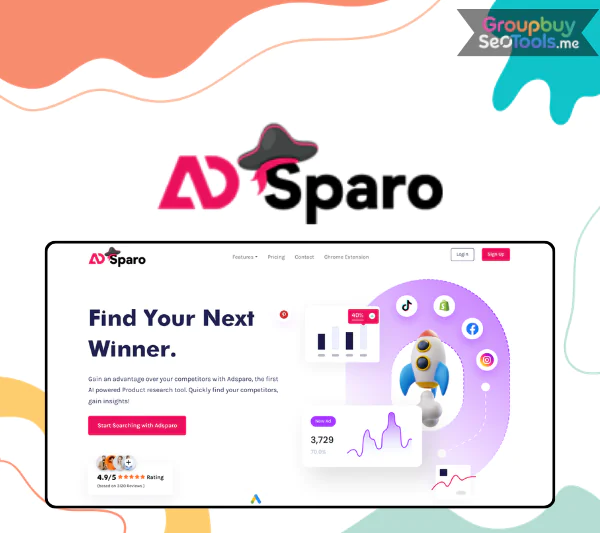 AdSparo is a free, AI powered Chrome extension that supercharges Meta’s Facebook Ad Library, turning it from a basic public archive into a serious ad spy and product research engine. Instead of paying $50 to $300 a month for traditional ad intelligence platforms, marketers can install AdSparo in seconds and immediately filter, sort, and save the strongest ads in any niche.
This guide is written for dropshippers, small ecommerce brand owners, performance marketers, and agencies that want to find winning products and creatives without burning through their tool budget. Based on more than 10 years of testing marketing tools and ad spy platforms, this is an independent, people first, non sponsored overview, fully updated for 2026.
Here is what we will cover:
Before we dive into advanced tactics, let us clarify exactly what AdSparo is and what it does differently from Facebook’s native Ad Library.

AdSparo is a free, AI powered Chrome extension that runs on top of the Meta (Facebook) Ad Library to help marketers spy on, filter, and save high performing ads. It is not a separate website or a paid SaaS dashboard. It is a browser overlay that turns the official Ad Library page into a working ad intelligence tool with extra filters, AI prioritization, and a personal swipe file.
The core purpose of AdSparo is simple. It helps you quickly find and organize winning ads and the products behind them, without paying for expensive ad spy subscriptions. Facebook’s native Ad Library is technically public, but it was designed for transparency, not for marketers. It offers basic search, no useful filtering by performance, no save function, no swipe file, and no way to rank ads by engagement or duration. Without AdSparo, you would have to scroll manually through endless creatives, copy and paste URLs into a spreadsheet, and try to guess which ones are actually working.
AdSparo launched in 2024 and is actively used in 2026 by a fast growing community of dropshippers and small ecommerce teams. By combining AI filtering with the data Meta already publishes, it gives free access to the kind of ad discovery workflow that used to require a paid tool. The result is a tighter feedback loop between spotting a promising creative and acting on it inside your own store and ad account.
AdSparo is a Chrome extension, which means there is no separate platform to log into and no data to migrate. You install it from the Chrome Web Store, grant the standard permissions a browser extension requires, and from that moment forward, the Facebook Ad Library looks and behaves differently in your browser.
Once installed, AdSparo injects an extra panel and additional controls directly into facebook.com/ads/library. You still see Meta’s familiar interface, but with AdSparo specific filters and buttons that the native version simply does not offer. The typical workflow looks like this:
It is important to understand what AdSparo can and cannot see. It works exclusively with public ad metadata exposed by Meta, including the rough impression range, ad duration, visible reactions, and the linked landing pages. It does not access private advertiser accounts, audience targeting, or ROAS. In a quick example, if you search for “pet collar” in the US and set the timeframe to the last 30 days, AdSparo will surface campaigns running multiple active ad sets with strong engagement, and instantly let you save the top candidates for deeper review.
AdSparo’s feature set is intentionally focused. It does not try to replace the Ad Library. It tries to fix everything the Ad Library does not do well for marketers. Here is how the two compare on the dimensions that matter most.
| Feature | AdSparo | Native Facebook Ad Library | Why It Matters |
| Performance filtering | AI driven “top ads only” filter | None | Cuts low signal creatives instantly |
| Advanced filters | Platform, date range, engagement, niche | Country and ad category only | Sharper targeting for research |
| Save and swipe file | Built in dashboard with tagging | Not available | Builds a long term creative library |
| Competitor view | All top ads per page, sortable | Basic listing, no sorting | Reveals scaling versus testing brands |
| Landing page preview | One click access to funnel pages | Plain link | Faster funnel and offer analysis |
| Workflow speed | Filtered, prioritized, saved in one place | Manual scrolling and copy paste | Major time savings |
The features above are only useful when tied to a clear marketing job. AdSparo is most often used in three distinct workflows, each suited to a slightly different goal.
The first and most common use case is finding products to test. Marketers open the Ad Library, type a niche keyword such as “LED dog collar” or “smart kitchen gadget,” apply AdSparo’s Shopify filter, and set the date range to the past 30 days. The AI top ads filter then surfaces the campaigns that are clearly performing.
Strong product signals to watch for include a high number of ad variations and active ad sets, ads that have been running for several weeks rather than a few days, and consistent engagement in comments and shares. A typical product research sprint ends with three to five validated candidates, each tied to a real running campaign rather than a guess. That is the difference between testing on hope and testing on evidence.
The second use case is studying specific brands rather than products. You search by page name or domain and pull every top ad a competitor has run inside the Ad Library window. With AdSparo, that list becomes ranked and filterable instead of an endless scroll.
The questions you can answer quickly include which creative formats they prefer, such as UGC video versus polished studio ads, which hooks dominate the first three seconds, which offers and discounts they reuse, and what their funnel structure looks like when you click through to the landing page. Tracking a top Shopify store in your niche for a few weeks will often reveal repeatable patterns, such as a consistent UGC opener or a particular bundle discount, that you can adapt into your own campaigns.
The third use case is macro level. By filtering for recent timeframes of 7 or 30 days, specific categories such as beauty, gadgets, or pets, and high engagement, you can see what is currently rising across an entire niche.
What you are watching for is repetition. Similar product angles showing up from multiple unrelated advertisers, recurring hooks across different brands, and shared content formats such as before and after, demo videos, or testimonial loops. Building a structured swipe file from these patterns gives you a constant feed of inspiration. A sudden spike in eco friendly kitchen tools or posture correcting wearables in a specific country, for example, is exactly the kind of signal that AdSparo surfaces faster than manual scrolling ever could.
A balanced look at AdSparo helps you decide whether it deserves a permanent place in your stack or whether you should treat it as one tool among many.
Pros
Cons and Limitations
In practice, tools like AdSparo are best used as research aids, not automated decision makers. Your own testing in Ads Manager and your own store analytics still decide what actually converts. AdSparo’s job is to dramatically shorten the path between “I have a niche idea” and “I have a tested shortlist of ads to learn from.” It does that exceptionally well for a free Chrome extension, and it would still be a fair deal even if it cost a modest monthly fee.
The ad spy market is crowded with paid platforms. The honest question is not whether AdSparo replaces every one of them, but where it fits in a realistic stack for solo sellers, small teams, and growing agencies.
| Tool | Price | Platforms Covered | AI and Advanced Filters | Best For |
| AdSparo | Free | Facebook, Instagram via Meta Ad Library | AI top ads, Shopify and engagement filters | Beginners and budget testers focused on Meta |
| PiPiADS | Paid monthly | TikTok primary, some Facebook | Strong filters and creative library | TikTok focused dropshippers |
| Adslibrary.ai | Paid monthly | Multi platform | AI driven discovery, broader sources | Marketers needing cross platform reach |
| BigSpy | Lower paid tier | Facebook, Instagram, TikTok, Twitter, YouTube | Solid filters, large database | Budget conscious multi platform users |
AdSparo’s positioning is clear. It is the strongest free option for marketers whose primary battlefield is still Facebook and Instagram. It is ideal at the research and validation stage, when budgets are small and the priority is finding products and creatives that already work in the Meta ecosystem.
Paid tools become justified at two specific moments. The first is when you scale ad spend significantly, where a richer creative library and historical data can pay for themselves in faster testing. The second is when TikTok, YouTube, or a multi platform mix becomes core to your strategy, which puts you outside what a Meta only extension can cover.
A practical rule of thumb is this. If you are under roughly $5,000 a month in total ad spend and primarily testing Facebook products, AdSparo is usually enough. Once you scale past that or expand into TikTok, layering a paid suite on top often becomes worthwhile.
A clean onboarding turns AdSparo from “interesting tool I installed once” into a daily research routine. Here is the exact path most successful users follow in their first week.
A few best practices keep this workflow productive over time:
A simple day one example: pick the pets niche, collect 30 high signal ads, tag each one by angle, and end the session with a shortlist of three products worth testing in your own store.
Even a clean free tool can be misused. The mistakes below are the ones that quietly waste the most time for new AdSparo users.
Always combine AdSparo insights with your own testing data from Ads Manager and store analytics. Tools surface candidates, but only real campaigns confirm winners.
Yes. AdSparo works on top of public data that Meta itself publishes through the Facebook Ad Library, and it does not access private accounts, bypass security, or scrape protected information. To stay on the safe side, install it on your own devices, use it under your own Meta accounts, follow Meta’s terms of service, and avoid any automated or abusive usage patterns.
At the time of writing, AdSparo is free to use with no paywalled core features. Pricing models can evolve over time, so always check the official site and the Chrome Web Store listing for the latest details. Practical limits tend to be soft, such as performance on very large searches, rather than hard caps on what you can save or filter.
AdSparo focuses on Meta platforms, which means Facebook and Instagram ads exposed through the Facebook Ad Library, in the formats Meta makes public. It does not natively cover TikTok, Google Ads, YouTube, or other ad networks. If your strategy includes those channels, you will need a complementary tool alongside AdSparo for full coverage.
AdSparo is ideal for beginners, low budget testers, and researchers validating product ideas on Meta. It is also useful for experienced media buyers who want a fast, free first layer of research. Large agencies needing enterprise grade, cross platform intelligence with team accounts and detailed historical analytics will likely outgrow it and complement it with a paid suite.
No. No ad spy tool can guarantee a winning product, including AdSparo. What it provides is a sharper research starting point. You still need to design creatives, build a strong funnel, run paid tests, read your own data, and iterate. Treat AdSparo as a powerful first step in a longer process, not as a profit machine.
AdSparo is one of several tools that can give you an edge in Facebook advertising research, and how powerful it becomes depends on how systematically you use it alongside your own testing and analytics. Install it today, run your first niche search this week, and start building the swipe file that will quietly compound into a real competitive advantage throughout 2026.
| Time | 1 Month, 1 Year |
|---|
There are no reviews yet.