AI All-in-One
 Ecom Tools
 Others
 AI
AI AI Audio
 AI Dev Tools
 Cloud & Storage
 Edu Tools
 Relax Tools
 Ecom Tools
-89%
Book Brush Platinum
Original price was: $246.00.$28.00Current price is: $28.00.

Original price was: $246.00.$28.00Current price is: $28.00.

Sent via customer’s email

12-24hrs

All-in-one Subscription
Book Brush – a tool for quickly designing book covers, mockups, and promotional banners
Many writers devote months sometimes even years to building a story that truly matters to them. However, when it’s time to introduce that book to the world through engaging visuals, social media graphics, or a professional-looking cover, uncertainty often appears. Creating effective marketing images can feel overwhelming, especially for authors who are not familiar with design tools.
This is exactly where Book Brush becomes incredibly useful. The platform combines specialized design features with tools developed specifically for book promotion. Through Groupbuyseotools.me, writers can explore Book Brush and simplify the process of creating striking visuals that attract readers in today’s competitive publishing landscape.

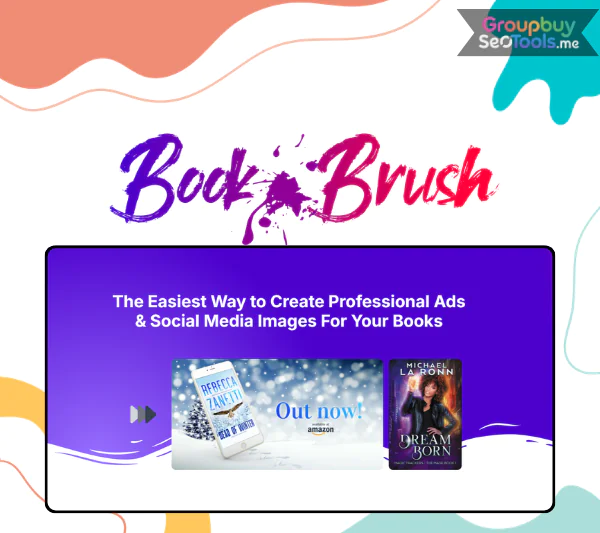
Overview of the Book Brush platform showing its design workspace, pre-built templates, and marketing features designed to help authors produce promotional graphics quickly.
Book Brush is a graphic design platform tailored specifically for authors and publishers. It allows writers to generate professional marketing visuals—including social media graphics, book covers, promotional videos, and product mockups—without needing advanced design skills.
Unlike general design platforms that serve many industries, Book Brush focuses entirely on the publishing world. Every feature is built with one goal in mind: helping authors present their books visually and connect with readers more effectively.
Book Brush was created by a team that understands the unique challenges faced by independent writers. By combining knowledge of digital publishing with modern design technology, they developed a platform that supports authors throughout the entire book promotion process.
Today, the tool is trusted by more than 100,000 writers worldwide. Several respected communities in the publishing industry—such as BookBub, Kindlepreneur, and ProWritingAid—also recognize its usefulness for marketing books online.
Even bestselling novelist Mark Dawson, the founder of the Self Publishing Formula community, has highlighted Book Brush as a practical solution for authors who want to create professional visuals quickly without hiring a designer.
At the heart of Book Brush lies the Custom Creator, a visual editing workspace that allows authors to build promotional graphics through simple drag-and-drop actions. Whether you are designing images for social media posts, advertising banners, or newsletter campaigns, the interface keeps the process intuitive and efficient.
The platform includes more than 3,000 pre-designed templates, organized by social platforms such as Facebook, Instagram, and Amazon. Users can also filter templates by genre or marketing objective. Authors are free to modify fonts, colors, layouts, and images while uploading their book covers or adding quotes that match their personal branding.
For writers who want polished promotional materials without mastering complex design software, Custom Creator provides an ideal balance of simplicity and creative flexibility.
A book cover often becomes more appealing when it appears in a realistic setting rather than as a flat image. With Instant Mockups, Book Brush converts your cover into professional product visuals within seconds.
The library contains more than 3,000 lifestyle mockup scenes. You can showcase your book resting on a café table, placed beside a cozy reading chair, held by a reader, or displayed among decorative elements. These visuals work extremely well for social media announcements, landing pages, and marketing campaigns.
Because the scenes are categorized by mood, season, and theme, it becomes easy to find a setting that complements the atmosphere of your book.
Professional cover design services can sometimes exceed the budget of new writers. To address this challenge, Book Brush offers the Cover Creator, a feature that helps authors design their own covers directly within the platform.
The tool includes hundreds of templates across popular genres such as romance, mystery, fantasy, and science fiction. It also supports multiple publishing formats including ebook covers, paperback editions, and audiobook artwork.
Importantly, the system aligns designs with the technical requirements used by publishing platforms like Amazon KDP and IngramSpark. Authors can adjust typography, images, colors, and layout until the cover reflects the tone of their story.
For writers who publish multiple titles within the same series, presenting the books together can make the collection more attractive to readers. The Box Set Creator allows authors to combine several covers into a visually appealing three-dimensional box set.
With only a few adjustments, users can arrange their books into a 3D package that resembles a physical collection. The platform offers various spine styles and layout options, and custom artwork can also be uploaded. High-resolution exports ensure these images are perfect for marketing pages and promotional materials.
Video content has become one of the most effective ways to capture attention on platforms such as TikTok, Instagram Reels, and YouTube Shorts. Book Brush helps authors take advantage of this format through Animated Mockups.
Users simply select an animation template, upload their book cover, and choose a motion style. Within minutes, the system generates a short video designed to stand out in social media feeds. Because moving visuals naturally attract viewers, these animated mockups can significantly improve engagement compared to static images.
Launching a book can feel even more exciting when supported by a well-produced trailer. With the Trailer Creator, authors can assemble promotional videos that introduce their story to potential readers in a cinematic format.
The tool allows users to combine background music, text overlays, transitions, and visual effects to create a compelling narrative preview. These trailers are ideal for book launches, promotional campaigns, virtual events, or social media marketing.
Book Brush also includes a feature called Reader Hub, which acts as a centralized page for showcasing a book. This page becomes a single destination where readers can explore promotional visuals, discover information about the story, and access purchase links.
Authors can personalize the page using their brand colors, logos, quotes, and social sharing buttons. By bringing these elements together in one place, Reader Hub helps strengthen the connection between authors and their audience.
Some writers prefer to focus entirely on storytelling while leaving design tasks to specialists. For those cases, Book Brush offers Author Services, which connect authors with experienced designers who understand the publishing industry.
These professionals provide services such as cover design, promotional graphics, video editing, and image enhancement. Authors can hire experts hourly or choose bundled service packages. Because the designers are familiar with book marketing standards, the final visuals are optimized for real-world promotion.
Through Groupbuyseotools.me, authors can explore Book Brush and gain access to powerful visual marketing tools that make promoting a book significantly easier.
| Feature | Plus ($149/year) | Gold ($149/year – Save $50) | Platinum ($246/year) |
| Price | $149/year | $149/year (was $199) | $246/year |
| Unlimited Image Downloads | ✅ | ✅ | ✅ |
| Ticket to BookMARCon | ✅ | ✅ | ✅ |
| 4M+ Stock Photos | ✅ | ✅ | ✅ |
| Author-Specific Images | ✅ | ✅ | ✅ |
| 250+ 3D Cover Templates | ✅ | ✅ | ✅ |
| 3.5K+ Author-Specific Templates | ✅ | ✅ | ✅ |
| Number of Reader Hub Pages | 1 | 2 | 3 |
| Upload Custom Fonts | ✅ | ✅ | ✅ |
| Animation Tools | ✅ | ✅ | ✅ |
| Priority Support | ✅ | ✅ | ✅ |
| Cover Creator | ✅ | ✅ | ✅ |
| Box Set Creator | ❌ | ✅ | ✅ |
| Instant Mockups | ❌ | ✅ | ✅ |
| Deal of the Day | ❌ | ✅ | ✅ |
| Trailer Creator | ❌ | ❌ | ✅ |
| 10 Free Background Removals/Month | ❌ | ❌ | ✅ |
| Platinum Mockups | ❌ | ❌ | ✅ |
| Exclusive Educational Webinars | ❌ | ❌ | ✅ |
Writing a compelling book is only part of the journey. Before readers discover the story inside, they usually notice the visuals first. Eye-catching graphics can instantly spark interest, while weak visuals may cause a great book to be ignored. That’s why many authors use specialized design platforms like Book Brush to create promotional content that stands out online.

Overview of the Book Brush design workspace showing template libraries, book cover mockups, and creative marketing tools that help authors design promotional visuals for online book marketing campaigns.
When subscribing directly through the official website, the Platinum membership typically costs around $246 annually. While the plan includes powerful features, this price can feel expensive for many independent writers or small publishing groups.
A more affordable alternative is available through Groupbuyseotools.me. This platform offers shared access to the same Book Brush Platinum package for roughly $28 per year. Compared with the official price, the cost difference is significant while still allowing users to explore the platform’s advanced creative tools.
The Platinum membership includes access to:
Many writers prefer purchasing access through Groupbuyseotools.me because it provides a more economical way to use professional design software. The service has become increasingly popular among authors, bloggers, and digital marketers who want powerful tools without paying full subscription fees.
Getting started usually takes only a few minutes. Follow the steps below to access the service:
Tip: If you do not receive the email immediately, check your spam folder or contact the support team for assistance.
Although Book Brush was originally created for independent authors, the platform is useful for many people involved in book promotion and publishing.
For authors who want attractive marketing visuals without investing in complicated design software, Book Brush provides a practical and efficient solution. With thousands of templates, powerful design features, and tools tailored specifically for book promotion, the platform makes it easier for writers to present their books professionally online.
By accessing the Platinum plan for only $28 per year through Groupbuyseotools.me, authors can take advantage of advanced design tools while keeping costs manageable. If you want to improve the visual side of your book marketing strategy, this platform is certainly worth exploring.
There are no reviews yet.