Skip to content
GroupbuySeoTools.meGroupbuySeoTools.me
  • Login
  • Cart
    • No products in the cart.

      Return to shop

  • Cart

    No products in the cart.

    Return to shop

  • Categories
    • AI All-in-One
      • Ecom Tools
        • Contact
      • Others
        • AML Policy
    • AI
    • AI Audio
      • Ecom Tools
    • AI Dev Tools
    • Ad Spy
  • AI All-in-One
  • Ad Spy
  • Cloud & Storage
  • Edu Tools
  • Relax Tools
  • Ecom Tools
  • AI Dev Tools
  • AI Audio

    Home - Others - Granola AI Busines

    Add to wishlist
    Granola AI
    0 Customer Reviews
    0 Sold
    Warranty Policy
    Rating
    0

    Granola AI Busines

    $50.00

    Delivery

    Sent via customer’s email

    Delivery Time

    12-24hrs

    Warranty

    All-in-one Subscription

    Product Summary

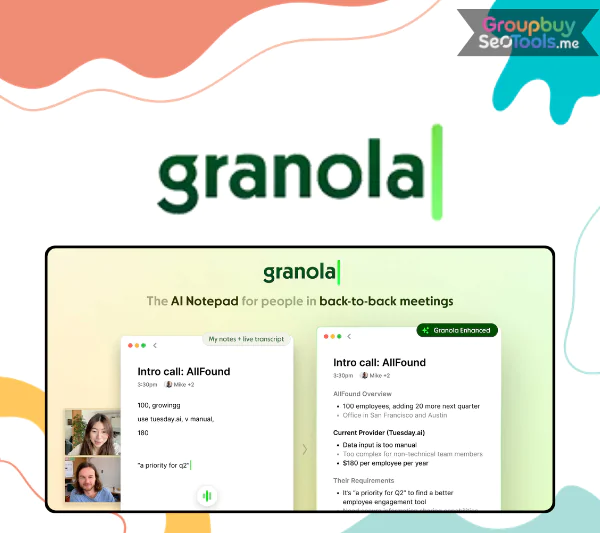
    Granola AI – an intelligent meeting assistant that creates AI powered notes summaries and actionable insights

    • You will receive: a Granola AI Business account (personal account) – 1 year

    Official website: https://www.granola.ai/
    Product Information
    • Description

    Contents

    1. What Is Granola AI?
    2. Core Features of Granola AI
      1. Live Transcription Across Devices
      2. AI-Driven Meeting Summaries
      3. Ask Granola During Meetings
      4. Privacy-Centered Architecture
      5. Organized Knowledge Library
      6. Collaborative AI Chat with Source References
      7. Integrations and Workflow Automation
    3. Why Granola AI Matters for Modern Teams
    4. Pricing plans
    5. Why Choose Granola AI via GroupbuySeoTools?
    6. How to Purchase Granola AI via GroupbuySeoTools
    7. Key Benefits of Granola AI
    8. Limitations to Consider
    9. Who Can Benefit from Granola AI?
    10. Frequently Asked Questions About Granola AI
    11. Final Thoughts

    Granola AI

    AI isn’t just something from the future; it’s already a part of how we work together, connect, and make decisions every day. AI-powered tools are changing how people work, from writing emails to handling big projects. The right assistant can get rid of boring chores and give students, founders, remote teams, and knowledge workers more time to do important work. That’s exactly where Granola AI stands.

    Granola focuses on one important workflow: meetings, instead of giving users too much technology that looks cool. And let’s be honest: meetings are where ideas come up, but they are also where they are quickly lost. They want to make sure that nothing important gets missed.

    What Is Granola AI?

    Granola AI meeting notes dashboard showing automated transcription and smart summaries

    Granola AI dashboard displaying automated meeting transcription and structured summaries.

    Granola AI is a platform for meeting intelligence that can record talks invisibly and turn them into structured, usable insights. Granola works in the background, which is different from many meeting helpers that need a visible bot to join calls. There isn’t an annoying member icon that gets in the way of the conversation.

    The platform doesn’t encourage people to play back long recordings; instead, it focuses on getting meaning from talks. When a meeting is over, Granola organizes the conversations into summaries that focus on the most important choices, points, and next steps. It works like a personal notepad and never loses the big picture.

    Users can also talk to Granola’s built-in AI assistant to ask questions about specific meetings or get information about past chats in their company. This turns a bunch of different conversations into a knowledge base that can be searched.

    Core Features of Granola AI

    Granola AI features overview including transcription, AI summaries, and integrations

    Overview of Granola AI capabilities including transcription, AI summaries, and workflow integrations.

    Live Transcription Across Devices

    Granola records both microphone input and system sounds so that transcripts can be made in real time. The app lets you see when transcription is going on, no matter if you are using the built-in audio on your Mac or your iPhone as a microphone.

    Once Granola is linked to your calendar, it can start recording as soon as a meeting starts. You are still in charge and can stop the recording at any time. It works well on both macOS and Windows and supports well-known systems like Zoom, Google Meet, and Slack Huddles.

    AI-Driven Meeting Summaries

    Granola looks over the meeting record and turns it into a structured summary after the meeting is over. You don’t have to scroll through pages of text; instead, you get a clear breakdown of key points, jobs, and sections labeled by speaker.

    You can ask follow-up questions to the AI assistant to quickly find important times. Prompts that are already set up help you find insights more quickly, and the “Enhance Notes” option improves summaries so they are easy to share via email, Slack, or straight copy-and-paste.

    Ask Granola During Meetings

    There is a keyboard shortcut in Granola that can be used to call up an in-meeting helper. You don’t have to stop the chat to ask what has been talked about so far. You can choose to save these answers manually, but they won’t be saved unless you do so first.

    It is important to note that the helper only talks about your recorded meetings. It doesn’t browse other websites, so answers are focused and relevant to the situation.

    Privacy-Centered Architecture

    When Granola was made, it was made with data security in mind. Videos and music files are not kept forever. Media is handled in real time to make transcripts, and then it is taken away. For future use, only the text form is still available.

    To keep things open, users can send a customizable consent notice within the meeting chat to let other people know that transcription is turned on.

    Organized Knowledge Library

    Recorded sessions are automatically put into folders that can be changed to fit different clients, tasks, or internal teams. This arrangement makes it easy to find old conversations and use useful data again without having to look through a lot of notes.

    Collaborative AI Chat with Source References

    Teams can work together directly on meeting notes in the screen. When the AI asks follow-up questions, it connects each idea to the part of the transcript where it came from. This makes things more reliable and makes it clear when choices need to be made again.

    Integrations and Workflow Automation

    Granola works with a lot of popular apps, like HubSpot, Slack, Notion, and Zapier. With these integrations, meeting results can be sent directly into CRM systems, project boards, or team communication channels. This cuts down on manual work and makes it easier for everyone to be on the same page.

    Why Granola AI Matters for Modern Teams

    A lot of work time is spent in meetings, but useful ideas are often lost in jumbled notes or forgotten follow-ups. Granola AI fills in this gap by turning talks into organized data. Teams no longer have to depend on their memories or jumbled papers; they now have a safe record of decisions and actions to take.

    This level of clarity can greatly enhance execution for startups that are growing fast, agencies with many clients, or teams that work in different time zones. Granola doesn’t try to replace human contact; instead, it makes it better by making sure that important information can be found long after the meeting is over.

    As AI tools get better, platforms like Granola show that simple methods aren’t always needed to boost productivity. Making simple tasks smarter is sometimes the best thing that can be done.

    Pricing plans

    Granola AI pricing
    Granola AI offers free and paid plans.
    PlanPriceBillingRecommended For
    Basic$0 / user / monthFreeIndividuals who want to try Granola, solo users, students, or professionals with light meeting needs
    Business$14 / user / monthMonthlyFreelancers, startups, consultants, and small teams that rely on meetings and need consistent AI note support
    Enterprise$35 / user / monthMonthlyLarge organizations and enterprises that require advanced controls, compliance, and company-wide usage

    If you’re not sure about Granola AI’s official subscription fees or just want to use the platform without spending a lot of money, GroupbuySeoTools is a good option. Through GroupbuySeoTools, you can get Granola AI for about $47 a year, which is a lot less expensive than other buying choices.

    Why Choose Granola AI via GroupbuySeoTools?

    • Verified and ready-to-use accounts: Each account is carefully checked before it is sent out to make sure it works well and is stable from the start.
    • Prices that are competitive: between $40 and $47 a year, with clear costs and no hidden fees.
    • Different ways to pay: Supports easy-to-use choices like MOMO and Internet Banking to make transactions go smoothly.
    • 7-day money-back guarantee: You can ask for a refund within the first week if the service doesn’t meet your needs.
    • 24/7 responsive support: Customer service is available at all times to quickly solve problems or answer questions.

    How to Purchase Granola AI via GroupbuySeoTools

    Here’s an easy way to get started with Granola AI through GroupbuySeoTools if you want to take better meeting notes without having to pay full price.

    Step 1: Pick the plan you want.

    Look through the Granola AI packages and pick the one that works best for your work. To move forward, put it in your shopping cart once you’ve made up your mind.

    Step 2: Look over the details of your order

    Check the plan you chose, the price, and any other details that goes with it again before you make a payment. A quick check makes sure everything is correct and keeps things from taking too long.

    Step 3: Make the payment.

    Use the way of payment that works best for you, like MOMO or Internet Banking. You need to make sure you put the right email address because this is where your account information and setup instructions will be sent.

    Step 4: Get your account and turn it on.

    Once the payment is completed, you’ll get an email with login information and instructions. Follow the on-screen directions, and you can start using Granola AI right away.

    Video tutorial demonstrating how Granola AI works and how to set it up effectively.

    Key Benefits of Granola AI

    • Improves attention during meetings: It helps you pay more attention in meetings because you don’t have to switch between actively listening and typing every detail. You can stay in the talk. Granola AI does transcription quietly in the background, so you can think carefully, react carefully, and keep your mind from getting too busy.
    • Reliable meeting notes: Key points like promises, comments, and next steps are recorded correctly. This makes it less likely that important points will be forgotten and helps teams stay accountable after each practice.
    • Instant, well-organized summaries: no more reading through long records. Granola AI picks out the most important ideas and things to do, which saves time after the meeting is over.
    • Pleasant experience: setting it up is easy and doesn’t need a lot of technical know-how. Everything seems easy to use and understand, from installing to getting to the reports.
    • Granola AI is still affordable for individuals, startups, and small teams that want to increase output without breaking the bank. It has flexible plans, including a free option.

    Limitations to Consider

    • Transcription isn’t perfect; like any AI-based system, it can get technical terms, heavy accents, talks that overlap, or audio that isn’t clear wrong sometimes. Even though outlines are useful, they might miss some important details.
    • Strongest success in English: The tool can handle some other languages, but it works best in places where people speak English. Multilingual teams may see differences in how well they do their work.
    • Concerns about data privacy: Meetings are recorded and processed, which includes private data. Before using a platform, organizations should make sure that all users give their permission and read over its data protection policies.
    • AI focuses on spoken information, so it doesn’t fully understand nonverbal cues. It can’t read body language, movements, or changes in tone of voice, which are all things that often change what someone is really saying.

    Who Can Benefit from Granola AI?

    • Managers and leaders of teams: Take detailed notes while you’re not paying attention to strategic talks.
    • Consultants and other experts who work directly with clients should keep accurate records of deliverables, decisions, and follow-up tasks from calls that happen often.
    • For both remote and hybrid teams, it’s important to keep meeting notes uniform and easy for everyone to share.
    • Freelancers and workers who work alone: Get important information from calls without having to write it down by hand.
    • Executives and knowledge workers: Instead of reading long files, access short, searchable summaries.

    Frequently Asked Questions About Granola AI

    1. Is Granola AI secure?
      Yes. The platform doesn’t use annoying meeting bots; instead, it saves audio locally on your device. It puts an emphasis on giving users power over the notes they store and uses security measures to keep them safe.
    2. What is Granola AI designed for?
      It helps people record talks, organize their written notes, and improve them with structured summaries and transcripts made by AI.
    3. Can it record traditional phone calls?
      It is not possible to record regular phone calls directly. Calls made on a Mac with Apple’s Continuity or WhatsApp on Mac, on the other hand, can be typed up.
    4. How does Granola AI work?
      It takes both your handwritten notes and automatically transcribes them, and then it organizes everything into reports with key points and things you need to do.
    5. Is there a free plan available?
      Yes. A free tier is offered, though access to searchable notes may be restricted to a limited timeframe.
    6. Is AI-based note-taking legally permitted?
      It’s legal as long as everyone involved knows about it and agrees to it. Local rules about data privacy and recording must also be followed when using the service.

    Final Thoughts

    Granola AI changes how meeting notes are kept. You don’t have to rely on handwritten notes alone, or even worse, try to remember everything later. Instead, you get a balanced method where human input and AI intelligence work together without any problems. The fact that there are no annoying meeting bots is a nice plus that lets conversations go on naturally and without interruption.

    We recommend GroupbuySeoTools if you want to use Granola AI at a more affordable price.Tools can be a useful choice to consider. It gives you access to strong productivity tools without having to pay the full price, which makes it a good choice for both individuals and teams that are growing.

    Customer Reviews & Feedback

    There are no reviews yet.

    Related products

    -81%
    Postly
    Add to wishlist
    Others cart grey 0

    Postly

    Others cart grey 0
    $295.00 Original price was: $295.00.$57.00Current price is: $57.00.
    Buy cart
    Add to wishlist
    Followr AI
    Add to wishlist
    Others cart grey 0

    Followr AI

    Others cart grey 0
    $59.00
    Buy cart
    Add to wishlist
    Superwhisper
    Add to wishlist
    Others cart grey 0

    Superwhisper Pro

    Others cart grey 0
    $60.00
    Buy cart
    Add to wishlist
    FaceApp
    Add to wishlist
    Others cart grey 0

    FaceApp

    Others cart grey 0
    $60.40
    Buy cart
    Add to wishlist
    Bitdefender Total Security
    Add to wishlist
    Others cart grey 0

    Bitdefender Total Security

    Others cart grey 0
    $41.00
    Buy cart
    Add to wishlist
    Advanced Web Ranking
    Add to wishlist
    Others cart grey 0

    Advanced Web Ranking

    Others cart grey 0
    $55.00
    Buy cart
    Add to wishlist
    Product categories
    • Ad Spy
    • AI
      • AI All-in-One
      • AI Audio
      • AI Chat Bot
      • AI Dev Tools
      • AI Images
      • AI Video
    • Audio Tools
    • Cloud & Storage
      • VPNs
    • Content Tools
    • Design Tools
    • Ecom Tools
    • Edu Tools
    • Others
    • Relax Tools
    • SEO Tools
    • Stocks
    Latest Products
    • Adspy Push Adspy Push $150.00
    • Adspy Desktop Adspy Desktop $200.00
    • BrightLocal SEO BrightLocal SEO $85.00
    • Scrollpop AI Scrollpop AI $67.00
    • Rankd SEO Rankd SEO $5.00 – $30.00Price range: $5.00 through $30.00

    GroupbuySeoTools.me | best seo tools group buy at cheap price.

    Address : 11/777, Braf Hmadelkahoi Rd, Princess Dock, Mumbai Port Trust, Mazgaon, Mumbai, Maharashtra 400009, India

    instagram
    About Us
    Contact Us
    News
    FAQ
    Affiliate
    Privacy Policy
    Terms of Use
    AML Policy
    DMCA Policy
    Refund Policy
    Copyright Policy
    DMCA
    GDPR Notice

    Visa
    PayPal
    Stripe
    MasterCard
    Cash On Delivery

    Copyright 2026 © GroupbuySeoTools.me. All Rights Reserved.

    Visa
    PayPal
    Stripe
    MasterCard
    Cash On Delivery
    Copyright 2026 © GroupbuyseoTools.me
    • AI All-in-One
      • Ecom Tools
        • Contact
      • Others
        • AML Policy
    • AI
    • AI Audio
      • Ecom Tools
    • AI Dev Tools
    • Ad Spy
    • Login
    • Newsletter

    Login

    Login with your Social ID

    Lost your password?