AI All-in-One
 Ecom Tools
 Others
 AI
AI AI Audio
 AI Dev Tools
 Cloud & Storage
 Edu Tools
 Relax Tools
 Ecom Tools
PinClicks Plus
$99.00

$99.00

Sent via customer’s email

12-24hrs

All-in-one Subscription
In addition to being a standard tool, PinClicks is a “companion” that can assist you maximize your Pinterest strategy
Official website: https://www.pinclicks.com/
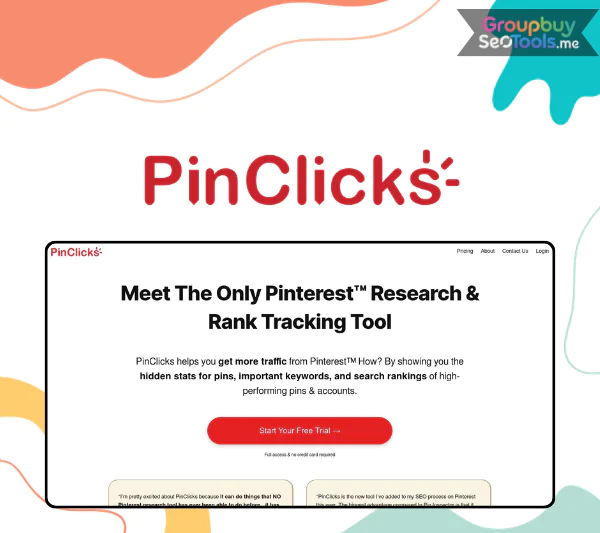 If you have been searching for “PinClicks” and are not sure whether the term refers to a Pinterest metric or a software product, you are not alone. PinClicks is both a word that describes the action of clicking on a pin and, more specifically, the name of a specialized Pinterest keyword research and analytics tool built by Tony Hill. This guide is about the tool.
PinClicks, the platform, is designed to uncover high-performing pins, profitable keywords (called interests on Pinterest), annotations, and competitor account insights that go well beyond what Pinterest’s own native tools provide. It was created by Tony Hill, who is known in the niche site and Pinterest SEO community for data-driven approaches to content strategy. The tool is used by bloggers, content creators, ecommerce sellers, agencies, and Pinterest managers who want to make keyword and content decisions based on evidence rather than guesswork.
The problems PinClicks addresses are specific and real: Pinterest Trends is limited in scope and depth, there is no native way to see competitor pin statistics or the keyword annotations Pinterest associates with any given pin, and manual research is slow and inconsistent. Users report meaningful traffic growth after using PinClicks to identify better keywords and model what makes winning pins succeed. By pasting a viral pin URL into the tool, for example, you can instantly see its saves, estimated clicks, and the keyword interests Pinterest has associated with it.
This guide covers everything you need to assess PinClicks for your situation: a full definition, feature breakdown, setup walkthrough, strategic use cases, honest pros and cons, comparisons with alternatives, and FAQ answers. This review is built on more than ten years of experience in software, tools, and technology evaluation.

PinClicks is a web-based Pinterest analytics and keyword intelligence platform that uses public pin data to help creators, marketers, and business owners make better decisions about what to pin, how to describe it, and which keywords to target.
The data PinClicks works with includes saves and engagement signals for individual pins, keyword interests that Pinterest associates with content through its annotation system, board-level performance signals, and account-level data for public profiles. Importantly, it surfaces this data in a structured, searchable format that Pinterest’s own tools do not offer.
Tony Hill built PinClicks to address a gap that many serious Pinterest marketers encounter. Pinterest’s native search suggestions are useful for inspiration but carry no engagement data. Pinterest Trends gives directional information about what is rising or falling but provides no pin-level statistics and covers only a limited range of markets and topics. There is also no native tool that lets you examine a competitor’s most successful pins and understand which keywords are driving their visibility.
PinClicks was built before 2026 and has been updated continuously as the Pinterest platform has evolved. It positions itself specifically as a Pinterest SEO tool, a Pinterest growth tool, and a Pinterest keyword research platform, rather than a general social media analytics suite.
The core problem it solves is stated simply: before PinClicks, a creator wanting to understand why a competitor’s pin was outperforming theirs had no structured way to investigate. After PinClicks, that same creator can paste the competitor’s pin URL into the tool, review its Pin Score, see the keyword annotations Pinterest has applied to it, and compare those against their own content strategy.
Before going deeper into individual features, here is a summary of what PinClicks includes and what each module is designed to accomplish:
| Feature | What It Does | Main Benefit | Best Use Case |
| Pin Score | Scores individual pins from 1 to 100 | Spot viral potential quickly | Decide which pin formats to model |
| Single Pin Analysis | Shows stats and annotations for any pin URL | Understand why a pin works | Reverse-engineer competitor pins |
| Keyword Research | Surfaces interest keywords, rankings, and annotations | Find low-competition, high-intent topics | Plan content calendars and boards |
| Board Analytics | Analyzes board-level performance | See which boards drive the most saves | Optimize or prune underperforming boards |
| Account Explorer | Lists top pins and keywords for any public account | Ethical competitor intelligence | Model strategies from successful accounts |
| Bulk Analysis Tools | Analyze hundreds of pins at once | Scale research and audits | Auditing old content, account migrations |
| Exports and Filters | Export results and filter by metric or keyword | Flexible workflow and reporting | Client reports, spreadsheets, dashboards |
These features are most powerful when combined. A typical workflow might begin with Account Explorer to identify a competitor’s top-performing pins, move into Single Pin Analysis to understand what makes each one work, and finish with Keyword Research to expand from those findings into a broader content plan.
The next sections look at each feature group in practical terms, then move into how to use them from day one.
Getting started with PinClicks follows a standard web application sign-up process: visit the PinClicks website, create an account, and confirm your email. The platform is web-based only, which means no download or installation is required.
The dashboard is organized around the main research modules: Pin Analysis, Keywords and Interests, Account Explorer, and Bulk Tools. Exports and account settings are accessible from the main navigation. The interface is designed to be approachable for users who are not data analysts, with search fields and contextual tooltips guiding the research process.
Before beginning your first session, the most useful preparation is assembling two things: a short list of three to five seed keywords relevant to your niche, and the account handles of two or three Pinterest accounts you consider successful competitors or aspirational benchmarks in your space. Having these ready means your first session produces usable findings rather than exploratory browsing.
PinClicks offers different plan tiers, with the distinctions primarily around research volume and access to bulk tools. Specific current pricing is always best verified directly on the PinClicks website, as it is subject to change.
A focused 60-minute first session with PinClicks can yield a concrete starting point for your next content planning cycle. Here is how to structure that time:
Minutes 1 to 10: Define your goals
Before running any searches, clarify what you are optimizing for. Traffic from blog posts to Pinterest? Product sales through product pins? Email list growth through lead magnet content? Your objective shapes which metrics matter most as you review results.
Minutes 10 to 25: Keyword and interest discovery
Enter one or two of your seed keywords into the Keyword Research module. Review the interest keywords Pinterest associates with those topics, paying attention to relative demand signals and the annotations appearing on high-performing pins in that space. Save or export the ten to fifteen interests that seem most relevant and specific.
Minutes 25 to 40: Competitor and pin teardown
Use Account Explorer to pull up one or two of the benchmark accounts you identified. Review their top-performing pins by save count. Select five to ten of the strongest performers and run each through Single Pin Analysis to understand the keyword annotations, Pin Score, and engagement profile associated with them.
Minutes 40 to 55: Content and board planning
Using the interests and pin patterns you have identified, map out five to ten new pin ideas and any board optimizations suggested by the data. Look for gaps between the high-performing interests you found and your current board and content structure.
Minutes 55 to 60: Set your next steps
Decide specifically which three to five pins you will design this week based on your findings. Block time for a monthly PinClicks review so competitive intelligence and keyword data stay current rather than becoming a one-time exercise.
A concrete example of this workflow in practice: a handmade jewelry seller identifies “minimalist gold jewelry outfits” as a high-demand, underserved interest cluster that does not appear in their current content strategy. That single finding from a 60-minute session gives them a direction for their next two weeks of pin creation.
For bloggers, the core challenge is investing writing and design time in content that actually reaches an audience. Pinterest can be a major traffic driver for food, lifestyle, DIY, and home content, but only when the pins are targeting keywords that have real demand and the content is structured around what Pinterest’s algorithm is actually surfacing.
PinClicks helps bloggers at two stages. Before creating content, it validates whether a topic has genuine Pinterest interest demand and reveals which keyword angles are already working for competitors. After creating content, it helps design pins that are aligned with how Pinterest is categorizing and distributing similar content.
A food blogger, for example, might discover through PinClicks that “one pan dinners” has significantly higher save rates and keyword annotation frequency than the more generic “dinner recipes” they have been targeting. Refocusing three or four existing posts around the more specific interest, and redesigning pins to match, can produce a measurable improvement in impressions and saves without creating any new content.
Ecommerce sellers on Pinterest face a specific challenge: they need to connect their product inventory to what users are actually searching for and saving, not just what seems generically relevant to their category.
PinClicks helps ecommerce sellers identify which product categories have the strongest Pinterest interest signals, what visual and copy angles are driving the most saves for similar products, and which keyword interests should be incorporated into pin descriptions and board names.
An Etsy seller of printable wall art might use PinClicks to identify “boho gallery wall” as a top interest with strong engagement signals in their category, then create a specific product bundle and associated pins targeting that interest cluster. The keyword insight comes from real pin performance data rather than assumed demand.
For agencies managing multiple client Pinterest accounts, the main operational challenge is efficiency: faster audits, standardized research processes, and data-backed reporting that justifies the engagement.
PinClicks’ bulk analysis tools allow agencies to audit an existing Pinterest account at scale, identifying which pins are underperforming relative to their potential and which board structures are limiting keyword coverage. Account Explorer enables rapid competitive landscape summaries for client onboarding.
A practical agency application: when onboarding a new home decor brand, the agency uses PinClicks to produce a “top interests and competitor summary” document within the first week of engagement. This document demonstrates immediate research value and gives the client a clear view of the Pinterest opportunity in their category, built on real data rather than general category knowledge.
Pinterest provides three main native research tools: search suggestions, Pinterest Trends, and Pinterest Analytics. Each has a specific role and each has significant limitations for serious content strategy work.
| Tool | Strengths | Limitations | Best Use |
| Pinterest Search | Quick topic inspiration, real user language | No metrics, no competitor data | Initial brainstorming |
| Pinterest Trends | High-level directional trend data | Limited markets, no pin-level stats, no competitor view | Macro topic selection |
| Pinterest Analytics | Detailed performance data for your own content | No competitor visibility, limited keyword context | Monitoring your existing results |
| PinClicks | Deep pin, keyword, and competitor intelligence | Paid tool, additional platform to learn | Strategy, research, ongoing optimization |
PinClicks is not a replacement for these native tools. Pinterest Analytics remains the authoritative source for your own account’s performance data. Pinterest Trends is useful for high-level seasonal and directional signals. PinClicks adds the layer that the native tools cannot: structured competitive intelligence and keyword interest data grounded in real pin performance rather than general category trends.
The broader Pinterest tool landscape includes scheduling and automation platforms, general social media analytics tools, and all-in-one content marketing suites. Most of these tools approach Pinterest primarily as a distribution problem: how to schedule and publish content more efficiently. PinClicks approaches it as a research problem: how to understand what content is worth creating and how to describe it so Pinterest distributes it effectively.
| Tool Type | Main Focus | Where PinClicks Adds More Value |
| Schedulers | Posting queues and automation | Deeper pin, keyword, and competitor research |
| General analytics platforms | Basic account-level statistics | Detailed pin-by-pin and board-level intelligence |
| All-in-one content platforms | Mixed features across channels | Specialized Pinterest keyword scoring and interest research |
For users who currently rely on a scheduler combined with Pinterest’s native analytics, PinClicks adds the research and intelligence layer that determines what those tools should be distributing in the first place.
PinClicks is a paid tool. There may be a limited free trial or demonstration tier available; check the official PinClicks website for the current offer. The full research capabilities, including bulk tools, account explorer, and comprehensive keyword interest data, are available on paid plans. Given the platform’s role as a strategy and research tool rather than a casual browsing aid, the value calculation is most favorable for users who publish regularly and treat Pinterest as a meaningful traffic or sales channel.
Yes. PinClicks is maintained and updated in response to changes in the Pinterest platform. The core data it surfaces, including pin annotations, interest keywords, and save signals, reflects how Pinterest is currently categorizing and distributing content. As with any analytics tool, the most recent version of PinClicks should always be used, and periodic checks of the official documentation or changelog help ensure your workflow accounts for any updates.
A Pinterest Business account is not required to use PinClicks for research purposes, since the tool primarily analyzes public pin and account data. However, having a Pinterest Business account is strongly recommended for any creator or marketer who intends to act on PinClicks findings, because a Business account provides access to Pinterest Analytics and enables the advertising and rich pin features that align with strategic Pinterest growth.
PinClicks works primarily with public Pinterest data, which means much of the research functionality does not require you to connect a personal or business Pinterest account. For features that analyze your own content performance or provide account-specific insights, some level of connection may be required. Check the current PinClicks documentation for specific authentication requirements, as these details can change with platform updates.
The users who extract the highest value from PinClicks share a few characteristics: they publish new pins consistently (at least weekly), they treat Pinterest as a meaningful traffic or revenue channel rather than an afterthought, and they are willing to act on research findings by creating new pins and updating their board and keyword strategy. Specifically, food bloggers, lifestyle and home decor creators, ecommerce sellers on Etsy and Shopify, content agencies managing multiple Pinterest accounts, and affiliate marketers building niche sites around Pinterest-friendly categories all find strong product-market fit with PinClicks.
Beginners are best served by starting with Single Pin Analysis and the basic Keyword Research module. These two features together produce usable insights quickly without requiring deep familiarity with bulk research or complex metric interpretation. Advanced users and agencies extract additional value from the Bulk Analysis tools, which enable large-scale account audits and competitive landscape mapping, and from Account Explorer used systematically across multiple competitor accounts over time.
Pinterest Analytics shows you how your own content is performing within your own account. It does not show competitor data, does not surface the keyword interests Pinterest associates with any given pin, and does not provide a scoring system that helps you predict or identify viral potential. PinClicks adds all three of those capabilities. The two tools are complementary: Pinterest Analytics tells you what your content is currently doing, and PinClicks tells you what it could be doing and why competitor content is outperforming yours.
Pinterest Trends is the right tool for broad, seasonal, and directional topic selection: understanding whether interest in a general category is rising or falling over a multi-month window. PinClicks is the right tool for pin-level and keyword-level decisions: understanding which specific pins are performing, which keyword interests to target in your descriptions and board names, and what your competitors are doing that you are not. In practice, the two tools serve different stages of the same content planning process, with Pinterest Trends informing the macro direction and PinClicks informing the specific execution.
| Time | 1 Year |
|---|
There are no reviews yet.