AI All-in-One
 Ecom Tools
 Others
 AI
AI AI Audio
 AI Dev Tools
 Cloud & Storage
 Edu Tools
 Relax Tools
 Ecom Tools
Scrollpop AI
$67.00

$67.00

Sent via customer’s email

12-24hrs

All-in-one Subscription
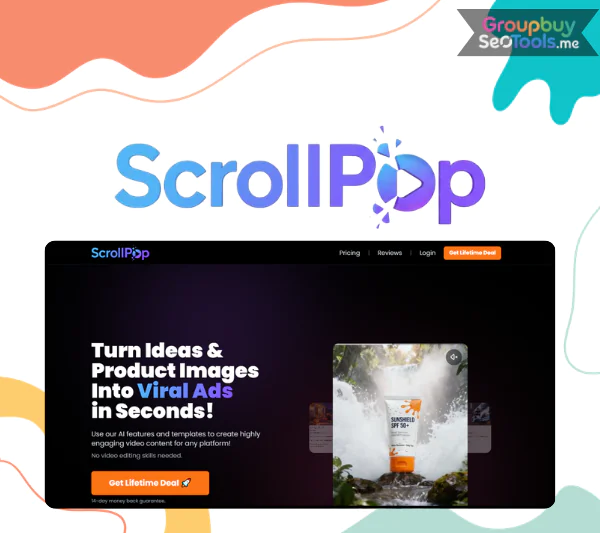
Scrollpop AI is a fast, no-editing video creator that turns product photos or ideas into viral, UGC-style ads with AI-powered scripts, effects, and platform-optimized templates.
Official website: https://scrollpop.ai/
 Ecommerce sellers across Etsy, Shopify, Amazon, and TikTok Shop face the same problem in 2026: static product photos no longer carry the weight they used to. Click through rates on photo only ads have declined, ad fatigue sets in within days, professional video shoots cost thousands per product, and most small operators lack both editing skills and time. The mismatch between what platforms reward and what sellers can produce has become a real growth ceiling.
Scrollpop AI is an AI powered video ad generator that transforms static product photos into engaging, UGC style, scroll stopping videos in seconds, with no video editing skills required. The promise is direct: higher engagement and CTR, faster content production, and better ROAS through fresher creative rotation.
Based on more than 10 years of experience reviewing software, tools, and technology in the ecommerce space, this guide gives you an independent, non sponsored breakdown of what Scrollpop AI is, how it works, its features, pricing, real world results, comparisons, and a complete tutorial. Users typically report 20 to 35 percent uplift in conversions when switching from static to video creatives, which is directional rather than guaranteed.
Scrollpop AI is an AI based image to video ad generator built specifically for ecommerce and small brands. The platform converts static product photos into UGC style vertical (9:16) social videos optimized for TikTok, Instagram Reels, YouTube Shorts, and similar short form platforms where the highest performing ad creative lives in 2026.
The underlying AI handles multiple jobs in a single workflow: scene generation from static images using panning and zoom effects, hook text generation based on product category and target audience, basic animation and transition logic, AI voiceovers in multiple languages and tones, and CTA placement at high engagement moments in the video. Target users include solopreneurs running side stores, dropshippers testing new products weekly, small to medium ecommerce brands building consistent content output, and agencies managing creative production for multiple ecommerce clients.
A simple example: upload three images of your handmade candles, choose a UGC template, and Scrollpop AI outputs a 20 second TikTok ready video with hook text, panning effects across each image, AI voiceover, and a “Shop Now” CTA at the end. What previously took hours in Premiere Pro compresses into minutes inside a browser tab.
The platform fits five seller segments.
A simple persona example: Anna runs an Etsy jewelry shop and needs 10 to 20 new short videos per month for Reels, TikTok, and Etsy’s own video slots. Hiring a freelance editor would consume her entire marketing budget. Scrollpop lets her produce that volume in three to four hours per week.
The platform addresses five specific pain points that consistently bottleneck ecommerce sellers.
Scrollpop AI response to each pain point is concrete. From a single product photo, sellers can generate three to five ad variations in minutes, run them simultaneously, and double down on the winners. Users typically report producing two to three times more ad variations per week than their previous workflow allowed, without adding staff or budget. Better thumb stop rate, more clicks, more add to carts, and more email or SMS leads follow naturally from this creative velocity.

The core feature transforms static images into dynamic scenes using Ken Burns style zoom and pan, smooth transitions, and pacing matched to audio. The result is dramatically faster than manual editing, typically 5 to 10 times faster for equivalent output quality. The template system maintains a consistent style library across all your products, strengthening brand recognition across a long catalog. Sellers reuse existing product photos without scheduling reshoots.
Best practices for the strongest output: include multiple angles per product, mix lifestyle imagery with product only shots, and upload high resolution images. A typical before and after: three plain catalog shots become a TikTok style montage with quick cuts, price overlay, AI voiceover, and a strong closing CTA.
The hook generator produces multiple opening lines tuned to convert viewers into engaged watchers within the first three seconds. Hook types include problem solution framing, curiosity driven openers, limited time offer hooks, social proof hooks, and benefit led hooks. The platform ships with 50 plus presets that can be edited and A/B tested.
A short checklist for high performing hooks:
Sample hooks vary by product category. Skincare: “I tried this for 30 days and my skin changed.” Kitchen gadget: “Why does no one talk about this $15 fix?” Each hook can be swapped in 30 seconds, supporting rapid A/B testing.
The voiceover layer offers multiple male and female tones across accents and supports a broad range of languages, allowing sellers to localize creatives for new markets without hiring voice talent. Common use cases: a US based seller expanding into the UK uses a British accent, a Shopify store entering Latin American markets generates Spanish voiceovers, and a brand testing premium positioning swaps a casual voice for a more refined tone.
Tips for the best output: keep scripts short at 100 to 130 words for a 30 second video, match voice tone to brand personality, and preview multiple voice options before committing. A sample script showing how voiceover maps to visuals: “Tired of bags that fall apart? Try this one. Built to last. Get yours today.”
Beyond pure ad creative, Scrollpop AI supports lead capture through pop ups on landing pages that play Scrollpop generated videos and on video prompts that push viewers to signup forms, coupon opt ins, or SMS subscription flows. The benefit is converting paid ad views into owned email and SMS subscribers, which dramatically improves long term campaign ROI.
A typical flow: viewer watches a 15 second product demo, sees a “Get 10 percent off, enter email” overlay near the end, completes the form, and enters your owned marketing list. The same ad dollar produces both a potential sale and a lifetime contact.
| Platform | What You Can Do | Benefit |
| Shopify | Embed videos on product pages, export ads | Higher PDP conversions |
| Etsy | Turn listing photos into Reels and videos | More social discovery |
| Amazon | Convert listing images to video assets | Better listing performance |
| TikTok Ads | Export vertical videos with correct specs | Faster campaign launch |
| Meta Ads | Export to Facebook and Instagram ad formats | Cross platform consistency |
The integration layer reduces friction across the creative workflow. Fewer downloads and re uploads, fewer format issues at export, and consistently branded creatives across channels. A short scenario: a Shopify store owner creates a video from a product directly inside Scrollpop AI, then syncs the asset to TikTok ad library and Meta Ads library in two clicks.
The A/B testing layer lets users generate multiple variations from a single base video, then track which versions earn more clicks, views, and completions. The workflow:
A common result pattern: Hook A versus Hook B testing reveals a 15 percent CTR improvement on B, which becomes the template for the next round.
An Etsy seller in handmade jewelry transitions from static only listing photos to a content stack that includes Scrollpop AI generated videos repurposed across Reels, TikTok, and Etsy’s listing video slots. Typical outcomes include roughly 30 to 35 percent increase in product page visits after consistent video content, more saves and shares on Reels, and a measurable lift in shop favorites. The key insight is treating each listing photo as raw material for video content rather than a final asset.
A Shopify brand testing five to ten new products per month needs dozens of fresh creatives to support paid traffic across TikTok, Meta, and search platforms. Manual editing cannot match this pace. Scrollpop AI enables template based creation across the catalog, with fast variant production by swapping hooks, offers, and visual styles. The practical outcome is faster creative turnover that beats ad fatigue cycles, often translating into a 20 percent improvement in ROAS once the creative mix becomes video heavy.
The third use case is the platform’s natural home. Vertical short form video on TikTok, Reels, and Shorts rewards specific patterns that Scrollpop AI generates by default: face level angles simulated through aggressive zoom and crop, fast paced cuts that maintain attention, on screen captions for sound off viewers, and clear CTA placement.
Best practice checklist for short form video ads:
A typical 15 second storyboard: hook (“This was a disaster until I found this”), feature reveal (product hero shot with key benefit overlay), social proof line (“Over 50,000 happy customers”), CTA card (“Tap shop now, 20 percent off today”).
The dashboard layout is intentionally simple. The left sidebar holds navigation, the central canvas shows your active project, and the top right exposes the create button at all times. New users typically complete their first video within 15 to 25 minutes of signup.
Drag and drop product images directly into the upload area or select from your local file library. Recommended image specs include high resolution files (at least 1080 pixels on the short edge), JPG or PNG formats, and a mix of hero shots, close ups, and lifestyle imagery where possible.
Template selection determines the overall style of the output. Options typically include UGC style, product demo, testimonial style, unboxing style, and countdown offer templates. A short checklist for image selection: use 2 to 5 diverse shots covering different angles, include at least one lifestyle image showing the product in real use, and avoid heavily edited or watermarked photos that may conflict with the chosen template’s visual language.
This step transforms a generic template into a branded creative. Use AI suggested hooks as starting points or write your own to match your brand voice. Choose fonts, colors, and logos that match your existing brand identity. Select voice and language for the AI voiceover, adjusting pacing and emphasis if supported.
Best practices: stick to one primary message per video, use brand colors but maintain high text contrast for legibility on small mobile screens, and duplicate the creative with different hook or offer variations for A/B testing. A simple example of two hook variations: Hook A (“This sold out three times last month”) versus Hook B (“I almost cried when I tried this on”). Both target different emotional drivers and will produce different audience responses worth measuring.
Click generate and wait for the render, typically completing in seconds for short videos. Preview the result and adjust timing, text, or scene order if needed. Export options usually include direct MP4 download and direct push to TikTok or Meta Ads libraries where the integration supports it.
Critical tips before export: always preview the video both with sound and on mute, since many viewers watch with sound off. Double check all text overlays for typos and ad platform compliance issues like banned medical or financial claims. Confirm the file size and quality match your destination platform requirements. The final asset is then ready to launch as an ad creative or organic post.
The AI video generation category is crowded with tools, but most serve slightly different jobs. Here is how Scrollpop AI positions against the most common alternatives in 2026.
| Tool | Starter Price | Speed | UGC Focus | Ecommerce Integrations | Ease of Use | Ideal User |
| Scrollpop AI | ~$19 per month | ~10 seconds to 1 minute per video | Strong | Multi platform | Beginner friendly | Ecommerce sellers |
| Competitor A | ~$29 per month | Slower render | Basic | Shopify only | Intermediate | Single platform shop owners |
| Competitor B | ~$49 per month | Medium speed | Limited | None | Advanced | Video professionals |
| Descript or similar editors | ~$12 per month | Manual editing | None | Export only | Pro level | Podcast and content editors |
The honest read is that Scrollpop AI occupies a clear niche: ecommerce focused, speed optimized, template driven, and built for users without prior video editing experience. Competitors either focus on a different user (video pros), serve only one ecommerce platform, or require traditional editing skills the platform’s target users do not have. Confirm current pricing on each tool’s official site before committing.
Scrollpop AI is the right pick when:
A simple decision example: a solo Shopify owner generating 20 to 50 sales per month who wants to scale into the hundreds will see immediate returns from Scrollpop AI because the bottleneck is creative output, not strategy. A high end fashion brand spending $50,000 per month on cinematic productions will see less obvious value because their bottleneck is different.
For the right user (ecommerce sellers under serious creative velocity pressure), Scrollpop AI delivers an unusual combination of speed, format fit, and ease of use.
The honest limitations to factor into your decision:
The right framing is that Scrollpop AI is a creative production tool, not a complete marketing strategy. No AI tool guarantees viral performance; it increases your testing velocity and supports the strategy you bring to it. Sellers with weak products, poor targeting, or undeveloped funnels will not be saved by better video creative alone.
Does Scrollpop AI work on mobile devices?
Yes. The web app runs in modern mobile browsers, though most users find the full editing experience easier on desktop. Mobile is ideal for reviewing renders and making small adjustments.
Can I use my Scrollpop AI videos on multiple platforms?
Yes. Exported videos work across TikTok, Instagram Reels, YouTube Shorts, Facebook, and other vertical video platforms. The default 9:16 aspect ratio matches all major short form video destinations.
Does Scrollpop AI require video editing experience?
No. The platform is designed for users with zero prior editing knowledge. The template based workflow handles the technical complexity behind the scenes.
Is there a free trial available in 2026?
Free trial availability changes over time. Most users find current trial terms allow producing a handful of videos before subscribing. Confirm current trial structure on the official Scrollpop AI site.
Can agencies manage multiple client accounts?
Yes, on higher tier plans designed for multi client use. Agencies organize creatives by client, separate billing, and assign team member access. Confirm current agency plan structure on the official pricing page.
Does Scrollpop AI work for non English content?
Yes. Multi language voiceover support covers major global markets, with English remaining the strongest language. Test output quality in your target language before high volume production.
Can I cancel my subscription any time?
Yes, typically. Most plans operate as monthly subscriptions that can be canceled before the next billing cycle. Check terms on the official Scrollpop AI site.
How does Scrollpop AI compare to generic video editors?
Scrollpop AI is purpose built for ecommerce ad creative, while generic editors like CapCut or Premiere serve broader use cases. For pure ecommerce ad production, Scrollpop is dramatically faster. For mixed use including tutorials and brand films, generic editors remain essential.
Is Scrollpop AI a replacement for human video editors?
For ecommerce ad creative at scale, often yes. For high end brand films, product launches, and complex narrative content, no. Many brands run a hybrid: Scrollpop AI for daily ad creative, human editors for hero campaigns.
Where does Scrollpop fit in a typical ecommerce marketing stack? The simplest model: product photos feed Scrollpop AI for ad creative, output flows to your ad manager (Meta, TikTok, Google Ads) for distribution, traffic lands on a conversion optimized landing page, and email or SMS captures keep the relationship going post purchase.
Should I use Scrollpop AI if I already use CapCut or Canva?
Likely yes, for production speed. CapCut and Canva require manual editing per creative, while Scrollpop AI automates the repetitive parts of ecommerce ad production. Many sellers use both.
Can Scrollpop AI replace my paid ads agency?
Partially. Scrollpop AI handles creative production, which is one component of paid media. Strategy, audience targeting, and bid management still require expertise that agencies provide.
If you sell products online and short form video is the format your customers actually watch in 2026, sign up for the Scrollpop AI free trial this week, upload your three best product photos, and let your first generated video tell you whether the platform earns a permanent place in your creative stack.
There are no reviews yet.