AI All-in-One
 Ecom Tools
 Others
 AI
AI AI Audio
 AI Dev Tools
 Cloud & Storage
 Edu Tools
 Relax Tools
 Ecom Tools
Woorank
Price range: $2.00 through $33.00

Price range: $2.00 through $33.00

Sent via customer’s email

12-24hrs

All-in-one Subscription
SEO Checker & Instant Website Review. From SEO to Digital Marketing, use WooRank to analyze and optimize unlimited websites.
Official website: https://www.woorank.com/
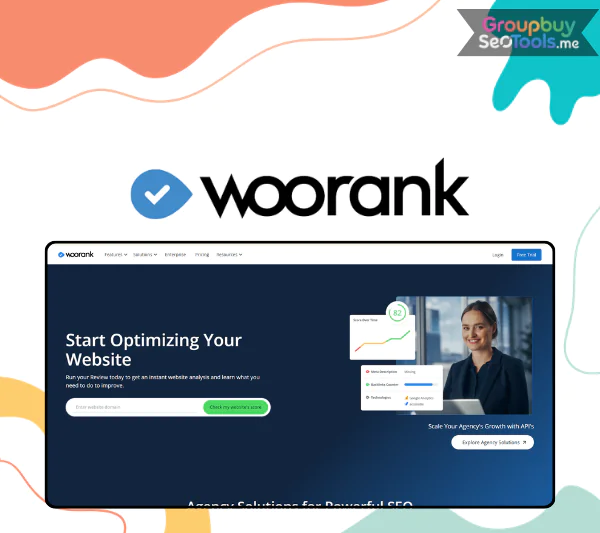 WooRank is a cloud-based SEO audit and monitoring tool that analyzes your website’s technical SEO, content quality, and online presence, then turns that data into simple, prioritized action steps. It is a brand name, not a generic SEO term, and it has been a recognized fixture in the SEO tools space for over a decade.
In 2026, the stakes for website quality are higher than ever. Google’s continued emphasis on helpful, user-first, technically sound pages means that knowing exactly where your site falls short is no longer optional for anyone who depends on organic search. WooRank was designed to answer that question without requiring deep technical expertise to interpret the results.
This guide is written for small business owners, in-house marketers, agencies, and freelancers with beginner to intermediate SEO knowledge. By the time you finish reading, you will understand what WooRank is and is not, be able to decide whether it fits your situation and budget, and know how to begin using it effectively.
WooRank is a cloud-based website review and SEO audit platform that checks your site across a broad range of factors including technical SEO, content quality, mobile usability, basic user experience signals, social presence, and authority indicators. The goal is not to overwhelm you with raw data but to give you a clear picture of where your site stands and what you should do next.
The inputs are minimal. You enter a URL, optionally connect Google Analytics or Google Search Console for richer data, and let WooRank do the work. The outputs include:
Enter a domain and WooRank might return a 74 out of 100 score with flagged issues across mobile usability, missing meta descriptions, and slow-loading images, each labeled by priority and accompanied by a plain explanation of why it matters.
The platform is designed to be accessible to non-technical users without sacrificing enough depth to be useful for agencies managing multiple client sites at once.

The core reasons people turn to WooRank come down to a few persistent challenges in SEO:
In the context of Google’s Helpful Content framework, which rewards sites that demonstrate genuine technical quality, relevant content, and real user value, WooRank’s audit output maps closely to the factors that determine whether a site is competitive in search.
A practical example: a local restaurant owner runs a WooRank audit and discovers the site is serving over HTTP instead of HTTPS, has uncompressed images adding three seconds to mobile load time, and is missing meta descriptions on every menu page. None of these issues required an SEO specialist to find. WooRank surfaced in under a minute.
The entry point to WooRank is the one-click website review. You enter a URL and within under a minute the platform returns a summary screen showing your overall score alongside color-coded flags for the most serious issues. The experience is deliberately beginner-friendly: you do not need to configure anything or interpret raw data to understand whether you have a problem.
The problem this solves is a common one: site owners who assume everything is fine because the site is loading and generating some traffic. The health score puts a number on the gap between “functioning” and “well-optimized,” and the red, yellow, and green indicators make the severity distribution immediately scannable. A local clinic that scores 54 out of 100 with multiple red warnings for mobile usability has a concrete starting point for a conversation with their web developer.
The to-do list is where WooRank converts audit data into action. Issues are grouped by category (meta tags, page performance, content, mobile, security) and assigned priority levels: critical, important, and minor. Each item includes a plain-language explanation of why the issue matters and what fixing it is likely to achieve.
For non-technical stakeholders, this framing is valuable. A marketing manager can hand the to-do list to a developer without needing to translate between SEO terminology and implementation requirements. Typical items in a WooRank to-do list look like:
WooRank is not limited to one-time audits. The keyword tracking module lets you monitor your rankings for chosen search terms over time, with separate tracking for desktop and mobile results. This is the feature that converts a static audit into an ongoing performance management tool.
| What It Tracks | Why It Matters |
| Keyword position over time | See whether SEO fixes are translating into ranking improvements |
| Desktop vs mobile rank separation | Identify gaps between platforms, which can differ significantly |
| Position changes and trend direction | Detect drops early before traffic impact becomes significant |
| Competitor ranking comparisons (on higher plans) | Understand your relative position in the SERP, not just your absolute rank |
Tracking “plumber in Chicago” over three months after fixing the technical issues surfaced in an audit gives you a measurable feedback loop between the work done and the results achieved. That is the kind of evidence-based reporting that both internal teams and clients respond to.
For agencies managing multiple client websites, the ability to run audits across a portfolio without setting up each site individually is a practical necessity. WooRank’s bulk audit capabilities let you identify which sites require immediate attention across a client base without running checks one by one.
The operational value is in triage: rather than treating all client sites equally, an agency can quickly surface the five sites out of thirty that have failing mobile scores or critical security issues and prioritize those sprint cycles accordingly. This shifts the workflow from reactive problem-solving to proactive portfolio management.
The specific number of sites supported per plan varies. Always verify current plan limits on WooRank’s official pricing page, as these details evolve.
WooRank generates downloadable and printable reports that use charts and visual summaries designed for audiences who do not read raw SEO data. On qualifying plans, reports can be white-labeled with your agency’s logo, brand colors, and contact details, making them appropriate for client delivery without additional design work.
For agencies and freelancers, this feature has a commercial dimension that goes beyond internal use. Including a WooRank audit report in a new business proposal gives a prospect a concrete picture of their current SEO situation, the gap to where they need to be, and an implicit preview of the work you are proposing to do. The visual format communicates urgency and value in a way that a verbal summary of the same issues cannot.
Local businesses, including shops, clinics, home service providers, and restaurants, are among WooRank’s most natural users. They typically have no in-house SEO expertise, limited time to learn the tools, and a clear business need to appear prominently in local search results.
WooRank fits this context because it requires no prior SEO knowledge to generate useful output. The typical workflow is to run an audit, save or export the report, and hand the to-do list to a web developer or marketing agency to implement the fixes. A local dentist who discovers missing structured contact information and unoptimized mobile pages through a WooRank audit has everything they need to give a developer a clear brief, without needing to understand the technical mechanics behind either issue.
In-house marketers at small and medium businesses often wear multiple hats. SEO is one of many responsibilities rather than a full-time focus, which means the tools they use need to be efficient and easy to action. WooRank fits this profile well.
A typical in-house workflow looks like: run a monthly or quarterly audit, review the prioritized issues, feed the high-priority items into the development or content backlog, and use the keyword tracking module to report on ranking progress in the next team or management review. The platform is accessible enough for a non-specialist to navigate without training while still producing output that a specialist would recognize as substantive.
Agencies and freelancers are the power users of WooRank. The combination of bulk audits, white-label reporting, and fast audit generation supports the most common agency workflows: onboarding new clients, running regular performance reviews, and pitching prospective clients with data-backed proposals.
For a freelance SEO consultant, a WooRank report serves as the baseline document in every new engagement. It establishes the current state of the site, creates a shared understanding with the client about what needs to be done, and gives both parties a reference point to measure progress against. The time saved versus building an equivalent audit manually, pulling data from multiple tools and formatting it into a client-ready document, is measurable in hours per engagement.
WooRank is most effective as one part of a broader tool stack for agencies. Many combine it with Ahrefs or SEMrush for deeper backlink and keyword research, using WooRank specifically for the audit and reporting layer where its speed and presentation quality are the differentiating factors.
Content teams use WooRank primarily to identify the technical and on-page factors that are limiting the performance of existing content. The platform flags thin or potentially duplicate pages, highlights missing meta descriptions and H1 tags, surfaces pages with missing image alt text, and identifies content that may need a refresh based on performance signals.
For a content editor managing a large site, this turns an overwhelming backlog question into a prioritized list. Rather than guessing which pages to refresh first, the team can work from a ranked list of pages with identifiable technical gaps and a clear explanation of how fixing each gap is expected to affect search visibility.
WooRank occupies a distinct position in the SEO tool landscape. Understanding where it sits relative to the major all-in-one platforms helps you decide whether it complements, replaces, or competes with tools you may already use.
| Feature Focus | WooRank | SEMrush | Ahrefs | Moz |
| Primary strength | Fast audits, clear action lists, reporting | Keyword research, competitive analysis, large data suite | Backlink analysis, keyword database, technical crawl | Domain authority metrics, local SEO, learning resources |
| Audit depth | Strong for SMB and agency use cases | Deep technical crawler | Deep technical crawler | Moderate |
| Keyword database | Moderate | Very large | Very large | Large |
| Backlink data | Basic signals | Comprehensive | Industry-leading | Good |
| Ease of use | High (designed for non-specialists) | Moderate to steep learning curve | Moderate learning curve | Moderate |
| White-label reporting | Yes (on qualifying plans) | Yes (on higher plans) | Limited | Yes (on higher plans) |
| Price range | Lower to mid-range | Mid to high | Mid to high | Mid |
| Best for | SMBs, agencies needing fast audits and reports | Advanced SEOs, large teams | Link builders, technical SEOs | Learning SEO, local search |
WooRank is not a direct replacement for an enterprise SEO suite. It does not have the keyword database depth of SEMrush or the backlink index of Ahrefs. What it does have is speed, simplicity, and a reporting layer that those tools do not prioritize in the same way.
The most common use pattern among agencies is to use WooRank for the audit and client reporting layer while using Ahrefs or SEMrush for in-depth keyword research and link analysis. The two categories of tool are complementary rather than competing for the same workflow.
Getting value from WooRank on your first session takes less time than most users expect. Here is a practical starting workflow:
A practical tip: run your first audit when the site is in a stable state, not mid-deployment or under maintenance, since temporary errors can distort the score and issues list.
WooRank is a full SEO tool, not just a single-purpose audit checker. The distinction matters: an audit checker runs a one-time review and returns a list of issues. WooRank also includes keyword rank tracking over time, ongoing monitoring, competitor comparison features, and reporting infrastructure. The audit is the most visible entry point, but the platform is designed for ongoing SEO management, not just one-time diagnostics.
For most advanced SEO programs, no. WooRank handles the audit, monitoring, and reporting layer well, but a complete SEO strategy also requires:
For a small business owner running a straightforward local site with no specialist SEO support, WooRank plus Google Search Console covers the most important bases. For anyone pursuing competitive organic growth in a challenging niche, WooRank is one layer of a multi-tool approach.
The common thread is that WooRank adds the most value where there are identifiable technical and on-page gaps to close and where a clear, reportable action list is more useful than raw data.
| Aspect | WooRank | Typical Free Tool |
| Depth of checks | 40+ factors across technical, content, and authority | 10 to 20 basic checks |
| Reporting quality | Full PDF exports, white-label options | Screenshot or basic summary |
| Ongoing monitoring | Keyword tracking, alerts, change detection | Usually one-time only |
| Support and maintenance | Actively maintained and updated | Variable |
| Usage limits | Plan-based, generous on paid tiers | Strict daily or monthly caps |
Free tools are a reasonable starting point for a quick sanity check or a single one-off review. When you need consistent, reportable, and comprehensive audits, whether for your own site on an ongoing basis or for client work, the paid difference in quality and functionality becomes meaningful quickly.
The recommendations WooRank produces are standard SEO best practices and are generally safe to follow. The risk is not in the recommendations themselves but in how they are applied. Common misapplications include:
The best approach is to understand the reasoning behind each recommendation before implementing it, test significant changes incrementally rather than all at once, and cross-reference major decisions with a second source or an experienced SEO professional when the stakes are high. WooRank explains the “why” behind its recommendations precisely to support this kind of informed decision-making.
WooRank earns its place in the SEO tool landscape by doing a specific job well: turning a website audit into a clear, prioritized, client-friendly action list with minimal friction. It is not trying to compete with Ahrefs on backlink data or SEMrush on keyword research volume. It is a fast, accessible, and well-presented audit and monitoring platform with a reporting layer that agencies and freelancers will find genuinely useful.
For small business owners running their first SEO review, in-house marketers who need a structured improvement roadmap, and agencies looking to streamline the audit and proposal process, WooRank offers practical value that is proportionate to its cost. Start with the free trial, run an audit on your site or a client site, and the output will tell you quickly whether the tool fits your workflow.
The websites that benefit most from WooRank are those with identifiable gaps between their current technical state and what a well-optimized site looks like. In 2026, that describes a larger share of the web than most site owners realize.
| Time | 1 Month, 1 Year, Trial |
|---|
There are no reviews yet.