Skip to content
GroupbuySeoTools.meGroupbuySeoTools.me
  • Login
  • Cart
    • No products in the cart.

      Return to shop

  • Cart

    No products in the cart.

    Return to shop

  • Categories
    • AI All-in-One
      • Ecom Tools
        • Contact
      • Others
        • AML Policy
    • AI
    • AI Audio
      • Ecom Tools
    • AI Dev Tools
    • Ad Spy
  • AI All-in-One
  • Ad Spy
  • Cloud & Storage
  • Edu Tools
  • Relax Tools
  • Ecom Tools
  • AI Dev Tools
  • AI Audio

    Home - AI - Gumloop

    -67%
    Add to wishlist
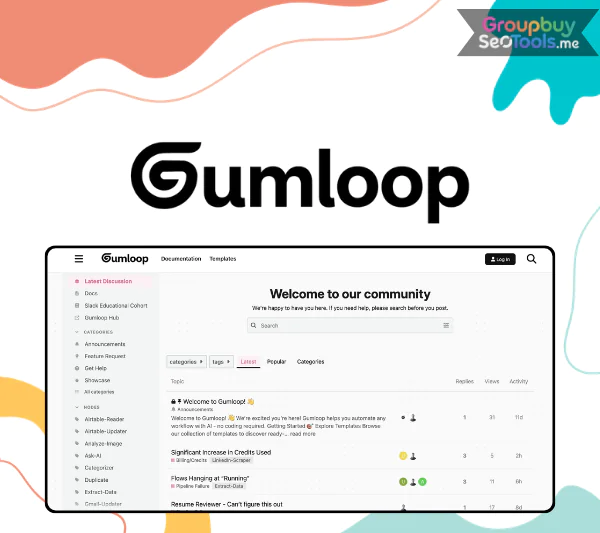
    Gumloop
    0 Customer Reviews
    0 Sold
    Warranty Policy
    Rating
    0

    Gumloop

    $299.00 Original price was: $299.00.$99.00Current price is: $99.00.

    Delivery

    Sent via customer’s email

    Delivery Time

    12-24hrs

    Warranty

    All-in-one Subscription

    Product Summary

    Gumloop makes AI accessible by offering a drag and drop platform for web scraping and workflow automation

    • You will receive: a Gumloop account for 1 year (personal account) (4k credits/month)

    Official website: https://www.gumloop.com/

    Product Information
    • Description

    Contents

    1. What Is Gumloop?
    2. Core Capabilities of Gumloop
      1. Flows: The Backbone of Automation
      2. Nodes: Building Blocks of Every Flow
      3. Trigger Nodes: Automated Starting Points
      4. MCP Nodes: Natural Language App Interaction
      5. Custom Nodes: AI-Generated Automation Components
      6. Subflows: Modular Workflow Design
      7. Interfaces: User-Driven Workflow Inputs
    3. Is Gumloop Different from Traditional Automation Tools?
    4. Pricing plans
    5. Why Purchase Gumloop via GroupbuySeoTools?
    6. How to Order Gumloop
    7. Key Benefits of Gumloop
    8. Limitations to Consider
    9. Who Should Use Gumloop?
    10. Frequently Asked Questions
    11. Final Thoughts

    Gumloop

    I thought I had a good idea of how workflow automation works after playing around with automation tools like Zapier, Make, and n8n for years. Then AI-native systems like Gumloop came along and promised something bigger: smart agents that could handle complicated tasks with little help from humans.

    These days, social media is full of bold claims that AI systems can run companies, make workflows more efficient, and even “manage” them. That kind of buzz can make it hard to tell the difference between new ideas and lies. Instead of relying on marketing hype, I chose to look into Gumloop for myself to see if it really makes automation better or if it’s just putting familiar ideas in a new AI box.

    Here’s what I discovered.

    What Is Gumloop?

    Gumloop homepage
    Gumloop no-code AI automation platform dashboard interface

    Gumloop is an AI-powered, no-code automation tool that lets users make their own workflows, smart agents, and web data extraction processes without having to write any code. The app uses a visual drag-and-drop builder, which means that even people who aren’t tech-savvy can use automation.

    Gumloop started out as a small project in Vancouver and has since grown to become a big company in San Francisco. Its goal is to make AI-powered automation more accessible to everyone. It doesn’t want to just let coders use advanced automation; it wants to let business owners, marketers, analysts, and operations teams build complex systems visually as well.

    The platform combines standard workflow logic with the ability to use AI to process data. Gumloop doesn’t just move data between apps; it also has built-in AI nodes that can study, interpret, and change data as part of workflows. It’s different from many older tools because it moves away from rule-based processing and toward made-by-AI decisions.

    Core Capabilities of Gumloop

     workflow -builder- in -Gumloop
    Visual workflow builder in Gumloop showing nodes and connected automation steps

    Flows: The Backbone of Automation

    Flows are what Gumloop is all about. In computer programming, a flow is a planned series of steps that work together to complete a process from start to finish. Each flow shows how data moves, changes, and causes acts to happen.

    It’s easier to understand complicated processes when they are shown as linked visual blocks. You don’t have to look at lines of code to understand how each part works; you can see the whole system at once.

    Nodes: Building Blocks of Every Flow

    Nodes are actions or processes that happen on their own within each flow. Gumloop has a number of different types of nodes, including:

    • Core Nodes: Handle logic-based tasks such as filters, branching conditions (if/else), and manual inputs.
    • AI Nodes: Analyze, summarize, categorize, or process text and structured data using artificial intelligence.
    • Integration Nodes: Connect workflows with external platforms and applications.
    • Advanced Nodes: Include capabilities like web scraping and deeper data extraction.

    The AI nodes stand out because they do more than just send data; they also figure out what it means. This makes jobs that involve processing content or changing structured data a lot easier to do by hand.

    Trigger Nodes: Automated Starting Points

    When certain conditions are met, trigger nodes start workflows immediately. A trigger can start a flow whenever new information is received, like when a form is submitted or a database is updated, instead of having to start processes by hand. With this feature, Gumloop can be used as a continuous monitoring system that can react right away to new data without any help from a person.

    MCP Nodes: Natural Language App Interaction

    MCP nodes, which stand for “Multi-Context Processing,” let people talk to apps using simple language. For example, the information you want can be automatically retrieved with a command like “Retrieve YouTube video metadata and transcript.”

    With this method, you don’t have to manually set up complicated API calls. Instead, you tell the node what you want it to do, and it does it. This greatly speeds up the process of making workflows for collecting data across multiple platforms.

    Custom Nodes: AI-Generated Automation Components

    The option to make custom nodes is one of Gumloop’s more interesting features. Users can use common language to describe a function they want, and the system will build a node that meets those needs.

    This makes it possible to try new things quickly. You don’t have to spend hours setting up technology logic when you can quickly test and make changes to new automations.

    Subflows: Modular Workflow Design

    Gumloop can handle Subflows, which are basically workflows inside bigger workflows, for systems that are more complicated. This flexible design helps break down big automations into smaller parts that can be used again and again.

    Maintenance is easier when processes are broken up into smaller, more doable pieces. Individual parts can be updated and troubleshooted without stopping the automation as a whole.

    Interfaces: User-Driven Workflow Inputs

    Interfaces work in the same way that linked forms do. When a person sends data through an interface, it goes straight to the nodes that are connected to it and starts the automation.

    This tool is very helpful for onboarding, collecting leads, and asking employees to do work. Instead of moving data between systems by hand, the whole process is done instantly once the form is filled out.

    Is Gumloop Different from Traditional Automation Tools?

    In contrast to other platforms that mostly connect apps using predefined logic, Gumloop builds AI decision-making into the process itself. This lets automations understand material, pull out structured insights, and change based on the situation instead of just following set rules.

    Not all standard automation tasks can be done with it, but it adds a smarter layer on top of workflow design. Gumloop is a great option that users who want more freedom and AI-enhanced processing without knowing how to code should really think about.

    Pricing plans

    Gumloop -Pricing
    Overview of Gumloop packages and pricing
    PlanFreeStarterProEnterprise
    Monthly Pricing$0From $97/monthFrom $297/monthCustom pricing
    Credits1,000 creditsStarts at 30,000 creditsStarts at 75,000 creditsCustom allocation
    Seats–1 seat10 seatsCustom number of seats
    Concurrent WorkflowsUp to 5 workflows running simultaneously5 concurrent workflows5 concurrent workflowsCustom limits
    Concurrent List Steps2 concurrent list steps5 list steps15 list stepsCustom setup
    ComplianceSOC2 Type 2 certifiedSOC2 Type 2 certifiedSOC2 Type 2 certifiedSOC2 Type 2 certified
    Integrations–IncludedIncludedAll integrations available
    Support–StandardSlack supportPriority, dedicated support
    InfrastructureSharedSharedSharedDedicated, scalable infrastructure

    If you’re looking at Gumloop prices and thinking if there’s a cheaper way to get started without having to pay full price, there is. You don’t have to pay the full price for the plan; you can get it through GroupbuySeoTools for just $99. That’s a big difference from the official listing, so it’s a good choice for people who want to save money without giving up usefulness.

    Why Purchase Gumloop via GroupbuySeoTools?

    Picking the store is just as important as picking the tool itself. You don’t just pay for access when you order through GroupbuySeoTools; you also pay for dependability, openness, and ongoing help. This is what makes it a good choice:

    • Verified accounts that are ready to use: Every license is carefully checked to make sure it works perfectly from the start. Don’t guess. No pain from activation.
    • Reasonable prices: The plan is advertised as one of the most affordable choices at $97, and there are no hidden fees or extra charges after checkout.
    • Different ways to pay: Quickly finish your order by using MOMO or Internet Banking for a smooth transaction.
    • 7-day money-back guarantee: If the product doesn’t live up to your hopes, you can ask for a refund within seven days. It’s that easy.
    • Support that is always available: You can get help whenever you need it, so you’re never left to figure out problems on your own.

    How to Order Gumloop

    1. Pick your preferred plan: Review the available options and add the suitable package to your cart.
    2. Review your order details: Confirm everything carefully before moving forward.
    3. Select a payment method: Choose MOMO or Online Banking, and double-check your email address to ensure accurate delivery.
    4. Finalize the transaction: Once payment is confirmed, login information and activation instructions will be sent to your email so you can begin immediately.

    Video walkthrough demonstrating Gumloop’s automation builder and AI-driven workflow features.

    Key Benefits of Gumloop

    • Workflow Builder with No Code: Gumloop gets rid of the technical problems that come with most automation systems. It has a visual canvas that lets users connect flexible parts, called nodes, by dragging and dropping them. In other words, you can make complex systems without writing a single line of code.
    • Automation Improved by AI: The platform has more than just triggers and actions; it also has intelligent nodes that can extract structured data, analyze mood, summarize content, and even make decisions based on conditions. This cuts down on manual oversight and makes all processes more efficient.
    • Interface for Working Together and Being Natural: The panel is made to be easy to understand. Without technical problems slowing them down, teams can plan processes, share automation flows, and keep an eye on all projects.

    Limitations to Consider

    • Limited Deep Customization: When compared to developer-centric automation frameworks, the setting may not be as open to advanced users who need to write very technical scripts or set up complex backends.
    • Pricing Structure Based on Credit: Gumloop works with a system of usage credits. Even though it’s possible, predicting monthly costs can be hard because it depends on how much work needs to be done.
    • AI Depth in the Middle: Even though AI features are built in, the platform doesn’t have as much predictive modeling or deep-learning power as very specialized AI automation solutions do right now.

    Who Should Use Gumloop?

    Gumloop is especially helpful for people and groups who want to get rid of boring digital chores without hiring developers. It works well for:

    • Freelancers who automate workflows for content, study, or outreach.
    • Teams in charge of marketing and operations are linking a number of tools with AI-powered decision layers.
    • Project managers want to simplify their control while giving non-technical staff more freedom.
    • Sales teams are automating the process of lead enrichment, rating, and updating CRM data.
    • Businesses that are growing want to automate more tasks across more areas with less help from engineers.

    If your job requires you to do the same things over and over again on different platforms, Gumloop can help you get back your time and make your operations more consistent.

    Frequently Asked Questions

    1. Can Gumloop streamline customer support workflows?
      Yes. It works with systems like Zendesk and can instantly sort tickets into groups or come up with responses with the help of AI.
    2. Are ready-made templates available?
      Yes. There are already automation flows for things like SEO jobs, document management, marketing processes, and gathering web data.
    3. What integrations are supported?
      Common tools like HubSpot, Salesforce, and Slack can be linked to centralize data and make the sharing of information more efficient.
    4. Can it handle complex multi-step flows?
      Of course. Conditional sequences, nested subflows, and automatic triggers can all be made by users.
    5. Is programming knowledge required?
      No. The system is fully no-code while still incorporating intelligent automation capabilities.
    6. Does it support web scraping and data extraction?
      Yes. Dedicated nodes allow structured data collection from websites and external sources.
    7. Does Gumloop use AI for decision-making?
      Yes, AI parts of workflows handle jobs like summarization, classification, and sentiment analysis.
    8. Is it suitable for teams?
      People working alone or in groups can work together, manage processes they both use, and expand activities as needed.
    9. Can I track workflow performance?
      Yes. Real-time tracking and logging tools let users check how things are going and make them more efficient.

    Final Thoughts

    Automation tools are changing quickly, and systems like Gumloop are making it possible for people who aren’t developers to use advanced workflow orchestration. It’s a useful tool for teams that want to work more quickly because it combines visual automation with built-in AI features.

    If money is tight, getting access through GroupbuySeoTools for $99 is a cheaper option than the official price, and you won’t lose any features. This is a smart investment that businesses that want to grow while keeping costs low should think about making.

    Reference:

    Gumloop Review and the Best Alternative for 2025: My Hands-On Experience

    Customer Reviews & Feedback

    There are no reviews yet.

    Related products

    Genspark AI
    Add to wishlist
    AI cart grey 0

    Genspark AI

    AI cart grey 0
    $21.00 – $200.00Price range: $21.00 through $200.00
    Buy cart
    Add to wishlist
    RunwayML
    Add to wishlist
    AI cart grey 0

    RunwayML

    AI cart grey 0
    $10.00 – $96.00Price range: $10.00 through $96.00
    Buy cart
    Add to wishlist
    ReelCraft
    Add to wishlist
    AI cart grey 0

    ReelCraft

    AI cart grey 0
    $63.00
    Buy cart
    Add to wishlist
    Lex page
    Add to wishlist
    AI cart grey 0

    Lex page

    AI cart grey 0
    $145.00
    Buy cart
    Add to wishlist
    -89%
    Ocoya
    Add to wishlist
    AI cart grey 0

    Ocoya

    AI cart grey 0
    $699.00 Original price was: $699.00.$77.00Current price is: $77.00.
    Buy cart
    Add to wishlist
    -63%
    Fathom AI
    Add to wishlist
    AI cart grey 0

    Fathom AI

    AI cart grey 0
    $349.00 Original price was: $349.00.$128.00Current price is: $128.00.
    Buy cart
    Add to wishlist
    Product categories
    • Ad Spy
    • AI
      • AI All-in-One
      • AI Audio
      • AI Chat Bot
      • AI Dev Tools
      • AI Images
      • AI Video
    • Audio Tools
    • Cloud & Storage
      • VPNs
    • Content Tools
    • Design Tools
    • Ecom Tools
    • Edu Tools
    • Others
    • Relax Tools
    • SEO Tools
    • Stocks
    Latest Products
    • Adspy Push Adspy Push $150.00
    • Adspy Desktop Adspy Desktop $200.00
    • BrightLocal SEO BrightLocal SEO $85.00
    • Scrollpop AI Scrollpop AI $67.00
    • Rankd SEO Rankd SEO $5.00 – $30.00Price range: $5.00 through $30.00

    GroupbuySeoTools.me | best seo tools group buy at cheap price.

    Address : 11/777, Braf Hmadelkahoi Rd, Princess Dock, Mumbai Port Trust, Mazgaon, Mumbai, Maharashtra 400009, India

    instagram
    About Us
    Contact Us
    News
    FAQ
    Affiliate
    Privacy Policy
    Terms of Use
    AML Policy
    DMCA Policy
    Refund Policy
    Copyright Policy
    DMCA
    GDPR Notice

    Visa
    PayPal
    Stripe
    MasterCard
    Cash On Delivery

    Copyright 2026 © GroupbuySeoTools.me. All Rights Reserved.

    Visa
    PayPal
    Stripe
    MasterCard
    Cash On Delivery
    Copyright 2026 © GroupbuyseoTools.me
    • AI All-in-One
      • Ecom Tools
        • Contact
      • Others
        • AML Policy
    • AI
    • AI Audio
      • Ecom Tools
    • AI Dev Tools
    • Ad Spy
    • Login
    • Newsletter

    Login

    Login with your Social ID

    Lost your password?