For a long time, every online meeting made things impossible for me. I had to take notes, add to the talk, and listen to what other people were saying at the same time. Because of this, my attention was always broken up. It was easy for me to miss action items and important insights, and my notes were often missing or confusing after the meeting was over.
I tried more than a dozen different AI meeting helpers before deciding to stick with Fathom and make it my main tool for three months in a row. It was very helpful to be able to see for myself what Fathom does well, where it shines, and how it fits into real-life processes.
What Is Fathom AI?
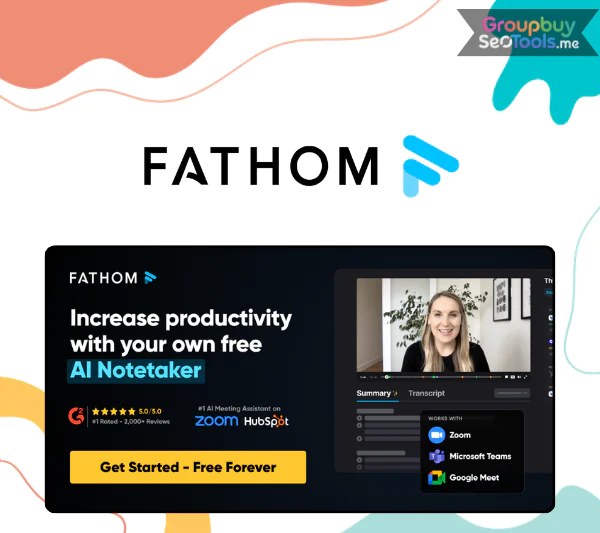
Fathom AI meeting assistant interface showing recorded video meeting with transcript panel
Fathomis an AI-powered meeting assistant that transcribes, sums up, and records virtual meetings instantly. It works well with popular platforms like Microsoft Teams, Zoom, and Google Meet and can handle up to 28 languages. Since it came out in 2020, Fathom was one of the first tools designed to get rid of the need to take notes by hand during online meetings.
Advanced natural language processing (NLP) and speaker recognition technology are at the heart of Fathom. NLP helps the system understand the situation, the person’s purpose, and the main points of the conversation. Speaker recognition labels each person who is speaking. This makes it simple to find out who came up with ideas, made choices, or was responsible for something.
Main Features and Capabilities
Fathom AI features overview including transcription, summaries, and meeting highlights
Automatic Transcription: Fathom can join meetings on Zoom, Google Meet, or Microsoft Teams and automatically start making recordings of the meetings as they happen. Users can choose whether the bot joins internal meetings, calls with outside parties, or both. They can also change the bot’s name that it shows on the screen. The accuracy of transcription is usually between 85% and 90%, but it depends on how clear the audio is and how strong the speaker’s accent is. Once the meeting is over, the transcripts have timestamps that can be clicked on to quickly jump to certain parts, change text, or get rid of parts that aren’t important.
Video and Audio Recording: Fathom can record full video and audio along with text. Coworkers who couldn’t make it can still see these files, which makes them very useful for things like sales calls, interviews, training, and onboarding meetings.
AI-Generated Summaries: When a meeting is over, Fathom automatically writes up a short summary that highlights the most important points, choices, and tasks that need to be done next. This saves a lot of time compared to watching videos again or reading full transcripts.
Ask Fathom is an interactive AI tool that lets users ask questions about meetings that have already happened, like what was decided about a certain project or topic. After a meeting, it can also help you write follow-up emails or texts based on what was talked about, which can save you time.
Users can make small clips of important parts of meetings that can be shared. These highlights can be sent directly to peers, and since they’re integrated with Slack, it’s easy to add clips to team chats for quick background.
Meeting Templates: The Fathom Team plan comes with 14 pre-made templates for common meeting types, such as sales calls, daily stand-ups, and check-ins on customer progress. Each template automatically organizes highlights, so notes are the same across teams.
Collaboration tools for teams: Shared folders can be used to organize meeting notes, transcripts, and recaps. Members of the team can leave comments, tag each other, and look back on talks as a group. Features like deal views and coaching metrics help sales teams look at their success and make things better.
Third-Party Integrations: Fathom works with a lot of popular apps, like Slack, HubSpot, Salesforce, and Close. It also works with more than 7,000 other apps through Zapier, but only the Premium and Team plans can fully automate with Zapier.
Interface that is easy to use: The platform is made to be simple. All of the records, transcripts, clips, and summaries are kept in one dashboard. This makes it easy for new users to start right away without having to go through a lot of steps.
Fathom AI Pricing
Compare Fathom AI plans to find the right option for individuals, small teams, or growing businesses.
Features
Free (Individuals)
Team
Business
Price
$0 (Free forever)
$15 / month / user
(2-user minimum)
$20 / month / user
(2-user minimum)
Free Trial / Guarantee
Free forever
Free trial + 90-day guarantee
Free trial + 90-day guarantee
Recordings & Transcriptions
Unlimited
Unlimited
Unlimited
AI Call Summaries
Instant AI summaries
Instant AI summaries
Instant AI summaries
Clips, Playlists & Search
Clips, playlists, and search across calls
Global search across shared calls
Playlists of highlights
Global search across shared calls
Playlists of highlights
Collaboration
Not included
Comments, folders, keyword alerts, and more
Advanced collaboration features
Transcription Customization
Standard vocabulary
Customized transcription vocabulary
Customized transcription vocabulary
Single Sign-On (SSO)
Not included
Included
Included
CRM & Sales Insights
Not included
Not included
CRM field sync
Deal View insights
Coaching & Analytics
Not included
Basic team insights
Coaching metrics & AI scorecards
Data Retention
Standard
Standard
Custom data retention policies
Professional Services
Not included
Not included
Available
Best For
Individuals who want free AI meeting notes
Teams collaborating on meetings and insights
Sales-driven teams needing CRM & coaching tools
Where to Buy Fathom AI Access at an Affordable Price
Discover pricing of Fathom AI
Fathom AI is a smart tool that turns spoken talks into useful notes that can help you summarize meetings, gain new insights, and get more done. Regular users may find it expensive to subscribe directly to Fathom AI, but there are other trusted and less expensive ways to get entry without having to pay the full price.
GroupbuySeoTools is a great place to get Fathom AI at a price. People can share the cost of premium digital tools and subscriptions on this site, which lets them save a lot of money compared to buying them separately.
Why Purchase Fathom AI via GroupbuySeoTools?
When you buy digital tools, where you buy them is just as important as the tools themselves. To get access to Fathom AI, GroupbuySeoTools is a good choice if you want good value, clear rules, and an easy shopping experience. Smart users who don’t like paying too much will like this site because:
Verified Accounts That Are Ready to Use: Each Fathom AI account sold by GroupbuySeoTools is carefully checked before it is sent out. What you get is stable, works, and is ready to use right away, no stress about setting it up.
Access that fits your budget: This deal, which costs only $25, is one of the cheapest ways to use Fathom AI’s special features. There are no hidden fees or extra costs.
Convenient Payment Options: Making payments is easy and safe, and MOMO and Online Banking are supported for users who want to make quick neighborhood transactions.
7-Day Money-Back Guarantee: Don’t like it? Within seven days, get in touch and ask for a return. The strategy is clear and doesn’t cause any problems.
Always-On Support Team: Help is available 24 hours a day, seven days a week, so any technical question or problem is taken care of quickly, no matter what time zone you’re in.
How to Buy Fathom AI on GroupbuySeoTools
The purchasing process is refreshingly simple and doesn’t waste your time. Here’s how it works:
Step 1: Choose Your Plan
Browse the available Fathom AI options on GroupbuySeoTools and select the plan that matches your workflow. Add it to your cart.
Step 2: Review Order Details
Double-check your selection to make sure everything looks right before moving forward.
Step 3: Complete Payment
Pick MOMO or Online Banking and enter a valid email address. This is where your account details will be sent.
Step 4: Access Your Account
Once payment is confirmed, login credentials arrive via email. Follow the instructions and start using Fathom AI immediately.
Key Advantages of Fathom AI
Fathom AI isn’t just another meeting recorder; it’s designed to make daily talks smoother and free up teams to make decisions instead of taking notes.
Accurate Transcripts with Smart Highlights: Every meeting is automatically recorded and transcribed, making sure that no important moments or choices are missed.
recaps and Action Items Generated by AI: After each call, Fathom creates short recaps and follow-up tasks. This saves hours that would have been spent listening to recordings again.
Deep Workflow Integrations: Fathom works well with well-known platforms like Slack, Notion, HubSpot, Salesforce, and more, so it’s simple to share ideas without having to copy and paste them by hand.
Built to Help Teams Work Together: Tools like sharing folders, keyword tracking, global search, and highlight playlists help teams stay on the same page, especially on Team and Business plans.
“Ask Fathom” Smart Search: You don’t have to look through records to find answers to direct questions, like what was decided about a certain client. You can get answers right away.
Exceptionally Generous Free Plan: You can make as many records and transcriptions as you want for free. This is one of the easiest free plans in the AI meeting space to use.
Limitations to Keep in Mind
No tool is perfect, and Fathom AI has a few drawbacks worth knowing upfront:
Depends on the Quality of the Audio: Background noise, loud accents, or people talking over each other can lower the quality of the transcription, especially in meetings with a lot of going on.
Limits on the Free Version: The free plan is very generous, but it has limits on storage space and AI summary points that busy teams may reach quickly.
Paid Plans Are Needed for Advanced Tools: Premium and higher plans can only get features like custom summaries, Ask Fathom, and better teamwork.
Mainly Optimized for English: Meetings that don’t use English may get less accurate results, which makes it less useful for teams that speak more than one language.
Best for small to medium-sized teams. The Business plan may be the only way for large companies to get the full value if they need deep insights or advanced CRM syncing.
There are some integrations that are missing. Major platforms are supported, but niche or industry-specific software might not be able to link directly yet.
Who Gets the Most Value from Fathom AI?
Fathom AI works great for business people who want meetings to be better and less paperwork to do afterward. It works really well for:
Freelancers and workers who work alone and need to keep accurate records without having to take notes all the time.
Small and medium-sized teams that want to make things clearer and have better follow-through after talks.
Team leaders and project managers keep track of choices and next steps across multiple calls.
There are sales and customer success teams that use call logs to keep track of contacts.
Anyone who goes to a lot of online meetings and wants quick summaries and records that can be searched.
In short, Fathom AI is a strong choice for anyone who values efficiency, structure, and less manual work after meetings.
FAQs About Fathom AI
Is my data secure, and do I own it?
Yes. End-to-end encryption is used by Fathom, and it meets the requirements of SOC 2 Type II, GDPR, and HIPAA. Users still own all of their own info. In the settings, you can stop any anonymous use for internal improvement, and no one else can learn on your recordings.
Who can view my meeting recordings?
By default, recordings are kept secret. You are the only one who can view them unless you share certain content on purpose.
Does Fathom provide an API?
There isn’t a public API yet, but there is a full Zapier interface that lets you automate with thousands of apps.
Can I use Fathom if I’m not the meeting host?
Since Fathom makes calls as a participant, the host usually needs to give it permission to do so. It works best when you’re the host or can let people join.
Final Thoughts
Fathom AI is one of the few programs that has both powerful features and a fair price. Its free plan is good enough for many people, but paid plans give you access to smarter reports and tools for working together as your team grows.
You can get Fathom AI for a lot less money if you buy through GroupbuySeoTools instead of straight from the company, and the quality is still the same. This is the smartest way to improve your meeting process without spending a lot of money.
 Google
 Microsoft
 Adobe
Adobe Canva
Canva Kaspersky