Google
 Microsoft
 Adobe
Adobe Canva
Canva Kaspersky
VisualSitemaps
$29.00

$29.00
Sent via customer’s email
12-24hrs
All-in-one Subscription
VisualSitemaps is an advanced, automated tool designed to generate visual sitemaps that simplify website audits.
Official website: https://visualsitemaps.com/
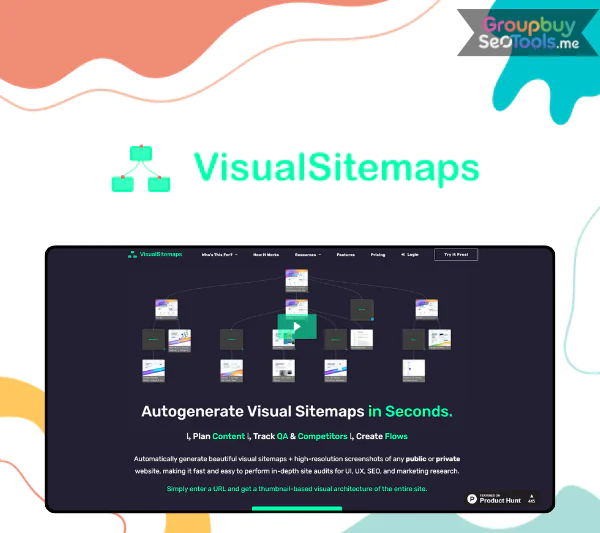
VisualSitemaps is an advanced automated website visualization tool that generates visual sitemaps with high-resolution screenshots and integrated SEO data. Designed for web developers, UX/UI designers, SEO strategists, and digital marketers, it simplifies complex website audits into clear, visual structures.
Founded by Artur Maklyarevsky in San Francisco, VisualSitemaps combines automation, AI-powered visual QA, and structured crawling to help professionals analyze website architecture, detect visual changes, and improve user experience more efficiently.

VisualSitemaps is an advanced, automated tool designed to generate visual sitemaps that simplify website audits. For experts in marketing research, UX/UI design, and SEO, it is an essential tool. Users can create a visual map of a website’s structure with just a URL, complete with integrated SEO data and high-quality pictures.
These insights aid in improving overall design, user experience, and website performance. The ability to crawl websites behind login, compatibility with responsive designs, AI-driven visual QA with scheduled crawls, and automatic sitemap generation are some of the key features.
Additionally, users can export data in PDF, CSV, and JSON formats and annotate screenshots. For web developers, UX/UI designers, and digital marketers looking to optimize their processes, it is an essential tool.
Artur Maklyarevsky, a seasoned product designer with more than 20 years of expertise, founded VisualSitemaps. The San Francisco-based business has transformed sitemap creation for web professionals by fusing high-resolution photos with automation.
Because of its robust capabilities and easy-to-use interface, VisualSitemaps has been more and more popular among web developers, designers, and digital marketers since its launch. This tool is crucial to the toolset of experts in web development, UX/UI design, and digital marketing since the organization wants to improve workflow efficiency and save time.

Essential functionality for individuals and small projects are available in the free plan. Users are able to generate sitemaps with up to 25 pages and crawl up to 25 pages each month. In addition, it has three user accounts, infinite flow boards, and the option to export data in JSON, CSV, or PDF forms.
With a sitemap size of 500 pages, customers can crawl up to 1,000 pages with the $19/month MINI Plan. Up to three user accounts, infinite flow boards, and an expanded crawl depth of up to four floors are all included. With more tools for in-depth site inspection, this subscription offers the same functionality as the FREE plan.
The FREELANCER Plan, which costs $59 a month, is designed for professionals who oversee several projects. With no restrictions on domain crawls, this plan allows crawling up to 3,000 pages and a sitemap size of 1,500 pages. It has all of the MINI Plan’s capabilities plus the capacity to manage more intricate site configurations.
The TEAM Plan is intended for larger teams or businesses and costs $299 per month. It has five user accounts and supports up to 20,000 pages with a 3,000 page sitemap. Additionally, it offers unconstrained crawl depth and infinite domain crawls. This plan provides all the characteristics required for teamwork and large-scale projects.
Getting started with VisualSitemaps is straightforward:
1. What does VisualSitemaps actually do?
It automatically crawls a website and generates a visual sitemap with HD screenshots of each page, along with structural and SEO-related insights.
2. Can it crawl websites behind login?
Yes, VisualSitemaps supports crawling private or password-protected websites, which is useful for staging environments and internal platforms.
3. Is there a free plan available?
Yes. The FREE plan allows crawling up to 25 pages per month and includes export options in PDF, CSV, and JSON formats.
4. Does it support large websites?
Yes. Depending on the plan, it can crawl up to 20,000 pages and generate large-scale sitemaps for enterprise-level websites.
5. Can teams collaborate on projects?
Yes. Higher-tier plans include multiple user accounts, drag-and-drop editing, screenshot annotations, and shared workflow features.
6. What is Visual QA+?
It’s an AI-powered feature that schedules crawls to detect visual changes across website updates, helping teams maintain design consistency.
7. Can I export data to other tools?
Yes. Sitemaps can be exported in PDF, CSV, and JSON formats for use in tools like Figma, Sketch, or reporting platforms.
8. Who benefits most from VisualSitemaps?
Web developers, UX/UI designers, SEO professionals, digital marketers, agencies, and product teams managing complex websites.
Anyone working in web development, digital marketing, or UX/UI design needs to have access to VisualSitemaps. Its high-resolution images, SEO data integration, and automated sitemap development make website optimization quicker and more effective. This tool provides customizable price options to suit your needs, whether you work as a freelancer alone or with a large team.
The preferred tool for developing, modifying, and optimizing website architectures is VisualSitemaps because of its robust capabilities and easy-to-use interface. Improve your website design and marketing tactics by utilizing this tool right now.
There are no reviews yet.