Google
 Microsoft
 Adobe
Adobe Canva
Canva Kaspersky
Mangools – KWFinder
$77.00

$77.00
Sent via customer’s email
12-24hrs
All-in-one Subscription
Explore KWFinder by Mangools – your go-to solution for long tail keyword discovery, SERP insights, and smart SEO planning.
Official website: https://mangools.com/kwfinder/
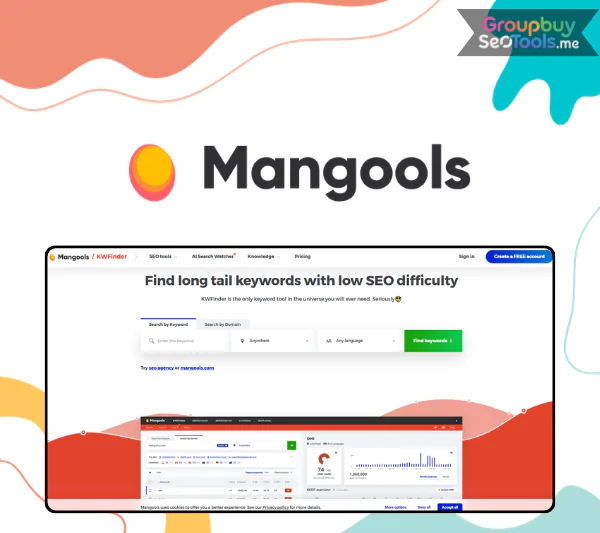
Thousands of marketers, bloggers, and small business owners worldwide rely on KWFinder, a robust yet user-friendly SEO tool developed by Mangools. Its user-friendly design makes it simple for users to find low-competition, high-opportunity keywords.
KWFinder provides real-time keyword ideas, trend tracking, and SERP research in a single, easy-to-use dashboard, regardless of your focus on local or international SEO. With group-buy pricing and dependable local assistance, KWFinder becomes even more affordable, making it the ideal tool for anyone looking to improve SEO without going over budget.
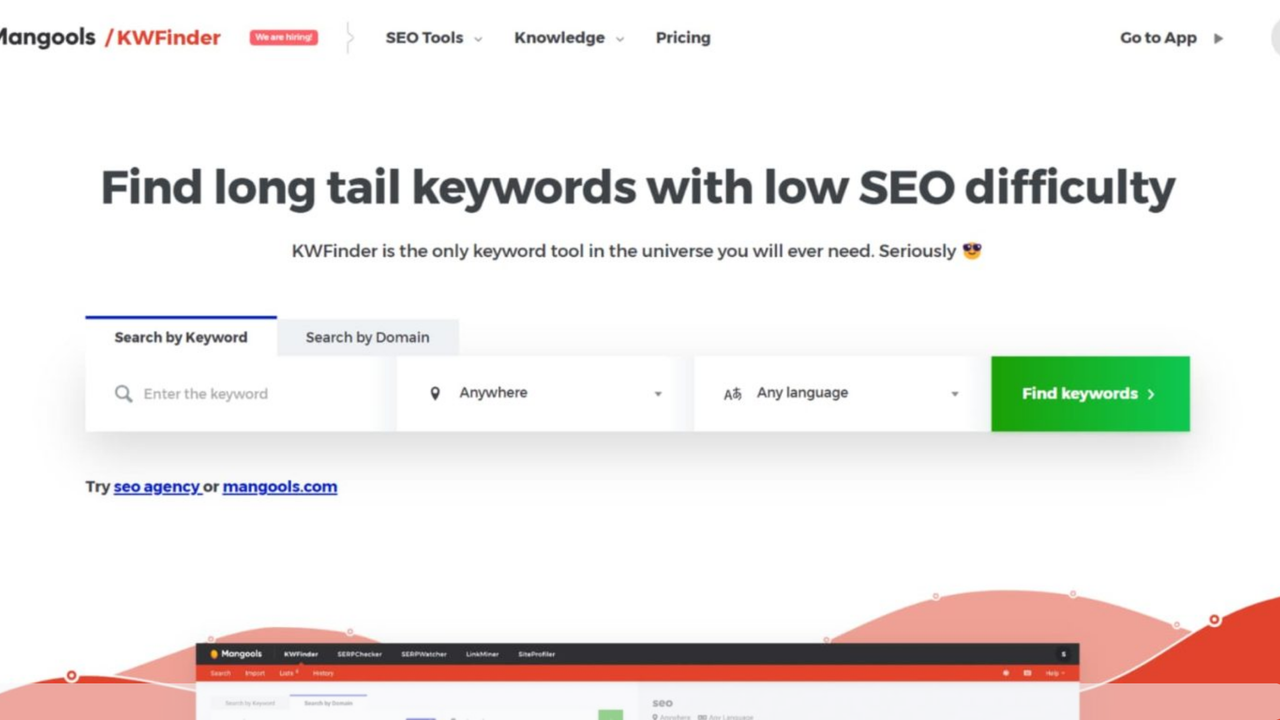
KWFinder is a widely used keyword research tool developed by the SEO software company Mangools. It was their first product, launched in 2014 by founder Peter Hrbáčik. This tool was created to make the process of finding keywords easier and assist users in locating search terms for which they may actually rank. Its primary strength is its ability to uncover lucrative keywords, particularly long tail keywords, by providing comprehensive details for each query, such as search volume, amount of competition, and SEO difficulty.
Because KWFinder was created with usability in mind from the beginning, users of all skill levels can now conduct keyword research more easily. It is a component of the Mangools SEO suite, which also consists of the following:
Although each of the five tools performs a distinct SEO function, KWFinder is still the major resource for identifying and assessing the best keywords to increase your website’s exposure and traffic.
With its wealth of useful features, KWFinder assists customers in coming up with keyword suggestions and assessing them using perceptive metrics. A closer look into what makes KWFinder a useful tool for SEO research is provided below:
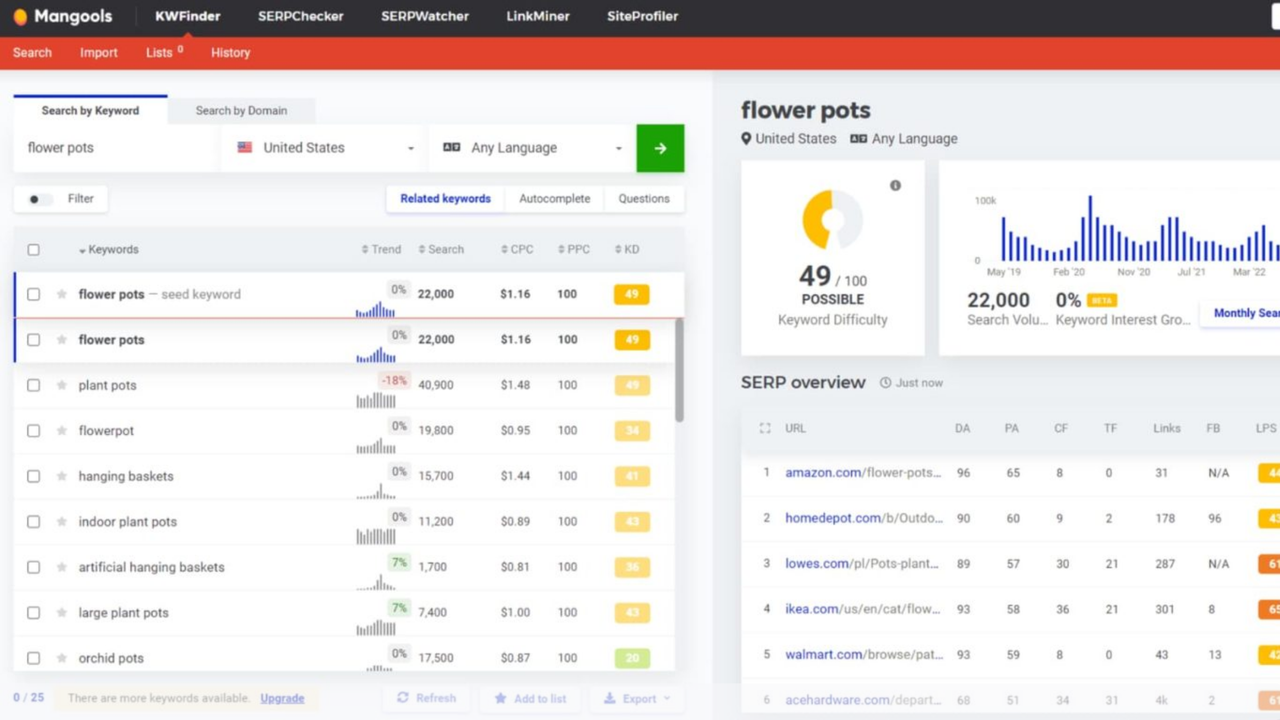
By allowing customers to input a seed keyword, which is a straightforward term or phrase associated with their specialty, KWFinder rapidly produces hundreds of keyword recommendations that are pertinent to their niche. For every recommendation, KWFinder shows important information like:
KWFinder’s sophisticated filtering capabilities, which let users refine their keyword lists, are among its best features:
Additionally, each keyword has a trend graph that shows how popular it has been over time, giving you insight into its seasonality and relevancy. For instance, typing in the seed keyword “SEO tools” may provide results such as “free SEO keyword tool” or “best SEO tool for small business,” each of which is accompanied by pertinent metrics. To get the greatest possibilities, you can filter results by difficulty or location (Vietnam versus USA).
By letting you search by domain name, KWFinder also serves as a tool for researching competitors. KWFinder can show you the keywords a competitor’s website or individual URL ranks for on Google, along with data like search volume, cost per click, and SEO complexity.
This tool assists in identifying keyword gaps, or areas where your rivals are receiving more traffic than you are. Businesses who focus on blogging, e-commerce, or content creation and want to examine the tactics of their competitors may find it particularly helpful.
Additionally, you’ll notice exclusive keywords, those that only your rival ranks for and shared keywords, where both websites rank. These insights assist in directing your content strategy and pinpointing areas in which you may more successfully compete.
Instead of depending on conjecture, you will obtain accurate SEO data from the performance of your rivals – a less expensive substitute for more expensive SEO tools. To utilize it, just select Search by Domain, type in the competitor’s website, select the language or area, and see a list of terms with complete data that are prepared for analysis.
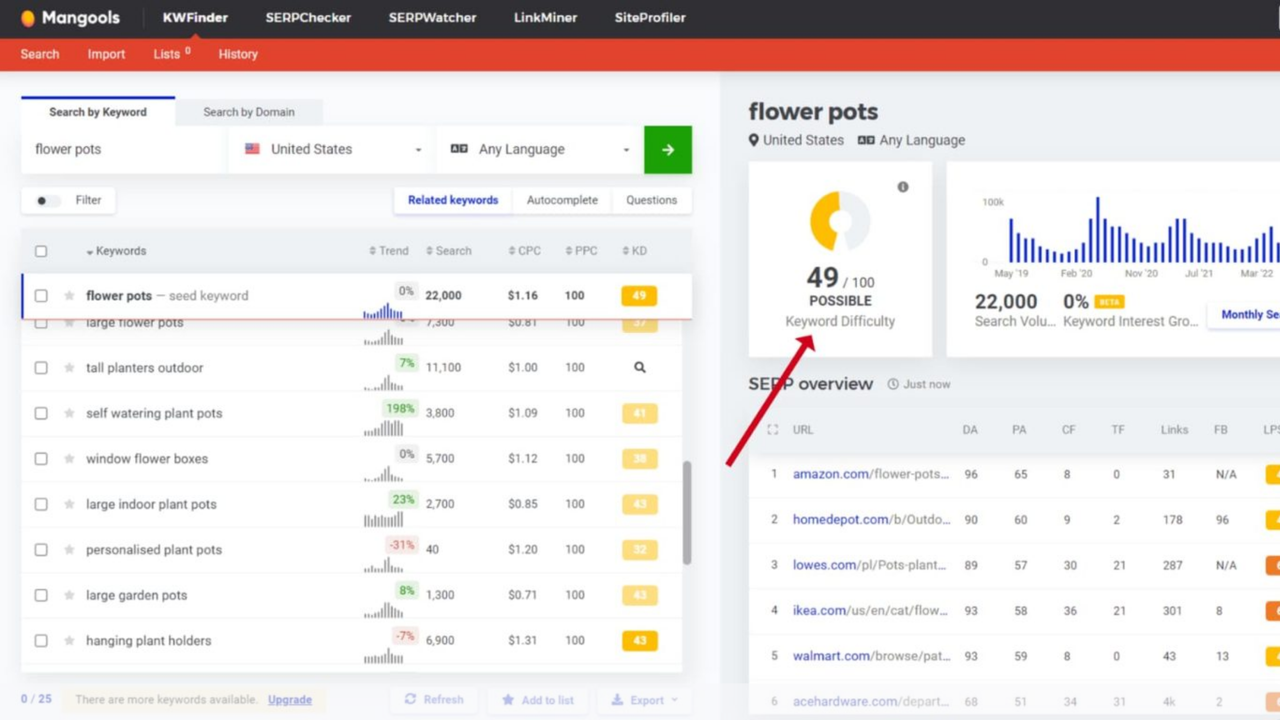
The Keyword Difficulty score, which calculates the difficulty of ranking for a keyword in organic search, is one of KWFinder’s most useful tools. The KD score is determined by examining the backlink profiles of the top ranking pages and goes from 0 (very easy) to 100 (extremely tough). Among these are authority metrics like:
If the top 10 search results are dominated by high authority websites, the KD will be high. If weaker domains appear, the KD will be lower and more attainable. For convenience, KWFinder color codes the difficulty scores:
Low competition keywords are perfect for new websites or smaller domains, and this visual tool can help you find them quickly. A term with KD 15 (green), for instance, is far simpler to target than one with KD 70 (red).
Furthermore, KWFinder has a Relative KD function that modifies keyword difficulty according to your domain’s authority, providing more practical advice on which terms to target.
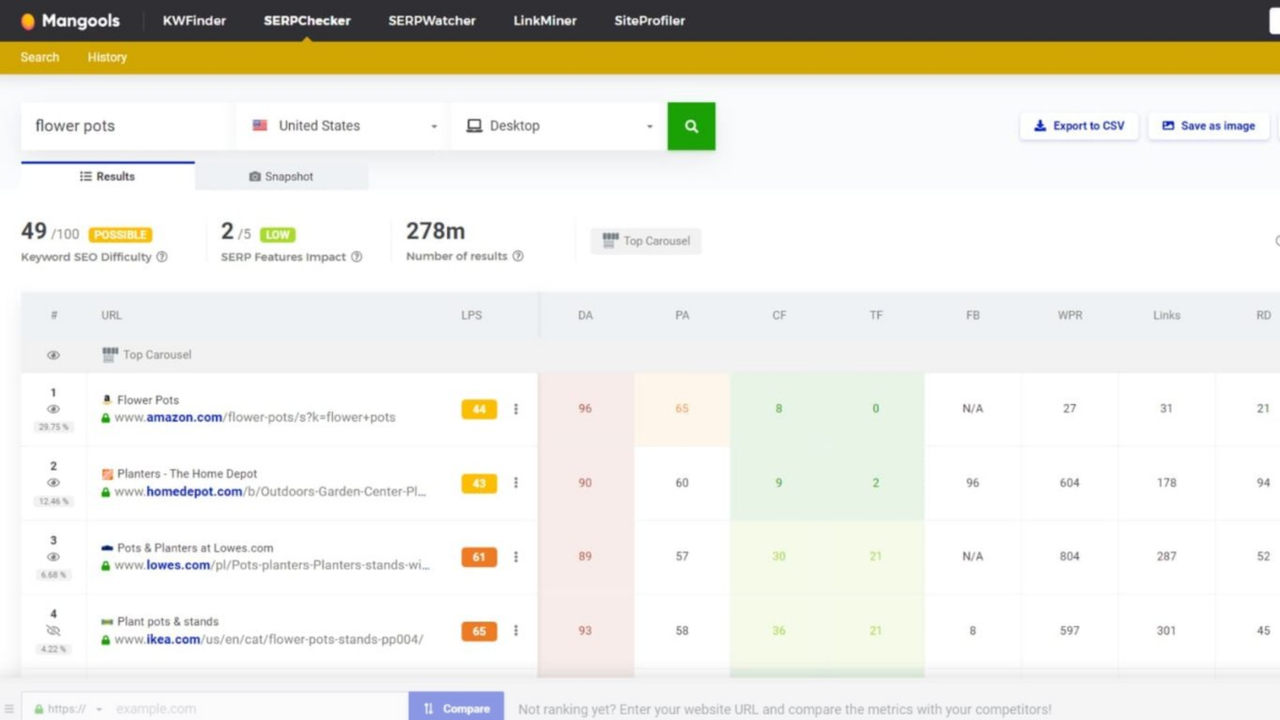
Beyond simply suggesting keywords, KWFinder provides insightful context by analyzing trend data and search engine results pages, enabling customers to select the most advantageous terms.
Keyword Trends
SERP Analysis
When you click on a keyword, KWFinder presents the current top 10 results on Google, along with detailed SEO metrics including:
This real time SERP overview helps you quickly evaluate how competitive a keyword is. If the top results include well established domains with strong backlink profiles, ranking will be more challenging. However, if you see lower authority sites or user generated content like forums, it signals potential for easier wins.
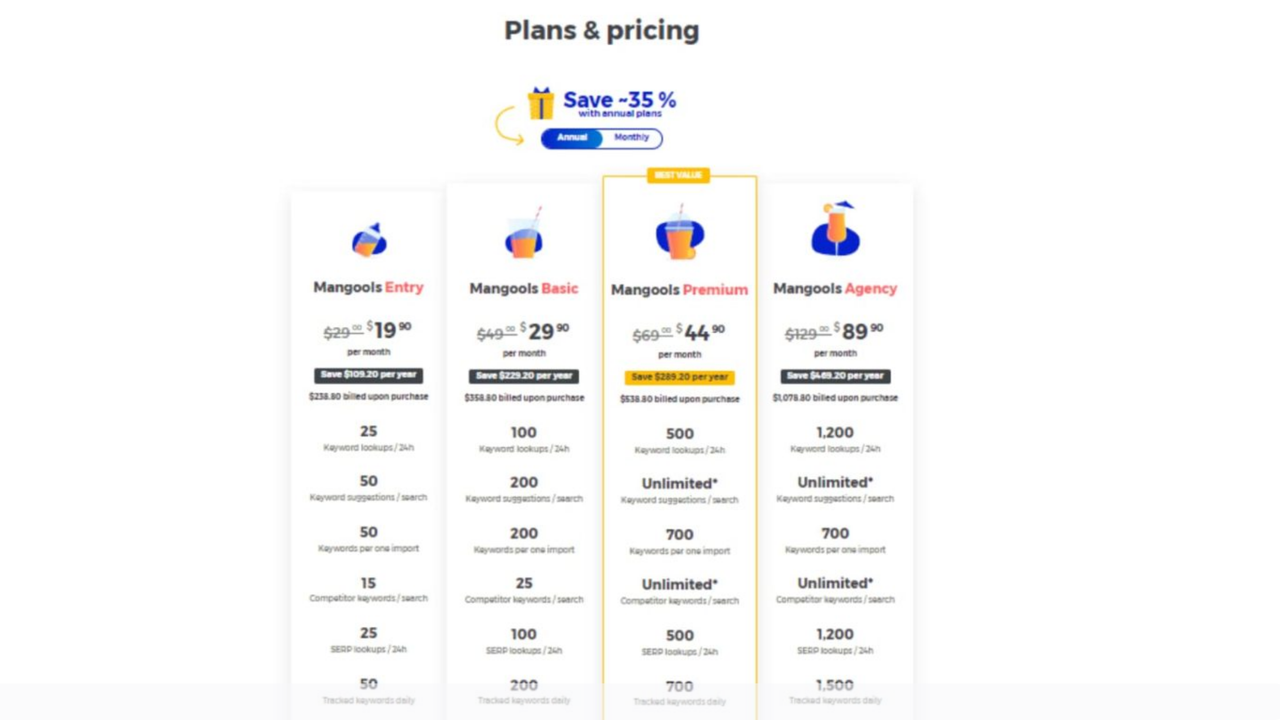
KWFinder is accessible through a number of official subscription plans and is a component of the Mangools SEO suite. In this part, we’ll examine Mangools’ pricing directly before looking into group access via GroupbuySeoTools, which is a more affordable option that many users choose. Lastly, we will contrast the advantages and disadvantages of each.
Mangools provides three standard subscription options that include full access to KWFinder and the entire suite of SEO tools. Plans can be billed monthly or annually, with annual payments offering around 35 percent in savings.
Here’s an overview of the annual plans and what they offer:
| Plan | Price per Month (Annual Billing) | Keyword Lookups / Day | SERP Lookups / Day | Tracked Keywords | User Seats | Backlink Data Limit |
| Basic | $29.90 | 100 | 100 | 200 | 1 | 100,000 rows |
| Premium | $44.90 | 500 | 500 | 700 | 3 | 500,000 rows |
| Agency | $89.90 | 1,200 | 1,200 | 1,500 | 5 | 1,200,000 rows |
All plans include full functionality across KWFinder, SERPChecker, LinkMiner, SERPWatcher, and SiteProfiler. The only difference lies in the daily limits and number of users. Even the Basic plan offers every feature just with lower quotas.
Note: Monthly billing is available but costs more. For example, the Basic plan rises to $29.90 if paid monthly instead of $14.95 on the annual plan.
For SEO specialists on a more limited budget, group access, also referred to as “group buy” is a popular option. Using this technique, websites such as GroupbuySeoTools buy premium memberships and divide the price by giving several people access, frequently via a shared login or a personalized dashboard.
Examples of pricing via GroupbuySeoTools:
By using GroupbuySeoTools, users get access to premium SEO tools for a fraction of their retail cost without sacrificing feature availability.
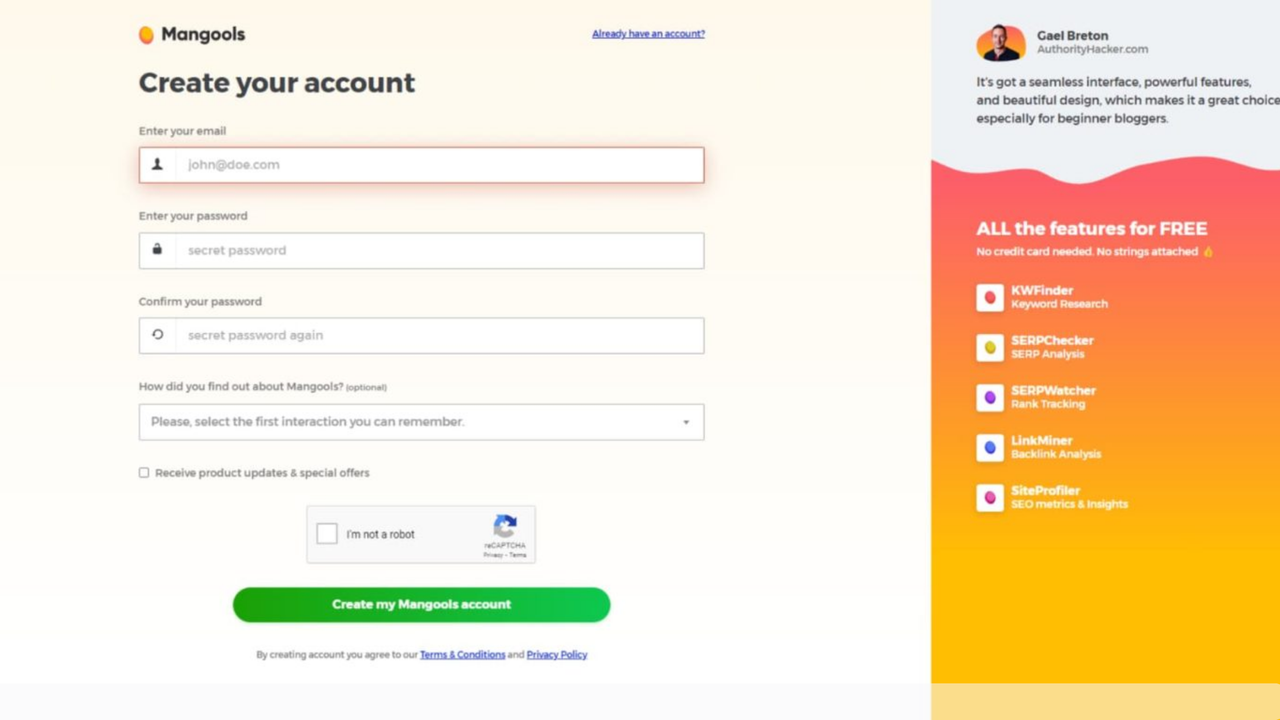
To get the most out of KWFinder, follow this efficient step by step process:
KWFinder provides an easy-to-use, feature-rich platform that lets you identify long tail keywords, track trends in search engine results pages, and create more intelligent content, regardless of your level of experience with SEO. For bloggers, independent contractors, and small businesses looking for expert tools without the hefty monthly costs, this is the ideal choice.
Are you prepared to improve your keyword research? Get quality SEO analytics at an unbeatable price by using KWFinder with GroupbuySeoTools.
References:
KWFinder: Free Keyword Research & Analysis Tool – Mangools
https://mangools.com/kwfinder/
KWFinder Review: Advantages, Features, & More (2025) – Elegant Themes
https://www.elegantthemes.com/blog/business/kwfinder-review
Is Mangools KWFinder Worth It? Detailed Review – QuestionDB
There are no reviews yet.