Google
 Microsoft
 Adobe
Adobe Canva
Canva Kaspersky
Kahoot One
$21.00

$21.00
Sent via customer’s email
12-24hrs
All-in-one Subscription
Kahoot – an interactive learning platform with engaging quiz games and real time assessments
Official website: https://kahoot.it/
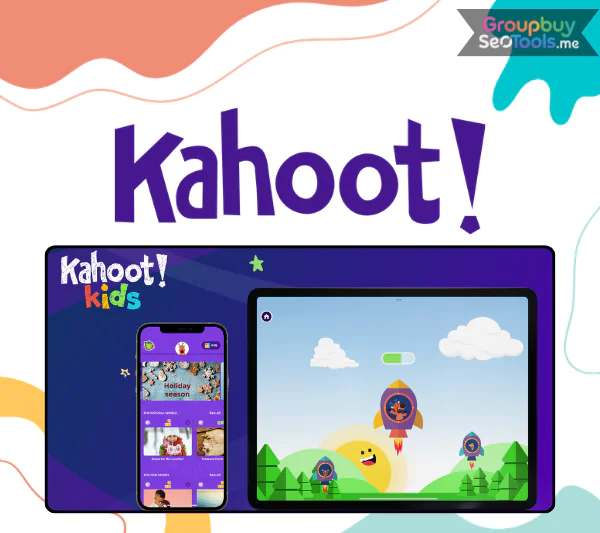
It’s harder than ever to keep students focused. High expectations and short attention spans are common when you teach in a classroom, run business training, or lead workshops. Long talks and slides with nothing to look at rarely give students the energy or knowledge that teachers want them to have.
Kahoot comes into the picture at this point. It claims to make learning feel more like a game than a task. It is known for making quizzes competitive and exciting. But does it really improve results and interest, or is it just a fancy tool?
After exploring its features in depth and comparing it with other interactive learning platforms, here is a detailed breakdown to help you determine whether Kahoot aligns with your educational or business training goals.
Kahoot started out as a research project called “Lecture Quiz.” It was made by Morten Versvik and Professor Alf Inge Wang. It was simple: they wanted to make learning more fun by adding game features to regular lessons.
Since it first came out in September 2013, Kahoot has grown into a global learning tool that people in more than 200 countries use. Because it has so many freely available quizzes and billions of users around the world, it has become one of the most well-known names in game-based learning.
Kahoot turns tests, quizzes, and training activities into competitions where people can connect with each other. People answer questions on their own devices while seeing the questions on a shared screen. This makes for a lively environment that combines checking knowledge with having fun.
Kahoot now has more than just quizzes. It also has AI-assisted content creation, different game formats, real-time scoreboards, and specific performance insights. It also has a market where teachers and trainers can find and share ready-made material.
Kahoot has a flexible method for making quizzes that works with different types of questions. There are many types of questions that teachers can make, such as multiple choice, true or false, puzzles, polls, word clouds, and answers that are based on sliders.
Because of this, lessons can include more than just remembering things; they can also include conversation, problem-solving, and interactions based on opinions.
One thing that makes Kahoot stand out is that it lets you play games in real time. People use a PIN code to join classes and answer questions on their computers, smartphones, or tablets.
The countdown timers and shared screen make the room very busy, which is great for classes, seminars, and business meetings.
In asynchronous or remote learning settings, it lets facilitators give participants tasks that they must finish on their own. So, it can be used for homework, learning at a distance, and teaching workers in different places.
To keep meetings visually interesting, quizzes can have pictures, videos, and sounds built in. It’s easier to understand abstract ideas when there is multimedia material.
Each session is more fun because of the points, streak bonuses, countdown timers, background music, and live ranks. These parts keep a good sense of competition while encouraging people to take part.
Kahoot makes thorough analytics after each session. Teachers and teachers can look at how well students answered, how many people participated, and how well they did on each question. These insights help teachers figure out where students aren’t learning enough and change their lessons to match.
Kahoot has tools that use artificial intelligence to help make quiz questions from material that already exists. This cuts down on the time needed to prepare and helps teachers who need to make materials fast.
In addition to letting people play by themselves, Kahoot also lets groups play. Team modes motivate people to talk, work together, and solve problems as a group.
Users can look at content made by teachers, trainers, and subject experts around the world, as millions of quizzes are shared freely. This cuts down on the time needed to prepare and gives you ideas for new lessons.
Kahoot works well on all devices, including web browsers, cellphones, and tablets. Because it works with a lot of different devices, it can be used in classes, offices, and remote locations without requiring a lot of complicated setup.
| Plan | Monthly Price | Annual Billing |
| Plus Bronze | $3 / month | $36 billed annually |
| Plus Silver | $7 / month | $84 billed annually |
| Plus Gold | $12 / month | $144 billed annually |
| Kahoot! One | $19 / month | $228 billed annually |
The website GroupbuySeoTools is useful if you want to compare Kahoot subscription rates or find a cheaper way to get access to premium features. You can get access to Kahoot One for about $20 a month instead of the full price. This makes the more advanced tools easier for teachers, trainers, and teams on a tight budget to use.
When you buy shared or alternative services, it’s important to pick the right provider. This is why a lot of people think about GroupbuySeoTools:
The ordering process is straightforward and designed for convenience:
Step 1: Pick the plan you want.
Look through the different Kahoot packages and pick the one that works best for your event, training, or teaching needs. To go ahead, add it to your cart.
Step 2: Look over the details of your order
Before you pay, make sure the plan you chose, the length of your subscription, and your contact information are correct.
Step 3: Pay for everything.
To complete the deal, use Internet Banking. Make sure you give the right email address so that you can get your account information right away.
Step 4: Get information on how to access
As soon as your payment is completed, you will receive an email with your login information and activation instructions. This will let you start using Kahoot right away.
It has become a popular interactive learning tool because it is easy to use and fun. Here are the main reasons why it’s liked by so many:
Kahoot’s flexibility allows it to serve various audiences across education, business, and social settings:
It’s still clear that Kahoot is a great tool for making lessons and training sessions more fun and interactive. It’s fun and competitive, and it’s great for events, offices, and classes.
People who want expensive features at a more reasonable price can buy through GroupbuySeoTools, which is a safe and cost-effective option. It’s a good choice for teachers, trainers, and groups that want to get more for their money without giving up functionality. It has verified accounts, quick support, and reasonable prices.
There are no reviews yet.