Skip to content
GroupbuySeoTools.meGroupbuySeoTools.me
  • Login
  • Cart
    • No products in the cart.

      Return to shop

  • Cart

    No products in the cart.

    Return to shop

  • Categories
    • Ad Spy
    • AI
      • AI All-in-One
      • AI Audio
      • AI Chat Bot
      • AI Dev
      • AI Images
      • AI Video
    • Cloud & Storage
      • VPNs
    • Content Tools
      • AI Detector Tools
      • Content Optimization
      • Copywriting Tools
      • Grammar Tools
      • Paraphraser Tools
      • Plagiarism Tools
      • Researcher Tools
      • Translator Tools
      • Writing Tools
    • Ecom Tools
      • Amazon Tools
      • Etsy Tools
      • KDP Tools
      • POD Tools
    • Edu Tools
    • Email & Leads
    • Others
    • Relax Tools
    • SEO Tools
      • Backlink Tools
      • Domain Tools
      • Indexer Tools
      • Keyword Tools
      • Link Lists
      • Local SEO
      • Rank Tracker Tools
      • SEO AIO Tools
      • Technical SEO Tools
    • Social Tools
    • Stocks Library
    • Youtube Tools
  • Google
  • Microsoft
  • Adobe
  • Canva
  • Kaspersky
  • OpenAI
  • Autodesk
  • Spotify

Home - Content Tools - Researcher Tools - NotebookLM Pro

NotebookLM
0 Customer Reviews
0 Sold
Warranty Policy
Rating
0

NotebookLM Pro

$57.00

Delivery

Sent via customer’s email

Delivery Time

12-24hrs

Warranty

All-in-one Subscription

Product Summary

NotebookLM  -Boost your account with AI notes, audio overview, and huge savings

  • You will receive: a NotebookLM Pro (Personal Account)

Official website: https://notebooklm.google.com/
Product Information
  • Description

Contents

  1. What Is NotebookLM?
  2. Features of NotebookLM
    1. Smart Document Summaries
    2. Context Based Question Answering
    3. Outline Creation and Idea Expansion
    4. Integrated Experience Within Google Workspace
    5. Audio Overview Function
  3. How to Use NotebookLM Effectively
    1. Access the Platform
    2. Create a Notebook for Your Project
    3. Upload Source Materials
    4. Engage with the AI Assistant
    5. Save Insights and Track References
  4. Accessing NotebookLM Pro Through GroupbuySeoTools
  5. Where Can You Get a Budget Friendly NotebookLM Pro Account?
  6. Why Upgrade to NotebookLM Pro?
    1. Higher Usage Capacity
    2. Adjustable Writing Tone and Style
    3. Collaboration Features
  7. Why Upgrade Through GroupbuySeoTools?
  8. Who Should Consider NotebookLM Pro?
  9. Frequently Asked Questions About NotebookLM Pro at GroupbuySeoTools
  10. Final Thoughts

NotebookLM These days, when AI is developing quickly, taking notes isn’t just a way to store knowledge. Users today need a tool that can directly on their papers analyze, summarize, and help them think critically. Google came up with NotebookLM as a smart solution that turns personal papers into an interactive knowledge system that can be used more effectively.

What Is NotebookLM?

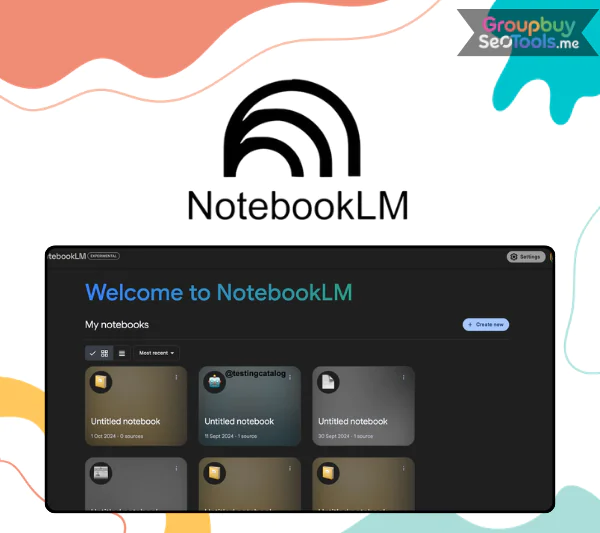
NotebookLM Pro dashboard supporting smart study, document interaction, and AI powered summaries

NotebookLM Pro workspace displaying AI assisted study tools, interactive document queries, and intelligent summaries

NotebookLM, which was first shown off internally as Project Tailwind, is a note-taking app made by Google that has AI added to it. The uploaded materials are turned into an interactive knowledge setting, so it’s not just a place to store text.

The best thing about NotebookLM is that it can understand the papers you give it. Once you add files, the system looks at the content, figures out what it means, and gives you answers based on your own sources. Because of this, it works well with structured learning, in-depth study, and content creation.

Most note-taking apps are focused on gathering information. Things go in a different way with NotebookLM. It lets people have conversations with their papers. You can ask the AI to explain things in a PDF, get insights from a Google Docs file, compare ideas between notes, or make your work look better by shaping it into a sketch.

Features of NotebookLM

Smart Document Summaries

NotebookLM interface showing AI generated answers with citation references from uploaded PDF documents

NotebookLM interface presenting AI responses linked to exact citation points within uploaded documents

When you import a file like a PDF or Google Docs piece, NotebookLM quickly processes the information and gives you a structured summary. The summary that is made gathers the most important points and arranges them in a way that is easy to understand. This lets users get the main ideas without having to read each page individually. This feature is very helpful for students and researchers who have to read a lot of information.

Context Based Question Answering

Finding specific information can take a lot of time when you are working on long reports or academic papers. You can ask straight questions about the content you’ve uploaded in NotebookLM. The AI replies with relevant excerpts and points out exactly where they are in the original document. This method not only speeds up research, but it also makes sure that citations are correct.

Outline Creation and Idea Expansion

NotebookLM generating structured outlines and content ideas from research documents

NotebookLM does more than just analysis. It helps you come up with content by turning unstructured ideas into organized outlines, short bullet points, or polished drafts. The AI can help you put together complicated information into a framework that makes sense, whether you are planning a talk or an article.

Integrated Experience Within Google Workspace

NotebookLM is designed to work with Google Docs and Google Drive, so it feels natural to people who already work with Google products. You can load documents directly from Drive, and your notebooks will always be available no matter where you log in because they are synced across devices.

Audio Overview Function

Audio Overview is a new feature that was just added. Once NotebookLM has looked over a paper, it can make an audio discussion in which two AI voices go over the information in a conversational way. As a result, it looks like a short conversation between experts that sums up key points. This function only works with English right now. Google has said that they want to add more languages, like Vietnamese, in future updates.

How to Use NotebookLM Effectively

If you are exploring NotebookLM for the first time, the process becomes intuitive once you understand the workflow.

Access the Platform

Visit https://notebooklm.google and sign in using your Google account credentials. No separate installation is necessary.

Create a Notebook for Your Project

The method separates work into separate notebooks. Each notebook can be used for a different subject, study topic, or work assignment. For instance, you could set aside one paper for studying the environment or analyzing business strategies.

Upload Source Materials

You can add text, import files from Google Drive, or upload files directly as PDFs. Once the content is added, NotebookLM checks it over and gets it ready for interaction immediately.

Engage with the AI Assistant

After processing is complete, you may begin asking targeted questions or requesting structured outputs. Typical prompts include:

  • Summarize the main ideas in a selected chapter
  • Identify the primary arguments presented in the document
  • Draft an introduction derived from the uploaded material

The AI responses remain anchored to your sources rather than external data.

Save Insights and Track References

You can keep important information in your notebook for later use. NotebookLM also has reference markers that take you back to the source parts of the document. When academic honesty or professional verification is needed, this trait is very important.

Accessing NotebookLM Pro Through GroupbuySeoTools

For people who want an easy way to get advanced AI tools, GroupbuySeoTools has update options that give you access to more NotebookLM features without spending a lot of money.

When NotebookLM is used correctly, it changes from a simple note-taking app to a structured study assistant that helps with understanding, speeds up analysis, and encourages creativity in both academic and professional settings.

Where Can You Get a Budget Friendly NotebookLM Pro Account?

If you want to get access to NotebookLM Pro without spending a lot of money, GroupbuySeoTools currently has an update service that you can use with your existing Google account for about $56 per year.

Yes, the price is a lot less than what it says on the official listing, about a fifth of what it normally costs. This is a good choice for people who want to use a powerful AI research assistant without spending a lot of money.

Besides the money benefit, you still have full control over your own Google account. You don’t have to change profiles or worry about limits that come up out of the blue. People who have used the site for a long time like how stable it is, especially when they are working on important school or work papers.

Why Upgrade to NotebookLM Pro?

NotebookLM Pro is made for people who work with complicated materials and need more advanced research tools. The Pro plan has more advanced flexibility and more capacity than the basic form, which makes it much more productive.

Higher Usage Capacity

The Pro tier increases operational limits, allowing you to work more freely without running into restrictions. With the upgraded version, you can:

  • Generate a greater number of Audio Overviews each month
  • Submit more AI queries within a single notebook
  • Create and manage additional notebooks for different projects
  • Process larger volumes of uploaded source material

This expanded capacity is particularly useful for students in demanding fields such as Medicine, Law, or Economics, as well as researchers who review hundreds of pages weekly.

Adjustable Writing Tone and Style

You can change the tone of the replies that NotebookLM Pro generates. No matter if you want a more formal or more casual explanation, the method can change to fit your needs. Because it’s so flexible, it’s useful not only for studying but also for making material, teaching, and business writing.

Collaboration Features

The Pro version also makes sharing easy. You can let other people look at your notebook, look around, and interact with the information with you. This is very helpful for group projects like research or making material together.

Why Upgrade Through GroupbuySeoTools?

You might wonder why not subscribe directly through Google. The main reasons many users choose GroupbuySeoTools are cost efficiency, simplicity, and account security.

  • Direct upgrade on your personal Google account without creating a new profile
  • Clear and responsive customer assistance, including renewal support
  • Guidance available if you encounter difficulties during setup or usage
  • Respect for privacy, with no interference in personal documents

GroupbuySeoTools focuses not only on providing access but also on supporting users who rely on AI tools for continuous learning and professional development.

Who Should Consider NotebookLM Pro?

The free version may be sufficient for occasional use. However, certain groups will benefit greatly from the Pro upgrade.

  • University students handling extensive academic materials
  • Lecturers and educators organizing structured teaching resources
  • Writers, marketers, and copy creators developing content from research documents
  • Scholars and analysts reviewing scientific papers or technical reports
  • Video creators and scriptwriters transforming research into engaging presentations

As your workload increases or collaboration becomes essential, the Pro version helps streamline workflows and maintain efficiency.

Frequently Asked Questions About NotebookLM Pro at GroupbuySeoTools

  1. Can I use my own Google account after purchasing?
    Yes. The upgrade is made straight to your current Gmail account. You don’t have to make a new account.
  2. Do I need to share my password?
    Not at all. For the update process to work, only temporary permission is needed. Your login information stays secret.
  3. What happens after one year?
    Before the subscription time ends, you will get a message. You can repeat at the same special rate that was offered at the beginning if you want to keep going.
  4. Is there a refund if the upgrade does not work?
    There is a refund policy in case technical problems stop the registration from working properly. The help team will quickly take care of the problem.

Final Thoughts

NotebookLM is one of the most useful AI tools for structured learning, research analysis, and making new material. It is useful for professionals and students today because it can read uploaded documents, give replies that make sense in the context of the question, and turn complicated data into easy-to-understand insights.

Upgrading to NotebookLM Pro through GroupbuySeoTools is a practical and cost-effective way to boost productivity, better order your knowledge, and get access to more advanced AI features.

Customer Reviews & Feedback

There are no reviews yet.

Related products

HyperWrite AI
Copywriting Tools cart grey 0

HyperWrite AI

Copywriting Tools cart grey 0
$2.00 – $30.00Price range: $2.00 through $30.00
Buy cart
Researcher.Life
Researcher Tools cart grey 0

Researcher.Life

Researcher Tools cart grey 0
$79.00
Buy cart
Perplexity AI
Researcher Tools cart grey 0

Perplexity AI Pro Max

Researcher Tools cart grey 0
$2.00 – $120.00Price range: $2.00 through $120.00
Buy cart
MarketMuse
Content Optimization cart grey 0

MarketMuse

Content Optimization cart grey 0
$150.00 – $250.00Price range: $150.00 through $250.00
Buy cart
GrowthBar
Content Optimization cart grey 0

GrowthBar

Content Optimization cart grey 0
$25.00 – $250.00Price range: $25.00 through $250.00
Buy cart
Writesonic
Rank Tracker Tools cart grey 0

Writesonic

Rank Tracker Tools cart grey 0
$1.00 – $108.00Price range: $1.00 through $108.00
Buy cart
Product categories
  • Ad Spy
  • AI
    • AI All-in-One
    • AI Audio
    • AI Chat Bot
    • AI Dev
    • AI Images
    • AI Video
  • Cloud & Storage
    • VPNs
  • Content Tools
    • AI Detector Tools
    • Content Optimization
    • Copywriting Tools
    • Grammar Tools
    • Paraphraser Tools
    • Plagiarism Tools
    • Researcher Tools
    • Translator Tools
    • Writing Tools
  • Ecom Tools
    • Amazon Tools
    • Etsy Tools
    • KDP Tools
    • POD Tools
  • Edu Tools
  • Email & Leads
  • Others
  • Relax Tools
  • SEO Tools
    • Backlink Tools
    • Domain Tools
    • Indexer Tools
    • Keyword Tools
    • Link Lists
    • Local SEO
    • Rank Tracker Tools
    • SEO AIO Tools
    • Technical SEO Tools
  • Social Tools
  • Stocks Library
  • Youtube Tools
Latest Products
  • Madgicx Madgicx $98.00
  • Scrivener + OTO Scrivener + OTO $27.00
  • Yepic AI Yepic AI $101.00
  • iLovePDF iLovePDF $22.00
  • iLoveIMG iLoveIMG

GroupbuySeoTools.me | best seo tools group buy at cheap price.

Address : 11/777, Braf Hmadelkahoi Rd, Princess Dock, Mumbai Port Trust, Mazgaon, Mumbai, Maharashtra 400009, India

About Us
Contact Us
News
FAQ
Affiliate
Privacy Policy
Terms of Use
AML Policy
DMCA Policy
Refund Policy
Copyright Policy
DMCA
GDPR Notice

Visa
PayPal
Stripe
MasterCard
Cash On Delivery

Copyright 2026 © GroupbuySeoTools.me. All Rights Reserved.

Visa
PayPal
Stripe
MasterCard
Cash On Delivery
Copyright 2026 © GroupbuyseoTools.me
  • Ad Spy
  • AI
    • AI All-in-One
    • AI Audio
    • AI Chat Bot
    • AI Dev
    • AI Images
    • AI Video
  • Cloud & Storage
    • VPNs
  • Content Tools
    • AI Detector Tools
    • Content Optimization
    • Copywriting Tools
    • Grammar Tools
    • Paraphraser Tools
    • Plagiarism Tools
    • Researcher Tools
    • Translator Tools
    • Writing Tools
  • Ecom Tools
    • Amazon Tools
    • Etsy Tools
    • KDP Tools
    • POD Tools
  • Edu Tools
  • Email & Leads
  • Others
  • Relax Tools
  • SEO Tools
    • Backlink Tools
    • Domain Tools
    • Indexer Tools
    • Keyword Tools
    • Link Lists
    • Local SEO
    • Rank Tracker Tools
    • SEO AIO Tools
    • Technical SEO Tools
  • Social Tools
  • Stocks Library
  • Youtube Tools
  • Login
  • Newsletter

Login

Login with your Social ID

Lost your password?