Explore Studio Ninja’s collection of professional virtual studios for video production
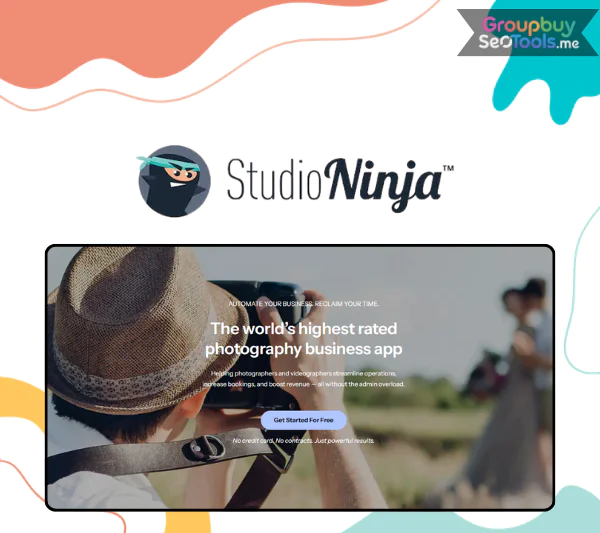
Studio Ninja is a versatile online platform offering users a vast selection of virtual studio sets and high-quality backdrops designed to significantly enhance video production. Whether you’re producing nature-based scenes, corporate office settings, or specialized themed environments, Studio Ninja makes it easy to elevate the quality of your videos with a one-time purchase. With over 600 different sets spread across 77 categories, it’s an ever-expanding library that caters to a wide range of creative needs, ensuring you’ll always find the perfect backdrop for your project.
Who is Behind Studio Ninja?
The visionary behind Studio Ninja is Nelson Long, an experienced entrepreneur and digital product creator known for his work in the online business space. Nelson has successfully launched multiple products, such as Kiddiepedia, Timeless eBooks Mega Bundle, and AI Images Blowout, all of which have earned him a solid reputation in the industry. Studio Ninja is just one example of his commitment to providing high-quality, impactful tools that help businesses streamline their operations and enhance their marketing strategies. Through Studio Ninja, Nelson has brought a powerful resource to video producers, providing them with professional virtual studios and backdrops to enhance their video content effortlessly.
Notable Features of Studio Ninja
Comprehensive library of virtual studios: Studio Ninja offers lifetime access to its extensive cloud-based library, which includes hundreds of virtual studio sets and diverse backdrops. A one-time payment grants you access to all future updates as well.
Two versatile collections: Studio Ninja offers two different collections, one with green screens, banners, and video players, and another without the green screen, giving you the flexibility to customize your video as needed.
Cross-platform compatibility: Studio Ninja works seamlessly with most major video editing software, making it easy to integrate virtual studios into your existing workflow.
Bonus video editing software: If you don’t have video editing software, Studio Ninja provides free access to Hitfilm Express, a tool equipped with pre-configured templates to help you get started quickly.
Transforms basic footage into polished videos: With Studio Ninja, you can easily enhance your raw video clips by adding realistic and immersive virtual backgrounds, taking your content to the next level.
Wide software support: Studio Ninja integrates with a wide range of editing programs, including Adobe After Effects, DaVinci Resolve, Final Cut Pro, Camtasia, iMovie, Movavi, and more, allowing you to work with your preferred tools.
Diverse background themes: Studio Ninja’s library includes a variety of backgrounds, from nature scenes to urban landscapes and professional office environments, offering the flexibility to match any project theme.
How to Get Started with Studio Ninja?
Getting started with Studio Ninja is simple and quick. Follow these three easy steps to create professional-quality videos:
Choose your virtual studio: Browse the vast library and select the virtual studio that fits your project. You’ll find themes ranging from scenic landscapes to corporate office settings and much more.
Add your green screen video: After selecting your backdrop, upload your green screen footage and adjust the positioning, adding any additional elements like text, logos, or graphics to customize your video.
Export your finished video: Once your video is edited and ready, export it in high-quality format for professional use.
Studio Ninja also provides users with free access to Hitfilm Express, a video editing software that comes with pre-configured templates, allowing you to get started with editing right away—no need for additional software purchases.
Advantages of Using Studio Ninja
Extensive virtual studio library: With hundreds of unique backdrops available in various themes, you get unlimited access to Studio Ninja’s virtual sets after a one-time payment. You’ll never have to pay extra for future updates.
Commercial use rights: Premium licenses from Studio Ninja grant you the right to use virtual studios for both personal and client projects, giving you complete flexibility without any attribution requirements.
Free video software included: Users who don’t own video editing software can take advantage of Hitfilm Express, which allows you to use virtual studios without any extra costs for software.
User-friendly experience: Studio Ninja’s interface is designed for ease of use, meaning you don’t need to be a video editing expert to create stunning content. Plus, comprehensive tutorials are available to guide you through the process.
Drawbacks of Studio Ninja
Initial cost: Although Studio Ninja operates on a one-time payment structure, the upfront cost may be a barrier for users with a tight budget.
Requires a stable internet connection: As Studio Ninja is cloud-based, a reliable internet connection is essential for accessing its resources. This may be problematic in areas with slow or unstable internet service.
Studio Ninja Pricing Plans
Studio Ninja offers several pricing plans designed to fit various needs. Whether you’re just starting with video production or looking to expand your studio collection, there’s a plan that grows with your creative ambitions.
Pricing
Plan
Monthly Price
Yearly Price (Save 17%)
Starter
$16 per month
$159 per year
Pro
$27 per month
$271 per year
Master
$40 per month
$396 per year
Feature Comparison
Feature
Starter
Pro
Master
Brands
1
1
3
Users
1
3
Unlimited
Contact Forms
1
3
Unlimited
Online Booking Forms
❌
3
Unlimited
Jobs
5 Active
Unlimited
Unlimited
Workflow Automations
❌
✅
✅
Mobile App
✅
✅
✅
Lead Sources
✅
✅
✅
Lead Management
✅
✅
✅
Task List
✅
✅
✅
Quotes
✅
✅
✅
Invoices
✅
✅
✅
Contracts
✅
✅
✅
Questionnaires
✅
✅
✅
Appointment Booking
✅
✅
✅
Email Tracking
✅
✅
✅
Client Portal
✅
✅
✅
Custom Branding
✅
✅
✅
Online Payments
✅
✅
✅
Payment Schedules
✅
✅
✅
Payment Reminders
✅
✅
✅
Income Reporting
✅
✅
✅
Custom Labelling
✅
✅
✅
Job Type Customisation
✅
✅
✅
Custom Taxes
✅
✅
✅
Multilingual
✅
✅
✅
Gmail Integration
✅
✅
✅
Google Calendar Integration
✅
✅
✅
Xero Integration
✅
✅
✅
Quickbooks Integration
✅
✅
✅
Stripe Integration
✅
✅
✅
Pic-Time Integration
✅
✅
✅
ShootProof Integration
✅
✅
✅
Fundy Integration
✅
✅
✅
ProSelect Integration
✅
✅
✅
Sample Email Templates
✅
✅
✅
Sample Contract Templates
✅
✅
✅
Sample Questionnaire Templates
✅
✅
✅
Sample Workflow Templates
✅
✅
✅
Sample Products & Packages
✅
✅
✅
24 Hour In-App Chat Support
✅
✅
✅
Free Data Migration
✅
✅
✅
Free 1-on-1 Training
✅
✅
✅
Getting Started with Studio Ninja
Using Studio Ninja is fast and simple, allowing you to transform basic footage into professional-quality content in just three steps:
Choose a virtual studio from the expansive library: Begin by exploring Studio Ninja’s vast collection of virtual sets. You’ll find a wide range of themes, including natural landscapes, office settings, urban streets, beaches, and more, allowing you to select the perfect backdrop for your project.
Upload your green screen footage: Once you’ve selected the perfect backdrop, upload your green screen video. You can also personalize your content further by adjusting the position, adding logos, brand elements, text, or any other objects to make your video unique.
Export the finished video: After completing the necessary edits, export your video, and you’ll have a polished, professional-quality video ready to use for any purpose.
For users without video editing software, Studio Ninja provides free access to Hitfilm Express, a powerful editing tool that comes with pre-configured templates. This ensures you can easily customize virtual studios and backgrounds without additional purchases.
Key Benefits of Studio Ninja
Vast virtual studio library: Studio Ninja grants you lifetime access to a massive cloud-based library with hundreds of backdrops across various themes. Enjoy unlimited use of these resources with no extra charges after the initial purchase.
Commercial rights included: The premium licenses from Studio Ninja come with full commercial rights, so you can use these virtual sets for both personal and client projects without any restrictions.
Free video editing software: Studio Ninja includes Hitfilm Express, a powerful and free video editing tool that helps you use virtual sets and backgrounds without needing additional software.
Easy-to-use interface: Designed for ease of use, Studio Ninja allows anyone, even beginners, to create stunning videos. Plus, comprehensive tutorials are available to help guide you every step of the way.
Drawbacks of Studio Ninja
Upfront cost: While Studio Ninja operates on a one-time payment model, the initial cost might be a bit high for those on a budget.
Stable internet connection required: As Studio Ninja’s resources are cloud-based, a reliable internet connection is necessary to access and use the virtual sets effectively. Slow or unreliable internet could cause issues during use.
Studio Ninja Pricing and Plans
Explore Studio Ninja’s affordable pricing plans
Who Should Consider Using Studio Ninja?
Studio Ninja is an excellent choice for video creators seeking to improve the quality of their projects with professional virtual studio sets. Here’s who can benefit the most:
Video producers and YouTubers: Studio Ninja can help you produce impressive content with a variety of virtual sets, eliminating the need for expensive physical studio rentals.
Marketing and advertising professionals: Marketers can create compelling promotional videos with high-quality backdrops that enhance their campaigns and drive engagement.
Instructors and online educators: Whether you’re creating online courses or hosting webinars, Studio Ninja helps make your video lectures more engaging and visually appealing.
Media companies and agencies: Ideal for agencies that need professional-quality videos for various purposes like promotions, corporate training, or media productions.
Non-technical creators: Even if you’re not experienced with video editing, Studio Ninja is user-friendly and perfect for those looking to produce high-quality content with minimal technical know-how.
Frequently Asked Questions about Studio Ninja
1. What is Studio Ninja? Studio Ninja is a cloud-based platform offering a vast library of virtual studio sets and backgrounds. It’s designed to help video creators transform their simple footage into professional-quality content with a one-time payment and unlimited access to future updates.
2. Do I need special video editing software to use Studio Ninja? No, Studio Ninja works with most video editing software, such as Adobe Premiere, Final Cut Pro, DaVinci Resolve, and more. For those who don’t have editing software, Studio Ninja includes Hitfilm Express, a free tool that offers ready-to-use templates for quick customization.
3. Can I use Studio Ninja for commercial purposes? Yes! Studio Ninja’s premium license grants you the right to use the virtual studios for both personal and commercial projects, including client work and business promotions.
4. How easy is it to use Studio Ninja? Studio Ninja is designed to be intuitive and beginner-friendly. You simply select a virtual studio, upload your green screen footage, add any custom elements (like text or logos), and export your video. Detailed tutorials are available to assist you along the way.
5. Do I need an internet connection to use Studio Ninja? Yes, since Studio Ninja operates from the cloud, you’ll need a stable internet connection to access and use its resources effectively.
6. What themes are available in the Studio Ninja library? Studio Ninja’s library includes an extensive collection of themes such as nature, office environments, beach scenes, city streets, and much more. There’s a variety of realistic and creative backdrops to suit any type of video project.
Final Thoughts
Studio Ninjais an outstanding tool for anyone looking to enhance their video projects with professional-grade virtual studios and backgrounds. Whether you’re a YouTuber, marketer, educator, or business owner, Studio Ninja makes it easy to produce stunning videos without the need for expensive studio setups or advanced editing skills. Explore Studio Ninja today and start transforming your videos with ease.
For more details and to access Studio Ninja, visit Groupbuyseotools.me for more valuable resources to take your video creation to the next level.
 Google
 Microsoft
 Adobe
Adobe Canva
Canva Kaspersky