Skip to content
GroupbuySeoTools.meGroupbuySeoTools.me
  • Login
  • Cart
    • No products in the cart.

      Return to shop

  • Cart

    No products in the cart.

    Return to shop

  • Categories
    • Ad Spy
    • AI
      • AI All-in-One
      • AI Audio
      • AI Chat Bot
      • AI Dev
      • AI Images
      • AI Video
    • Cloud & Storage
      • VPNs
    • Content Tools
      • AI Detector Tools
      • Content Optimization
      • Copywriting Tools
      • Grammar Tools
      • Paraphraser Tools
      • Plagiarism Tools
      • Researcher Tools
      • Translator Tools
      • Writing Tools
    • Ecom Tools
      • Amazon Tools
      • Etsy Tools
      • KDP Tools
      • POD Tools
    • Edu Tools
    • Email & Leads
    • Others
    • Relax Tools
    • SEO Tools
      • Backlink Tools
      • Domain Tools
      • Indexer Tools
      • Keyword Tools
      • Link Lists
      • Local SEO
      • Rank Tracker Tools
      • SEO AIO Tools
      • Technical SEO Tools
    • Social Tools
    • Stocks Library
    • Youtube Tools
  • Google
  • Microsoft
  • Adobe
  • Canva
  • Kaspersky
  • OpenAI
  • Autodesk
  • Spotify

Home - Others - AnyViewer Pro

AnyViewer
0 Customer Reviews
0 Sold
Warranty Policy
Rating
0

AnyViewer Pro

$21.00

Delivery

Sent via customer’s email

Delivery Time

12-24hrs

Warranty

All-in-one Subscription

Product Summary

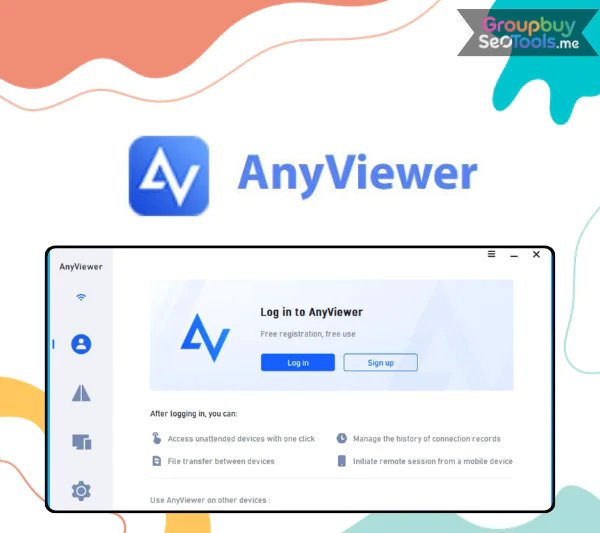
AnyViewer – Secure remote desktop software with fast and smooth connections

  • You will receive: a AnyViewer Pro (shared account)

Official website: https://www.anyviewer.com/
Product Information
  • Description

Contents

  1. What Is AnyViewer?
  2.  Features of AnyViewer
    1. 1. Full Remote Control and Live Assistance
    2. 2. View-Only Screen Monitoring
    3. 3. Direct File Transfer
    4. 4. Remote Computer Lock
    5. 5. Remote Restart
    6. 6. Remote Shutdown
  3. How to Use AnyViewer
  4. Where to Get AnyViewer at a Better Price?
  5. Why Choose AnyViewer?
  6. AnyViewer Pricing Plans
  7. Advantages
  8. Disadvantages
  9. Who Should Use AnyViewer?
  10. What You Get When Purchasing Through GroupbuySeoTools?
  11. Frequently Asked Questions
  12. Conclusion

AnyViewer
No longer is remote desktop technology a fancy tool only used by IT teams. It’s now an important part of modern workflows, whether you work from home, manage teams that are spread out, or give technical help to people in different places. Before you decide to use AnyViewer, this review will tell you in detail what it is, how it works, and why it is such a good online access tool.

What Is AnyViewer?

AnyViewer remote desktop interface showing secure connection dashboard and device management panel for remote PC access
AnyViewer dashboard displaying connected devices and remote session management tools.

AnyViewer is a remote desktop program that lets you connect to and manage a computer from almost anywhere. With all of its HTML5-based features, it lets users control a PC or laptop from afar, move files between devices, connect with the screen in real time, and offer live technical support.

Unattended entry is one of its best features. This means that you can connect to a faraway computer even if no one is there. This makes it perfect for IT support teams, help desks, and remote work arrangements. When a secure internet link is needed right away, stable connections and encrypted communication protocols make sure that the connection will work.

AnyViewer is priced so that both people and businesses can afford it. It’s flexible enough to grow with your business, with plans that can be changed to meet your changing working needs. The enterprise edition has better administrative tools, centralized management features, and more support choices for bigger teams for organizations that need more control.

 Features of AnyViewer

AnyViewer remote control session interface demonstrating live screen sharing file transfer and security control features
Live remote control session with file transfer, chat, and security management options enabled.

1. Full Remote Control and Live Assistance

You can use another computer as if you were sitting right in front of it when it is in full access mode. This includes looking through files, changing system settings, starting up programs, and fixing problems right away. The faraway computer needs to be turned on and set up with an access code before a session can begin.

A built-in chat window lets both people talk to each other in real time during a conversation. Both users can stop the session at any time to keep things safe, and all conversations and activities are recorded.

2. View-Only Screen Monitoring

There are times when you only need to watch and not manage. You can watch the remote desktop without making any changes with the screen viewing tool. This is especially helpful for keeping an eye on systems, giving presentations, or walking users through steps while keeping the security of the system.

You can easily switch between displays if the target machine has more than one. The chat and file transfer choices stay open unless the remote user turns them off.

3. Direct File Transfer

If you choose the “file transfer” choice, a window will appear where you can send and receive files between devices that are connected. The host computer controls permissions and can either let files and downloads happen or stop them.

The free version lets you share information, but the transfer speeds might be slow, and big files might take longer to process. If a move is stopped, it can’t start over from where it left off.

4. Remote Computer Lock

The lock feature puts the remote PC on the Windows lock screen right away, keeping it safe from people who shouldn’t be there. Unlocking, on the other hand, needs the right passwords or permission from someone who is physically present, so this feature should be used with care.

5. Remote Restart

A system reboot is often needed for maintenance jobs. You can restart the machine from afar with just one click. Once started, the active session stops on its own, and any file transfers that are still going on are stopped. Before starting this action, it’s best to make sure that all the important things are done.

6. Remote Shutdown

The shutdown function turns off the remote system fully. This can help save energy or make things safer, but the gadget needs to be turned back on by hand before it can be connected again.

How to Use AnyViewer

Step 1: Download and Install

Get the version that works with your operating system by going to the official page and downloading it. Put the program on both the nearby computer and the computer that is far away. Open the program on each device after it’s been installed.

Step 2: Create or Access Your Account

To make a free account, new users should sign up with an email address. Users who have already logged in can do so. By making an account, you can sync your devices and use tools like automatic one-click access.

Step 3: Connect devices to your account.

Connect each gadget to your account after you’ve logged in. This makes sure that identification is safe and lets links work without having to enter codes over and over. You can still join with a security code made on the remote device for short sessions.

Step 4: Begin a session from afar

Pick out the computer you want to target from the list of devices. Pick whether you want full power or just the ability to look things over. Once you’re connected, you can change monitors, chat, interact with the desktop in real time, and change file access.

Step 5: Safely run and end the session

You can move files, restart, stop, or shut down the computer at any time during the session. When you’re done, properly disconnect to end the link right away. Without this, no one else will be able to get in, and everything will be safe.

Where to Get AnyViewer at a Better Price?

Check out GroupbuySeoTools to see what options are available if you want a cheaper choice. The site lets users access a range of high-quality software programs at reasonable prices. This helps businesses, IT teams, and freelancers cut costs while keeping their professional tools.

Why Choose AnyViewer?

AnyViewer secure remote desktop connection interface showing encrypted session and device management controls
Secure remote desktop session powered by AnyViewer with encrypted connection and device access controls.

It’s not enough to just connect two computers when choosing a remote desktop option. It’s about confidence, performance, and being able to use it for a long time. AnyViewer has a good mix of security, speed, ease of use, and business-ready tools, which makes it a good choice for both individuals and businesses.

  • Reliable Security Architecture: AnyViewer is built with enterprise-level protection mechanisms. It applies end-to-end encryption to secure data in transit and supports two-factor authentication for additional account protection. This ensures that only verified users can initiate sessions, which is crucial when accessing sensitive systems remotely.
  • Fast and Stable Connections: Performance matters. AnyViewer maintains low-latency sessions, enabling responsive control even across long distances. Whether you are troubleshooting, collaborating, or managing servers, the connection remains smooth and dependable.
  • Simple Interface for All Skill Levels: The layout is clean and intuitive. New users can begin working with minimal setup time, while experienced professionals appreciate the efficiency. There is no steep learning curve or complicated onboarding process.
  • High-Quality Visual Performance: For users who require precision, such as designers or developers, the software supports Ultra-HD display at up to 60 FPS, accurate color reproduction, and high-quality audio streaming. This ensures clarity during demanding tasks.
  • Advanced Tools for Business Environments: AnyViewer allows multi-session management, unattended device control, secure file transfers through HTTPS/SSL connections, and role-based access permissions. It also supports centralized deployment using MSI packages, making it suitable for both small teams and enterprise-scale operations.
  • Flexible Pricing Options: Individuals can rely on the free plan for basic needs, while companies can upgrade to affordable subscription tiers that unlock enhanced performance and administrative capabilities.

AnyViewer Pricing Plans

Features AnyViewer Solo
$4 / month
AnyViewer Team
$16 / month
AnyViewer Enterprise
$26 / month
Licensed Users 1 user Up to 10 users Up to 30 users
Login Devices 5 devices 30 devices (team) 100 devices
Assigned / Managed Remote Devices 30 devices 200 endpoints 500 devices
Unlimited Simultaneous Sessions ✔ ✔ ✔
No Channel / Bandwidth Restrictions ✔ ✔ ✔
Screen Wall Monitoring 1 screen wall Up to 3 screen walls Unlimited screen walls
File Transfer Speed Faster than free plan Enhanced speed & capacity Enterprise-grade performance
High-Definition Display ✔ ✔ ✔
Multiple Remote Windows ✔ ✔ ✔
Privacy Mode ✔ ✔ ✔
Game Mouse Support ✔ ✔ ✔
Centralized Deployment — Up to 30 devices Unlimited deployment
Device Group Management — ✔ ✔
MSI Bulk Deployment — — ✔
Role-Based Access Control — — ✔ Advanced
  • Solo ($4/month) – Best for individual professionals needing powerful remote access without complexity.
  • Team ($16/month) – Ideal for small to mid-sized teams managing multiple endpoints.
  • Enterprise ($26/month) – Built for organizations requiring large-scale deployment and advanced access control.

Advantages

  • Clean and Beginner-Friendly Interface: The layout is straightforward, reducing setup time and eliminating confusion for new users.
  • High-Speed Transfers on Paid Plans: Upgraded subscriptions deliver faster file uploads and downloads, stable refresh rates, and responsive screen control.
  • ECC Encryption Protection: Sessions are secured with Elliptic Curve Cryptography, preventing unauthorized interception of sensitive data.
  • Stable Connectivity: Sessions remain consistent even under heavy network load, making it dependable for extended operations.
  • Free Version Available: Users can explore core features without time restrictions before deciding to upgrade.

Disadvantages

  • Windows-Only Support: Currently limited to Windows systems, which may not suit mixed operating system environments.
  • Installation Required on Both Devices: Unlike browser-based solutions, the client must be installed on local and remote machines.
  • Advanced Features Behind Paid Plans: Enhanced speed, privacy mode, and enterprise tools require a subscription upgrade.

Who Should Use AnyViewer?

  • Remote Employees and Freelancers: Ideal for accessing office computers from home securely.
  • IT Professionals and Support Teams: Efficient for remote troubleshooting, system management, and unattended maintenance.
  • Small Businesses and Growing Companies: Affordable scalability for managing multiple devices and users.
  • Personal and Family Use: Convenient for assisting relatives or managing personal systems remotely.

What You Get When Purchasing Through GroupbuySeoTools?

  • Transparent and Verified Information: Clear breakdown of features, limitations, and practical applications without exaggerated claims.
  • Beginner-Friendly Guides: Step-by-step tutorials and setup instructions to help users start efficiently.
  • Updated Pricing Insights: Regular updates ensure you understand differences between plans before making a decision.
  • Time-Saving Evaluation: Consolidated analysis helps you determine quickly whether AnyViewer matches your needs.

Frequently Asked Questions

  1. Is AnyViewer free to use?
    Yes, a free version is available without a time limit, though premium plans unlock additional capabilities.
  2. How secure is AnyViewer?
    It uses ECC encryption and supports two-factor authentication for enhanced protection.
  3. Can I access a device without someone present?
    Yes, unattended access is supported once permission is configured.
  4. Does AnyViewer support Mac or Linux?
    Currently, it is available only for Windows systems.
  5. Is it suitable for professional IT support?
    Yes, it includes real-time control, multi-session management, and remote administration features.

Conclusion

AnyViewer strikes a good mix between being easy to use, fast, and safe. It is a great deal for Windows users who want reliable online access without having to pay a lot of money. The platform gives you the stability and adaptability you need in today’s digital worlds, whether you need it for personal use, working from home, or business IT tasks.

AnyViewer is an option to think about if you care about safe connections, consistent performance, and low prices.

See more : https://www.anyviewer.com/

Customer Reviews & Feedback

There are no reviews yet.

Related products

Microsoft 365
Others cart grey 0

Microsoft 365 – Office 365 Premium

Others cart grey 0
$26.00
Buy cart
iLovePDF
Others cart grey 0

iLovePDF

Others cart grey 0
$22.00
Buy cart
Scrivener + OTO
Others cart grey 0

Scrivener + OTO

Others cart grey 0
$27.00
Buy cart
iLoveIMG
Others cart grey 0

iLoveIMG

Others cart grey 0
Buy cart
AVG Secure VPN
Others cart grey 0

AVG Secure VPN

Others cart grey 0
$36.00
Buy cart
Investing.com
Others cart grey 0

Investing.com

Others cart grey 0
$13.00
Buy cart
Product categories
  • Ad Spy
  • AI
    • AI All-in-One
    • AI Audio
    • AI Chat Bot
    • AI Dev
    • AI Images
    • AI Video
  • Cloud & Storage
    • VPNs
  • Content Tools
    • AI Detector Tools
    • Content Optimization
    • Copywriting Tools
    • Grammar Tools
    • Paraphraser Tools
    • Plagiarism Tools
    • Researcher Tools
    • Translator Tools
    • Writing Tools
  • Ecom Tools
    • Amazon Tools
    • Etsy Tools
    • KDP Tools
    • POD Tools
  • Edu Tools
  • Email & Leads
  • Others
  • Relax Tools
  • SEO Tools
    • Backlink Tools
    • Domain Tools
    • Indexer Tools
    • Keyword Tools
    • Link Lists
    • Local SEO
    • Rank Tracker Tools
    • SEO AIO Tools
    • Technical SEO Tools
  • Social Tools
  • Stocks Library
  • Youtube Tools
Latest Products
  • Madgicx Madgicx $98.00
  • Scrivener + OTO Scrivener + OTO $27.00
  • Yepic AI Yepic AI $101.00
  • iLovePDF iLovePDF $22.00
  • iLoveIMG iLoveIMG

GroupbuySeoTools.me | best seo tools group buy at cheap price.

Address : 11/777, Braf Hmadelkahoi Rd, Princess Dock, Mumbai Port Trust, Mazgaon, Mumbai, Maharashtra 400009, India

About Us
Contact Us
News
FAQ
Affiliate
Privacy Policy
Terms of Use
AML Policy
DMCA Policy
Refund Policy
Copyright Policy
DMCA
GDPR Notice

Visa
PayPal
Stripe
MasterCard
Cash On Delivery

Copyright 2026 © GroupbuySeoTools.me. All Rights Reserved.

Visa
PayPal
Stripe
MasterCard
Cash On Delivery
Copyright 2026 © GroupbuyseoTools.me
  • Ad Spy
  • AI
    • AI All-in-One
    • AI Audio
    • AI Chat Bot
    • AI Dev
    • AI Images
    • AI Video
  • Cloud & Storage
    • VPNs
  • Content Tools
    • AI Detector Tools
    • Content Optimization
    • Copywriting Tools
    • Grammar Tools
    • Paraphraser Tools
    • Plagiarism Tools
    • Researcher Tools
    • Translator Tools
    • Writing Tools
  • Ecom Tools
    • Amazon Tools
    • Etsy Tools
    • KDP Tools
    • POD Tools
  • Edu Tools
  • Email & Leads
  • Others
  • Relax Tools
  • SEO Tools
    • Backlink Tools
    • Domain Tools
    • Indexer Tools
    • Keyword Tools
    • Link Lists
    • Local SEO
    • Rank Tracker Tools
    • SEO AIO Tools
    • Technical SEO Tools
  • Social Tools
  • Stocks Library
  • Youtube Tools
  • Login
  • Newsletter

Login

Login with your Social ID

Lost your password?