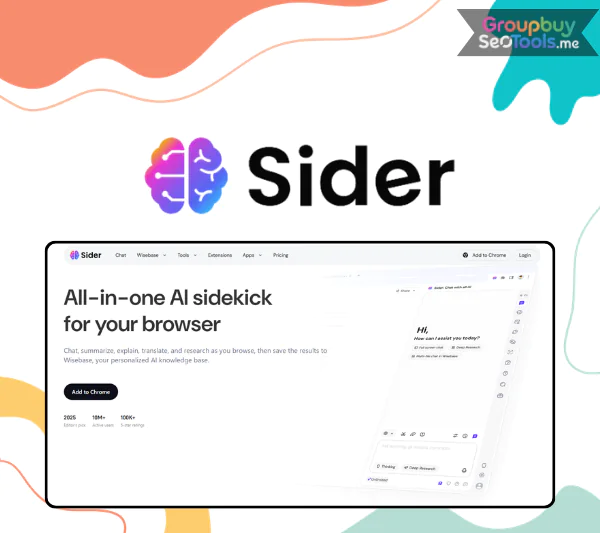
It can be hard to come up with great content, new ideas, or better versions of old works when you have a lot of other things to do. That’s when a tool like Sider AI comes in very handy. Sider AI is much more than just a writing assistant. It has many useful features, such as AI chat, summarization, translation, and even code descriptions.
If you’re a writer, student, marketer, or developer, Sider AI can be your smart helper and help you whenever you need it. We will learn more about why so many professionals are now using Sider AI in their daily work in this piece.
What is Sider AI?
Sider AI is an all-in-one AI assistant for writing, translating, summarizing, and researching
Sider AI is a powerful chatbot tool built on top of some of the most advanced AI technologies available today. It integrates major models like GPT-3.5, GPT-4, Claude, and Google Gemini, offering natural, human-like interaction across a wide range of use cases. Beyond chat, Sider also supports tasks like summarizing YouTube videos, translating content, and enhancing images.
Key Features
Summarize articles, chat with documents, write code, or translate content with Sider’s smart AI tools
You can use AI chat in your browser: Sider AI adds top-notch AI models like GPT-4o and Claude 3.5 Sonnet to your browser, so you can read, write, and view any page right away with their help.
Multi-AI Group Chats: You can talk to several AI models at once, such as GPT-4o, Claude, and LLaMA 3.1. This lets you compare their answers and learn more from a single question.
Smarter Reading and Writing Tools: Sider helps you read and understand things faster and better by giving you suggestions and help in real time, whether you’re reviewing documents or just reading online material.
You can interact with PDFs and visual content: You don’t need any extra apps to interact with links, papers, and graphics thanks to tools like ChatPDF and image processing features.
Experience the Web in Every Way: Sider helps you read, write, do research, and interact with material all from one sidebar, no matter how you browse the web.
A Full-Service Digital Assistant: Sider is a platform that can do many things, like writing marketing material, translating languages, and reviewing code.
Easy to Use and Free to Start: Sider is free to use and has a simple style, so anyone can use it. You can start with a free plan and check out its benefits without having to make a commitment.
Cross-Device Support: Sider syncs across platforms, so you can use AI tools from anywhere. It works as a Chrome app and on both Android and iOS.
Pricing Plans
Use basic AI tools for free or go Pro for unlimited access to advanced models and productivity features
Sider AI offers three flexible pricing options designed to fit different needs, whether you’re a casual user or a heavy-duty professional:
Basic – $10/month (~$0.33/day)
Great for students or users who need occasional help with writing, translation, or basic browsing support. Perfect for those who don’t use AI tools every day.
Pro – $20/month (~$0.66/day)
Ideal for bloggers, marketers, freelancers, or business owners who work with content regularly. It offers more generous usage without committing to the highest tier.
Unlimited – $30/month (~$1/day)
The best option for developers, agencies, and power users who use AI extensively. This plan removes limits, making it perfect for collaborative teams or high-volume users.
If you’re interested in Sider AI Unlimited but want a better deal, GroupbuySeoTools offers the tool at a significantly lower cost. With $25 per month and $67 per year for a Sider AI Unlimited account. Or you can even buy a lifetime package for just $60. What a bargain.
Why Choose GroupbuySeoTools?
Here’s why GroupbuySeoTools is the best place to buy Sider AI:
Verified Products: Each account is tried before it is sent out to make sure it works properly.
Unbeatable Value: You’ll save more than the official price, and there are no secret fees or costs.
Simple Payments: For a quick and safe checkout, choose between MoMo and Online Banking.
Protection for your refund: If you’re not happy, you have 7 days to get your money back without any problems.
24/7 Customer Support: Our friendly and helpful support team is here to help you whenever you need it.
How to Buy and Use Sider AI from GroupbuySeoTools
Step-by-Step Purchase Guide:
Choose Your Plan Browse available packages and select the one that fits your needs.
Review Your Order Double-check the product details before proceeding to payment.
Select a Payment Method Pay with MoMo or Online Banking. Make sure your email is entered correctly to receive the account details.
Complete the Transaction Once payment is done, you’ll receive login credentials via email along with activation instructions.
How to Use Sider AI: A Quick Guide
Install the Extension Add Sider AI to your browser and access it from the sidebar while you browse.
Generate AI Content Enter a topic, select content type (e.g., ad, tweet, email), choose your tone (e.g., formal, casual), then click “Generate Draft.”
Create Social & Email Posts Need punchlines or a way to write difficult emails? Enter a few keywords and let Sider do the rest.
Fix Grammar and Improve Writing Paste your text and let Sider fix grammar, offer rewording suggestions, and explain any edits made.
Ask Questions or Summarize Use built-in or custom prompts to get answers, summaries, translations, or code explanations instantly.
Browse Smarter While searching on Google, Sider displays extra information and sources right in your browser.
Switch Models if Needed Prefer GPT-based results? Click the “SGPT” button to switch over with ease.
Advantages
Efficiency that saves time: Sider AI is praised by users for making routine jobs much easier. Many say that reducing tasks like writing articles and making videos has saved them up to 8.5 hours per week.
AI Support for a Range of Tasks: Sider helps you every step of the way, whether you’re browsing websites, watching videos, or writing emails and papers.
Sider AI isn’t just a tool for getting things done; it also helps people come up with creative ideas and gives them insights that are often beyond what professionals expect from tools that do the same thing.
Highly Rated and Widely Used: Sider has a strong reputation for being reliable and useful, with more than 32,000 five-star reviews and more than 4 million users around the world.
All the tools you need in one place: Sider does a lot more than just AI chat. It can check your grammar, translate, summarize, OCR, create images, work with PDFs, change your background, and more.
Free to Start, Easy to Grow: Every day, new users get 30 free credits, and there’s a referral program that gives up to 200 extra credits to each person they bring. You can pay for a subscription to get access to more tools.
Disadvantages
High Resource Usage: Some devices may experience slower system performance when running multiple AI models at the same time through your browser. This is because they use a lot of CPU and memory.
Dependence on the Internet: Most of Sider’s features depend on a stable internet link, which makes it less useful in places where network coverage is weak.
Lack of Offline Access: Sider is mostly useless when it’s not connected to the internet because it depends on real-time data and AI models that are stored online.
Who Should Use Sider AI?
Sider AI is a flexible assistant that works well for a wide range of users, as shown by its more than 5 million daily users and over 40,000 5-star reviews.
Students: Ideal for academic work, research, and thesis projects. Sider speeds up the process of finding reliable sources and summarizing material, making study sessions more productive.
Researchers and Professionals: Users who work in research or technical fields benefit from Sider’s ability to interact with multiple AI models and tailor content to highly specific needs.
Writers and Editors: Sider’s content generation and editing tools help streamline the writing process. Inline translation also makes it easier for multilingual users to work across different languages.
Tech-Savvy Users: Sider’s versatility and smooth integration make it a great option for those looking to supplement or compare their current AI subscriptions with an alternative.
Information Seekers: If you often search the web for data or explanations, Sider lets you ask questions based on the content you’re reading, making your browsing experience faster and more informative.
FAQs About Sider AI
Can I use Sider AI with more than one AI model? Sider does allow group conversations with a number of high-end models, such as GPT-4o, Claude 3.5, and LLaMA 3. You can compare answers and pick the best one for your job with this feature.
Can Sider summarize and interact with PDFs? Of course. ChatPDF and other tools like it let you upload files, highlight text, summarize content, and even ask questions based on the file. This makes them useful for both students and professionals.
Is Sider AI a secure platform? Yes. Sider AI puts user privacy first and runs in your browser. It doesn’t store private information, and using the official app protects you from possible threats.
How does Sider AI compare to ChatGPT? ChatGPT is great for having conversations, but Sider has a wider range of tools. Access to many AI models is combined with features that help you get things done, such as editing images, reading documents, summarizing them, and checking your spelling.
Is Sider AI available on mobile devices? Yes, you can use Sider on Chrome, Android, iOS, and your computer. Because it works on multiple platforms, you can easily switch between them and still use your tools.
How can Sider AI assist with SEO content creation? Sider can help your SEO by writing meta descriptions, researching your rivals, and making sure your content is keyword-focused. They can also check for errors in grammar and structure. It also lets you change the tone to fit your target.
Conclusion
Overall, Sider AI is very useful because it helps people be more productive, be more creative, and make complicated jobs easier. It does have some problems, mostly with connecting to the internet and using the system, but the pros make it a useful tool for students, professionals, and anyone else working with material.
Do not miss out on the special offers at GroupbuySeoTools if you want to get a smart and flexible AI helper at a low cost. Now is the best time to use Sider AI to improve your routine because plans for monthly, yearly, and even lifetime use are all cheaper.
 Google
 Microsoft
 Adobe
Adobe Canva
Canva Kaspersky