Skip to content
GroupbuySeoTools.meGroupbuySeoTools.me
  • Login
  • Cart
    • No products in the cart.

      Return to shop

  • Cart

    No products in the cart.

    Return to shop

  • Categories
    • Ad Spy
    • AI
      • AI All-in-One
      • AI Audio
      • AI Chat Bot
      • AI Dev
      • AI Images
      • AI Video
    • Cloud & Storage
      • VPNs
    • Content Tools
      • AI Detector Tools
      • Content Optimization
      • Copywriting Tools
      • Grammar Tools
      • Paraphraser Tools
      • Plagiarism Tools
      • Researcher Tools
      • Translator Tools
      • Writing Tools
    • Ecom Tools
      • Amazon Tools
      • Etsy Tools
      • KDP Tools
      • POD Tools
    • Edu Tools
    • Email & Leads
    • Others
    • Relax Tools
    • SEO Tools
      • Backlink Tools
      • Domain Tools
      • Indexer Tools
      • Keyword Tools
      • Link Lists
      • Local SEO
      • Rank Tracker Tools
      • SEO AIO Tools
      • Technical SEO Tools
    • Social Tools
    • Stocks Library
    • Youtube Tools
  • Google
  • Microsoft
  • Adobe
  • Canva
  • Kaspersky
  • OpenAI
  • Autodesk
  • Spotify

Home - Ecom Tools - Amazon Tools - Keepa Premium

Keepa
0 Customer Reviews
0 Sold
Warranty Policy
Rating
0

Keepa Premium

$15.00 – $99.00Price range: $15.00 through $99.00

  • 1 Month
  • 1 Year
Clear
Delivery

Sent via customer’s email

Delivery Time

12-24hrs

Warranty

All-in-one Subscription

Product Summary

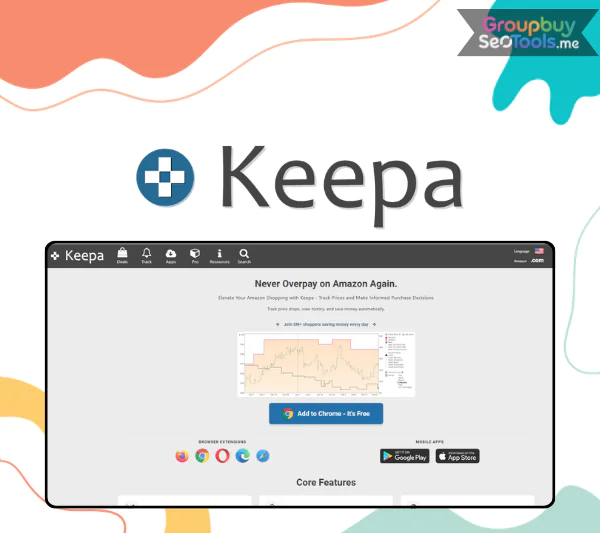
Keepa is a great tool for market research and price tracking for Amazon sellers. It is a cloud-based platform that can be used as an add-on for browsers such as Chrome, Firefox, Opera, Edge, and Safari.

  • You will receive: a Keepa Premium Annual (personal account)

Official website: https://keepa.com/#!
Product Information
  • Description
  • Additional information

Contents

  1. What is Keepa?
  2. About the Author/Company of Keepa
  3. Keepa Features
    1. 1. Keepa Deals – Hunting for Deals & Amazon Flips
    2. 2. Keepa Product Finder – Smart Sourcing Tool
    3. 3. Product Viewer – Get Product Data Quickly
    4. 4. Best Sellers – Trends & Hot Products Update
    5. 5. Top Seller List – Research & Analyze Competitors
    6. 6. Category Tree – Navigate by Amazon Category
    7. 7. Seller Lookup – Competitor Spy Tool
    8. 8. Price Tracking – Automatic Price Fluctuation Tracking
  4. How much does Keepa cost?
  5. Instructions for Buying Keepa at GroupbuySeoTools
    1. Step 1: Order
    2. Step 3: Get account & activate
  6. Comparison table of Keepa service packages
  7. Keepa alternatives
  8. Who is best suited to use Keepa?
  9. Keepa Pros and Cons
  10. How to use Keepa most simply? (Step-by-step instructions)
  11. Frequently asked questions when buying Keepa at GroupbuySeoTools?
  12. Conclusion

Keepa It’s harder than ever to find goods on Amazon because prices are always changing and there is more competition. You can lose your edge, miss out on great business opportunities, or even bring in the wrong goods, all of which can cause you to lose money and inventory. All of these issues are fixed by Keepa. Keepa’s smart deal hunting, trend analysis, and price tracking tools will help you make smarter choices about what to buy and sell so you can make the most money.

What is Keepa?

Keepa -trang-chu
Keepa -trang-chu

Keepa is a great app for Amazon sellers to use to study the market and keep an eye on prices. You can use it as an add-on for browsers like Chrome, Firefox, Opera, Edge, and Safari. It is all in the cloud.

It lets you see how the price of any Amazon item has changed over time, keep track of those changes, and correctly predict market trends. Its charts and graphs make it very easy for sellers to figure out when to restock or change their prices to make the most money. If you sell things on Amazon, this is a must-have tool that will help you make smart choices and make more money.

About the Author/Company of Keepa

Keepa is a business that is known for making and expanding software. Many Amazon sellers believe it because it has been around for a long time. People know the company for keeping an eye on prices and sales records for items sold on Amazon. There is a paid plan for accessing data that has extra benefits and a free plan that just gives you basic pricing information.

Keepa Features

Keepa-tinh-nang
Keepa-tinh-nang

Keepa is a must-have tool for smart shoppers who want to find the best deals or for people who sell things on Amazon. It lets you find possible goods, keep an eye on past prices, and get detailed market information that can help you buy and sell more wisely.

1. Keepa Deals – Hunting for Deals & Amazon Flips

The “Deals” tool on Amazon lets you keep an eye on items that are heavily discounted. This helps people who want to get the best deals on items or use the Amazon to Amazon Flips plan, which means they buy items cheaply and then sell them again when the price goes up. You can quickly find business chances if you keep a list of items that are always on sale. When you use Keepa along with tools like Tactical Arbitrage or SellerAmp, you can make the most money from Arbitrage.

2. Keepa Product Finder – Smart Sourcing Tool

If you do it by hand, it can take hours to find the right things to sell on Amazon. With Keepa Product Finder, you can quickly find possible goods. You can look at many things, like price, amount of sellers, reviews, and sales. You can quickly choose the goods that are best for your business because you can change the detailed filters. This tool will save you a lot of time when you are an FBA seller or dropshipper looking for products that will make you a lot of money.

3. Product Viewer – Get Product Data Quickly

You can put up to 10,000 ASINs or UPCs to get more information about a product. This helps you pick out the right item. Price, sales volume, and competition info from the past can be pulled up by Product Viewer to help you quickly decide if a product is worth buying. When you use this feature with Product Finder, you can make a list of products to keep an eye on that will help you make better business choices.

4. Best Sellers – Trends & Hot Products Update

Every six hours, new items are added to the Best Sellers area, which helps you find the most popular items on Amazon. You can stay ahead of the trend and make the most sales if you know how to use this information. It will show you the most-bought items by group, which will help you figure out which items are the most-wanted on the market. This feature will help you “stay one step ahead” of your competitors and take advantage of possible business chances if you are a seller who likes to follow trends.

5. Top Seller List – Research & Analyze Competitors

It lets you keep an eye on goods and read about your competitors. ListTopSellers lets you see a list of the best Amazon sellers, look at the categories of their products, and judge their image and pricing strategies. You can use this feature to find out about buyers who have done well and use what they’ve taught you to improve your own selling strategy.

6. Category Tree – Navigate by Amazon Category

When you click on the Category Tree tab, you can learn more about how Amazon’s product groups are made and make your choice. You can find out about possible groups of customers and change your product plan to fit the latest trends. If you’ve never sold anything on Amazon before, learn about the category tree. This will give you a picture of the market and keep you from picking the wrong area or having too much competition.

7. Seller Lookup – Competitor Spy Tool

You can type in the seller’s name into Seller Lookup to find out more about that seller’s Amazon shop. You will see the seller’s ranking, how many customer reviews they have, and the types of goods they sell.

It can help you get more experience by letting you look at your rivals and find the best sellers in your field. You can “learn from the best” by talking to the top sellers in your field. This will help make a better plan for running a business.

8. Price Tracking – Automatic Price Fluctuation Tracking

The most useful thing about Keepa is that it lets you keep an eye on your products’ prices and get alerts when they hit a certain level. Keeping an eye on product prices in real time will help you figure out when to make the most money. You can set price alerts for items you’re interested in, and the tool will let you know when the price drops to a certain level. People who want to buy things at the cheapest price or sellers who want to find the best way to set their prices will find this feature very useful.

How much does Keepa cost?

Keepa -gia-ca
Keepa -gia-ca

You can save the most money by going with GroupbuySeoTools if you need to hire Keepa to look at Amazon info. When you buy through GroupbuySeoTools, you only pay 52$/year, which is about $4/month and saves you up to five times as much as if you bought directly from the website. You can use its Product Finder, Keepa API, and best-seller lists, among other things. It also makes payment easy and quick. GroupbuySeoTools is the best way to get the most out of Keepa at the most cheap price. They offer good service and quick help. Buy now at GroupbuySeoTools to get the most out of your Amazon business!

Instructions for Buying Keepa at GroupbuySeoTools

Step 1: Order

  • Visit the GroupbuySeoTools website
  • Log in to the website, if you don’t have one, register an account
  • Use the search bar to search for “Keepa”
  • Add the Keepa GroupbuySeoTools package you are selling to your cart

Step 2: Payment

  • Fill in all the required information to start paying (make sure to use the correct email)
  • Choose the appropriate payment method: bank transfer, Momo, or other e-wallets.
  • After paying, you send a transaction receipt to confirm the order goods.

Step 3: Get account & activate

  • GroupbuySeoTools will provide a premium account or support direct activation to your Amazon account.
  • You just need to log in and start using all the features of Keepa.

Comparison table of Keepa service packages

Features Free Subscription plan (19€/month)
Visit Product Finder ✔ ✔
Maximum ASINs per search 5 10,000+
Visit Product Viewer ✔ ✔
Maximum ASINs per upload 5 10,000+
Visit Best Seller Lists ✔ ✔
Maximum Number of ASINs per Best Seller List 5 5,000+
Visit Top Seller List ✔ ✔
Maximum Number of Sellers per List 5 100,000+
Visit Seller Storefront ✔ ✔
Maximum ASINs per Storefront Listing 5 5,000+
Visit Category Tree ✔ ✔
View Product Details ✔ ✔
View Offer List for Each ASIN ✔ ✔
Maximum number of offers per ASIN 5 Top 60 offers
History and number of available offers ❌ ✔ (Unlimited)
Export product variation list Restrictions ✔
Interactive charts (Sales Rank, Buy Box, Ratings price…) ✔ Unlimited
Access Deals ✔ Unlimited
Maximum number of rows in Deals table 480 Unlimited
Product price increase data ✔ ✔
Access Keepa API ❌ 5 tokens/minute
Quota refresh rate 2.5% every 24h 5% every hour
  • Free plan, just basic price tracking, suitable for individual shoppers or Amazon newbies.
  • Subscription plan (19€/month) for professional sellers, dropshippers, FBA sellers and market researchers who require deep data.

Keepa alternatives

Tools Key Features Free Fees Suitable For Notes
Keepa Price Tracking, Data Analysis, Product Search, Competitor Tracking ✅ (Limited) Shopper, Amazon Seller Paid Plan with More Advanced Features
CamelCamelCamel Price History Tracking, Price Drop Alerts ✅ Personal Shopper Doesn’t Support In-Depth Analytics Like Keepa
Jungle Scout Product research, sales forecasting, keyword analysis ❌ Amazon Seller Strong in market research & product
Helium 10 Price tracking, product research, keyword analysis, PPC management ❌ Professional Amazon Seller The most comprehensive tool for sellers
AMZScout Market analysis, find potential products, track trends ✅ (Limited) Beginner Amazon Seller Similar to Jungle Scout but easier to use
Revseller Profit Analysis, Amazon Fee Calculator, Chrome Extension ❌ FBA Seller Useful for sellers who need to quickly evaluate costs & profits

Who is best suited to use Keepa?

  • Amazon sellers: It is widely used to make decisions based on price history, sales ratings, and buy box data.
  • Online and in-person dispute sellers: benefits for tracking pricing and sales trends across multiple platforms.
  • Private label sellers: Support market demand analysis and competitive pricing strategies for private label products.
  • Amazon FBA sellers: Support inventory decisions based on sales trends and historical data

Keepa Pros and Cons

Pros:

  • Price drop alerts: It allows users to set up price drop alerts prices so they can track price changes and make informed purchasing decisions.
  • Accurate information: It ‘s API allows users to track Amazon data and present it through detailed charts and graphs, helping users identify patterns and trends.
  • Convenience: It s browser and mobile apps make it easy for users to access its tools.

Cons:

  • Limited free version: Keepa’s free tools only have basic features. Users must sign up for a paid pricing plan to use tools like price drop alerts.

How to use Keepa most simply? (Step-by-step instructions)

  • Step 1: Create a Keepa account
    Go to the website and choose the plan that suits your needs (they offer a free version with limited features).
    Complete the registration and log in to your account.
  • Step 2: Install the Keepa extension
    It offers extensions for Chrome, Firefox, and Edge that let you access data right on the Amazon product page.
    Install and make sure the extension is enabled on your browser.
  • Step 3: Search and track products
    Using the search bar of Keepa to find the products you want to track.
    Once you find a product, click “Add to Keepa” to start tracking its price and sales data.
  • Step 4: Analyze Product Data
    It displays a graph of historical prices and sales ratings.
    Based on this data, you can identify price trends, seasonal fluctuations, and potential business opportunities.
  • Step 5: Set up price alerts and notifications
    Use Keepa’s alert system to get notified when prices or sales ratings reach your desired levels.
    This helps you stay up to date with the market and capitalize on business opportunities.
  • Step 6: Analyze Competitors
    Track the prices and sales performance of your competitors’ products on Keepa.
    This information helps you understand their pricing strategy and figure out how to create a competitive advantage.
  • Step 7: Use the profit calculator
    Keepa’s built-in profit calculator helps you estimate the profitability of your product, including Amazon fees and shipping costs.
    Use this tool to evaluate the potential of your product before investing.
  • Step 8: Stay informed with Keepa’s blog and resources
    It has a blog and knowledge base with tips on how to use the tool effectively.
    Regularly update information to grasp new features and optimize sales strategies.

Frequently asked questions when buying Keepa at GroupbuySeoTools?

  1. Is Keepa free?
    It offers a free version but has many limited features. If you want access to tools like Product Finder, Best Seller Lists, competitor tracking, and APIs, you’ll need to upgrade to a paid plan.
  2. What platforms does Keepa support?
    It’s available in-browser via Keepa.com and comes with extensions for Chrome, Firefox, and Edge.
  3. Does Keepa support real-time price tracking?
    Yes. It constantly changes price information and lets you set alerts for when prices drop to a certain level.
  4. Can Keepa analyze products for sale on Amazon?
    Yes. It has tools like Product Finder, Best Seller Lists, and Seller Lookup that can help you find new goods, look at what your competitors are selling, and make your catalog better.
  5. How are Keepa’s free and paid plans different?
    Free plan: Shows basic price history/ Paid plan: Offers product search, competitor tracking, API, data exportand many other advanced tools.
  6. Which countries does Keepa support Amazon tracking?
    A list of all the big Amazon markets and their prices is shown. These include the US, UK, Germany, France, Japan, Canada, India, Italy, Spain, Australia, Mexico, and more.
  7. Where to buy Keepa at the best price?
    On the page, you can buy real Keepa. But if you want to save money, GroupbuySeoTools lets you buy it for only $52/year, which is a lot less than the original price.
  8. Can Keepa be used on phones?
    Yes, but only via web browser. Currently, Keepa does not have its own mobile app.
  9. Can Keepa help find products for dropshipping or FBA?
    Yes. It helps you look at things like prices, past sales, and the competition, all of which are important for your selling or Amazon FBA business.
  10. Shared Account What does GroupbuySeoTools offer?
    Everyone who pays for an account can use a shared account to save money. A group of people can share one account and buy things together instead of each getting their own.

Conclusion

Keepa is not only a tool for keeping track of prices, but it’s also a great way for Amazon sellers to improve their business. By giving you past price data, product analysis, and help with finding deals. Businesses can use it to make smart choices, make more money, and lower their risks.

It’s a great tool for smart buyers who want to find the best prices, whether you sell on Amazon, FBA, or dropship. Use Amazon’s ways to make more money to your advantage! To get the best market info, sign up for GroupbuySeoTools today.

Time

1 Month, 1 Year

Customer Reviews & Feedback

There are no reviews yet.

Related products

DataSpark
Amazon Tools cart grey 0

DataSpark

Amazon Tools cart grey 0
$199.00
Buy cart
Helium 10
Amazon Tools cart grey 0

Helium 10 Diamond + Extension

Amazon Tools cart grey 0
$3.00 – $99.00Price range: $3.00 through $99.00
Buy cart
How Many Extension
Amazon Tools cart grey 0

How Many Extension

Amazon Tools cart grey 0
$61.00
Buy cart
AsinSeed
Amazon Tools cart grey 0

AsinSeed

Amazon Tools cart grey 0
$44.00
Buy cart
SellerAmp
Amazon Tools cart grey 0

SellerAmp

Amazon Tools cart grey 0
$3.00 – $52.00Price range: $3.00 through $52.00
Buy cart
AMZScout
Amazon Tools cart grey 0

AMZScout + Extension

Amazon Tools cart grey 0
$3.00 – $73.00Price range: $3.00 through $73.00
Buy cart
Product categories
  • Ad Spy
  • AI
    • AI All-in-One
    • AI Audio
    • AI Chat Bot
    • AI Dev
    • AI Images
    • AI Video
  • Cloud & Storage
    • VPNs
  • Content Tools
    • AI Detector Tools
    • Content Optimization
    • Copywriting Tools
    • Grammar Tools
    • Paraphraser Tools
    • Plagiarism Tools
    • Researcher Tools
    • Translator Tools
    • Writing Tools
  • Ecom Tools
    • Amazon Tools
    • Etsy Tools
    • KDP Tools
    • POD Tools
  • Edu Tools
  • Email & Leads
  • Others
  • Relax Tools
  • SEO Tools
    • Backlink Tools
    • Domain Tools
    • Indexer Tools
    • Keyword Tools
    • Link Lists
    • Local SEO
    • Rank Tracker Tools
    • SEO AIO Tools
    • Technical SEO Tools
  • Social Tools
  • Stocks Library
  • Youtube Tools
Latest Products
  • Madgicx Madgicx $98.00
  • Scrivener + OTO Scrivener + OTO $27.00
  • Yepic AI Yepic AI $101.00
  • iLovePDF iLovePDF $22.00
  • iLoveIMG iLoveIMG

GroupbuySeoTools.me | best seo tools group buy at cheap price.

Address : 11/777, Braf Hmadelkahoi Rd, Princess Dock, Mumbai Port Trust, Mazgaon, Mumbai, Maharashtra 400009, India

About Us
Contact Us
News
FAQ
Affiliate
Privacy Policy
Terms of Use
AML Policy
DMCA Policy
Refund Policy
Copyright Policy
DMCA
GDPR Notice

Visa
PayPal
Stripe
MasterCard
Cash On Delivery

Copyright 2026 © GroupbuySeoTools.me. All Rights Reserved.

Visa
PayPal
Stripe
MasterCard
Cash On Delivery
Copyright 2026 © GroupbuyseoTools.me
  • Ad Spy
  • AI
    • AI All-in-One
    • AI Audio
    • AI Chat Bot
    • AI Dev
    • AI Images
    • AI Video
  • Cloud & Storage
    • VPNs
  • Content Tools
    • AI Detector Tools
    • Content Optimization
    • Copywriting Tools
    • Grammar Tools
    • Paraphraser Tools
    • Plagiarism Tools
    • Researcher Tools
    • Translator Tools
    • Writing Tools
  • Ecom Tools
    • Amazon Tools
    • Etsy Tools
    • KDP Tools
    • POD Tools
  • Edu Tools
  • Email & Leads
  • Others
  • Relax Tools
  • SEO Tools
    • Backlink Tools
    • Domain Tools
    • Indexer Tools
    • Keyword Tools
    • Link Lists
    • Local SEO
    • Rank Tracker Tools
    • SEO AIO Tools
    • Technical SEO Tools
  • Social Tools
  • Stocks Library
  • Youtube Tools
  • Login
  • Newsletter

Login

Login with your Social ID

Lost your password?