Google
 Microsoft
 Adobe
Adobe Canva
Canva Kaspersky
Adespresso
Price range: $25.00 through $250.00

Price range: $25.00 through $250.00
Sent via customer’s email
12-24hrs
All-in-one Subscription
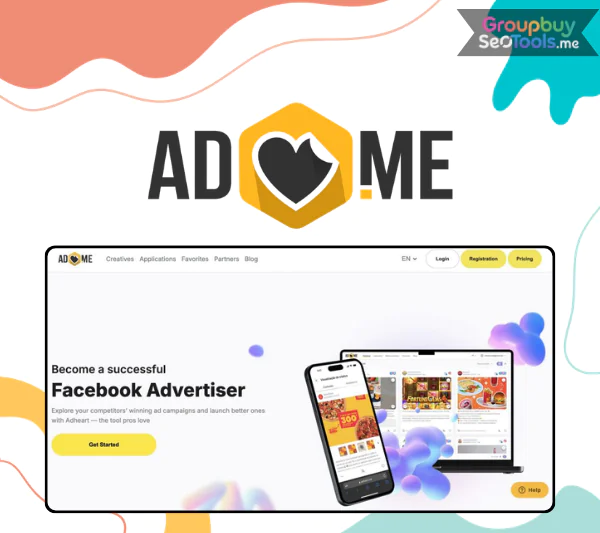
AdEspresso makes Facebook advertising easy and profitable for small and medium businesses.
Official website: https://adespresso.com/
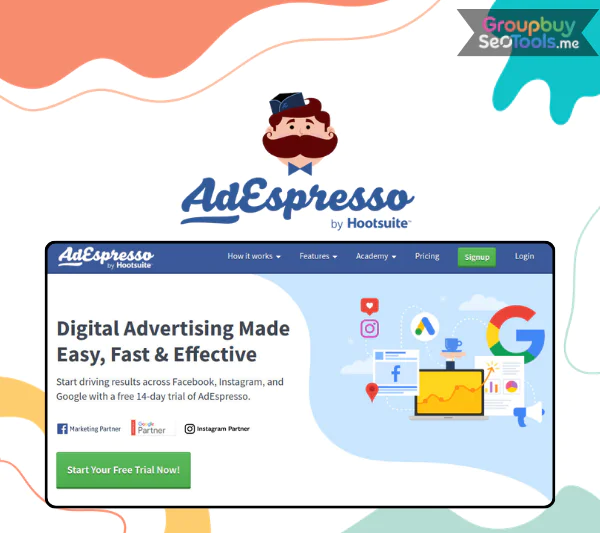 AdEspresso is a self-service ad management platform built for running Facebook, Instagram, and Google Ads, all from one dashboard. If you’ve come across the name and wondered what it actually does, or if you’re deciding whether it fits your workflow in 2025, you’re in the right place.
The platform has been on the market for over a decade. Since Hootsuite acquired it in 2017, AdEspresso has been part of a broader social media and paid advertising ecosystem. That context matters, it signals stability, ongoing product support, and tight integration with one of the most widely used social media management tools available.
This guide is written for three groups: small business owners managing their own campaigns, in-house marketers handling multiple ad accounts, and small agencies evaluating tools for client work. It covers what AdEspresso is, how its core features work, who gets the most value from it, how it compares to alternatives, and where its boundaries sit. The goal here is a clear-eyed view, not a promotional one, limitations included.
Before getting into features or pricing, let’s start with a jargon-free definition of what AdEspresso actually is and what problem it solves.
AdEspresso is a self-service advertising management platform by Hootsuite that helps you create, test, optimize, and report on Facebook, Instagram, and Google Ads from one place.
That one sentence is worth unpacking. AdEspresso is not an ad network, it doesn’t sell ad placements or hold its own inventory. It sits on top of your existing Meta Business Manager and Google Ads accounts, acting as a control layer between you and those platforms. You still pay Meta and Google directly for your ad spend. It handles the workflow around campaign creation, structured testing, and performance analysis.
The core reason it exists is speed and accessibility. Running proper A/B tests, say, 5 headlines across 4 creative images for 3 audience segments, inside native Facebook Ads Manager is tedious. Each variant requires manual setup. AdEspresso was built to make that kind of structured experimentation something a small team (or a solo marketer) can run without an agency-level production process.
Adespresso brings over a decade of experience in software, tools, and technology to the table, which shows in how the product handles campaign structure. The platform surfaces only what most users actually need, while still offering enough configuration depth for more complex setups. Key value points include:
The practical promise: less manual setup, faster test cycles, and clearer performance data, without needing to jump between different native interfaces constantly.
To understand where AdEspresso fits in your stack, it helps to know who owns it and how the product has evolved over time.
The biggest time-saver AdEspresso offers is its bulk campaign creation workflow. Instead of building each ad variant by hand, you feed the platform your creative assets, headlines, images, descriptions, CTAs, and it generates all combinations automatically.
Think about what that looks like in practice. If you’re launching a new product and want to test 5 headlines × 4 images × 3 audience segments, that’s 60 ad variants in native Ads Manager built one at a time. In AdEspresso, you upload those assets once (or use a CSV), map your audiences, and the platform structures the experiment for you. Budget allocation across variants is built into the setup, not an afterthought.
The A/B testing setup follows a structured format: you define your campaign objective, placements, and audiences at the ad set level, then assign your creative variations at the ad level. AdEspresso tracks performance per variant, which feeds directly into its optimization layer. For SMBs launching a product campaign or agencies testing creative angles for a client, this workflow removes a significant amount of manual overhead.
AdEspresso’s optimization layer works on two levels: platform suggestions and custom rules you define yourself.
The AI-assisted suggestions flag underperforming ads and recommend pauses or budget shifts based on performance signals. These are recommendations, not automatic actions by default, you retain full control over what gets applied. For marketers who are still learning the platform, these suggestions serve as a guardrail. For those who know their KPIs well, the custom rule system is where the real leverage sits.
Custom optimization rules follow a straightforward logic: set a condition, set a threshold, define the action. For example: “Pause this ad set if CPA exceeds $50 over 3 days.” Or: “Increase budget by 20% if ROAS exceeds 4.0.” These rules apply to both Meta and Google campaigns within its interface, though the specific metrics available may vary by platform. The KPIs supported include CTR, CPC, CPA, and ROAS, the core performance signals most campaign managers already track.
The practical value for agencies and in-house teams is that rules reduce the need for daily manual checks. You set the performance thresholds once, and the platform handles the reactive adjustments while you focus on strategy.
AdEspresso’s analytics interface consolidates Facebook, Instagram, and Google Ads data into a single view. That cross-platform visibility is the clearest functional gap between AdEspresso and managing campaigns natively across separate dashboards.
The unified dashboard surfaces the metrics most decision-makers actually need at a glance: spend, impressions, CTR, conversions, ROAS, and CPA. You can break performance down by placement, device, audience segment, and time period. Visual representations, charts, trend lines, comparative breakdowns, make it easier to spot patterns without exporting data to a spreadsheet first.
For agencies, the white-label PDF report feature is particularly useful. A monthly client performance deck that would normally take an hour to compile manually can be pulled from AdEspresso’s report templates in a fraction of that time. You customize the branding, select the date range and metrics, and export. The audience insights layer adds another dimension: which segments are responding, which placements are underperforming, and where to redirect budget going into the next campaign cycle.
| Dimension | AdEspresso | Native Meta Ads Manager | Native Google Ads |
| Cross-platform view | Yes (Facebook, Instagram, Google in one) | Meta platforms only | Google network only |
| Metric visibility | Unified KPIs across all platforms | Full Meta-specific metrics | Full Google-specific metrics |
| White-label reporting | Yes, PDF export with custom branding | Not available | Not available |
| Reporting speed | Template-based, fast export | Manual customization required | Manual customization required |
| Visual breakdown | Charts + segment breakdowns | Separate per platform | Separate per network |
The reporting layer makes AdEspresso particularly useful for client-facing work, where the ability to present clean, consolidated performance data on a regular basis is a real operational advantage.
AdEspresso connects natively to three ad platforms: Facebook Ads (via Meta Business Manager), Instagram, and Messenger (as part of the Meta ecosystem), and Google Ads. These connections handle campaign data in both directions, you manage from AdEspresso, and the activity syncs to the underlying ad accounts.
The Hootsuite integration adds a layer of workflow continuity. If your team already uses Hootsuite for organic social media scheduling, you can manage both paid and organic content within the same platform interface. Lead data from Meta lead ad forms can flow into CRM systems via connector tools like Zapier, which expands the platform’s utility beyond ad management into lead handling and follow-up workflows.
On the permissions side, AdEspresso connects via official APIs and uses read/manage permissions you explicitly grant. Ad billing stays with Meta and Google, AdEspresso doesn’t touch payment methods or billing accounts. That’s a common concern worth addressing directly, and the answer is clear: your ad spend goes directly to the platforms, not through AdEspresso.
One constraint to understand upfront: AdEspresso doesn’t replace the full feature depth of native Google Ads. Advanced bid strategies, certain campaign types, and Google’s newer ad formats may still require native interface access. Think of AdEspresso as your primary workflow layer for the campaigns it handles well, with native tools available for the edge cases.
AdEspresso fits a specific kind of advertiser, one who manages enough campaigns to feel the friction of native tools, but doesn’t have the engineering or budget resources for enterprise-grade ad tech. The table below maps user types to the needs AdEspresso addresses.
| User Type | Core Need | How AdEspresso Addresses It |
| Small Business (SMB) | Simple campaign setup, limited team bandwidth | Visual builder, guided optimization, no dev resources required |
| Digital Agency | Multiple client accounts, consolidated reporting | Multi-account management, white-label PDFs, bulk testing |
| E-commerce Brand | High volume of creative testing, catalog ad management | Bulk variant creation, structured A/B experiments, audience split testing |
| In-House Performance Marketer | Cross-channel visibility, process standardization | Unified dashboard across Meta + Google, custom optimization rules |
A local gym owner running their first lead generation campaigns doesn’t need the full complexity of Meta Business Manager’s native interface. A boutique agency managing 10 clients needs consolidated reporting without building custom dashboards from scratch. A Shopify store testing 30 product creatives for a seasonal sale needs bulk upload and structured variant tracking. AdEspresso positions itself at that intersection.
Where it doesn’t fit as well: large enterprises with dozens of markets, deep custom attribution stacks, proprietary data pipelines, or a need for API-level customization. Those operations typically need purpose-built enterprise ad tech that AdEspresso isn’t designed to replace.
The most common question people ask before committing to AdEspresso: “Why not just use Facebook Ads Manager?”
Native Meta Ads Manager is free to use. It gives you full access to every Meta ad product, including new betas, advanced audience tools, and the complete catalog of bidding strategies. For simple campaigns, one objective, one audience, a handful of creatives, it’s entirely sufficient. The question isn’t whether native Ads Manager works. It does. The question is whether its workflow scales to what you’re actually trying to do.
Where AdEspresso creates a measurable difference:
| Comparison Point | Native Facebook Ads Manager | AdEspresso |
| Ease of use | Steep learning curve | Guided setup, visual workflow |
| Bulk testing speed | Manual, time-intensive | Bulk build from assets or CSV |
| Cross-platform view | Meta only | Meta + Google in one place |
| White-label reporting | Not available | Available with branding |
| Custom automation | Limited automation | Flexible rule-based automation |
| Feature depth | Full access | Partial, some features need native |
A useful decision rule: if you’re running a single campaign with a modest budget and one creative, the added structure of AdEspresso isn’t the priority. If you’re managing more than three active campaigns simultaneously, testing multiple creative variants, or producing client reports on a regular basis, the case for adding AdEspresso to your workflow becomes clear.
Native tools aren’t the only comparison. There are also third-party optimization platforms and agency-grade suites worth understanding relative to it.
The third-party ad management market sits across three categories: AI-heavy optimization platforms that emphasize full automation, enterprise suites built for large-scale multi-country operations, and lightweight tools focused on simple ad boosting. AdEspresso occupies the SMB-and-agency segment, more structured than boosting tools, more accessible than enterprise suites.
| Tool Type | Target User | Core Strength vs AdEspresso |
| AI Optimization (e.g., Madgicx) | Performance marketers | Higher automation depth, steeper curve |
| Enterprise Suites (e.g., Skai) | Large advertisers | Custom API integration, multi-market scale |
| Boosting Tools | Early-stage advertisers | Lower barrier to entry, minimal testing |
| AdEspresso | SMBs, small agencies | Balanced control, strong A/B testing |
The pattern here is positioning. If your primary need is hands-off AI automation and your ad spend is high enough to justify premium pricing, some of the AI-first platforms may offer more depth. If your team wants control over testing logic, clean reporting, and a workflow that doesn’t require a steep technical ramp-up, AdEspresso sits in a defensible position.
Who should look at it first: teams spending between a few hundred and several thousand dollars per month on Meta and Google Ads, managing up to 10–15 client accounts, and needing structured creative testing without complex technical setup. Who might skip it: large performance teams with dedicated ad tech engineers and the budget for enterprise tooling.
Getting AdEspresso running doesn’t take long, but a few setup decisions matter significantly for the quality of data you collect later. Here’s a practical first-60-minutes plan:
Two cautions worth noting before you go live: first, start with a smaller number of creative variants than you think you need. Three or four well-defined variants on a reasonable budget will produce cleaner data than 15 variants split across too little spend. Second, don’t publish until tracking is confirmed. Running campaigns without conversion data is how budgets get spent with no learning to show for it.
Most problems new AdEspresso users run into aren’t platform-specific, they reflect common misunderstandings about paid advertising that show up more visibly in a structured testing environment.
Even with best practices in place, there are structural limits to what AdEspresso does well.
AdEspresso is not a full replacement for native Facebook Ads Manager or Google Ads, and it doesn’t try to be. Some advanced platform-specific features still require going directly into native interfaces.
On the Meta side, newer ad formats in early beta, granular bid strategy controls, and some catalog feed configurations may only be accessible natively. On the Google Ads side, AdEspresso handles core search and display campaign management, but advanced bidding strategies and Performance Max campaigns may need direct management.
A practical scenario where AdEspresso may no longer fit: a large e-commerce brand scaling to 30+ countries with a custom data warehouse, programmatic buying across multiple DSPs, and an internal team of performance marketers with engineering support. At that scale, the tooling needs outpace what AdEspresso offers. For that scenario, the right move is to combine AdEspresso with native tools for full functionality while the team scales, or plan a transition to enterprise-grade ad tech at the right inflection point.
AdEspresso is a paid SaaS tool, not a free platform. It operates on a subscription model with plans starting at approximately $49 per month for the Starter tier, with higher tiers like Plus ($99/mo) and Enterprise ($259/mo) unlocking more features and seats. A 14-day free trial is available, which gives new users enough access to build and test their first campaigns before committing to a paid plan.
One distinction worth making clear: the subscription fee covers your access to AdEspresso’s software. Your actual ad spend, the money Meta and Google charge you to run ads, is billed separately, directly by those platforms. AdEspresso doesn’t add a markup on ad spend.
AdEspresso is owned by Hootsuite, the social media management platform. Hootsuite acquired AdEspresso in 2017, making it part of a broader ecosystem that covers both organic social media scheduling and paid advertising management.
The ownership matters for two reasons: it signals product continuity and investment, and it explains why AdEspresso integrates directly with Hootsuite’s dashboard. For teams already using Hootsuite for content scheduling, AdEspresso provides a natural extension into the paid media side of their workflow.
Yes, when connected through proper permissions. AdEspresso uses official Meta and Google APIs to connect to your ad accounts. The connection relies on standard OAuth-style authorization, you grant specific read and manage permissions, and those permissions define exactly what AdEspresso can access.
Ad billing stays with Meta and Google. AdEspresso doesn’t gain access to your payment methods, billing accounts, or financial settings. The practical recommendation: connect AdEspresso to a dedicated Business Manager account rather than a personal ad account, limit permissions to what’s required for campaign management, and review connected apps in your Meta Business settings periodically as a standard security practice.
AdEspresso sits on top of native tools, it doesn’t replace them. You’ll still use Facebook Ads Manager and Google Ads for certain tasks: account-level settings, billing management, accessing new ad formats in beta, reviewing policies, and troubleshooting API or account issues.
Think of AdEspresso as your testing, optimization, and reporting control center. Native interfaces remain available for the settings and features AdEspresso doesn’t surface. The most practical approach is to treat both as complementary: AdEspresso handles the campaign creation, testing, and reporting workflow; native interfaces cover the edge cases and account management tasks.
It depends on what problem you’re trying to solve. If you’re running a single campaign with a modest budget and minimal creative variation, native Facebook Ads Manager is likely sufficient and free. The subscription cost of AdEspresso makes more sense when you cross certain thresholds.
As testing volume and ad spend grow, the value-to-cost ratio of the subscription shifts in AdEspresso’s favor. For a solo freelancer running one campaign for one client, the math may not work. For a small agency handling five to ten accounts, it typically does.
AdEspresso is a structured ad management layer, built for marketers who need more control and visibility than native interfaces provide at scale, but who don’t need the complexity of enterprise-grade ad tech.
The tool earns its place in a workflow when campaign volume, creative testing frequency, and reporting demands outpace what native tools can handle efficiently. When those conditions don’t apply yet, native Ads Manager is the right starting point, and AdEspresso is worth revisiting as complexity grows.
If structured creative testing and cross-platform visibility against a manageable subscription cost sound like the trade-off that fits your current stage, a free trial is the lowest-risk way to find out.
| Time | 1 Month, 1 Year |
|---|
There are no reviews yet.