Many of us, especially social media lovers, have felt the frustration when our photos just don’t pop, leaving us unsure whether to share them. BeautyPlus flips the game in seconds. It transforms ordinary shots into scroll-stopping visuals that demand likes.
Join me and Groupbuyseotool.me as we explore this must-have tool for photography enthusiasts!
What is BeautyPlus?
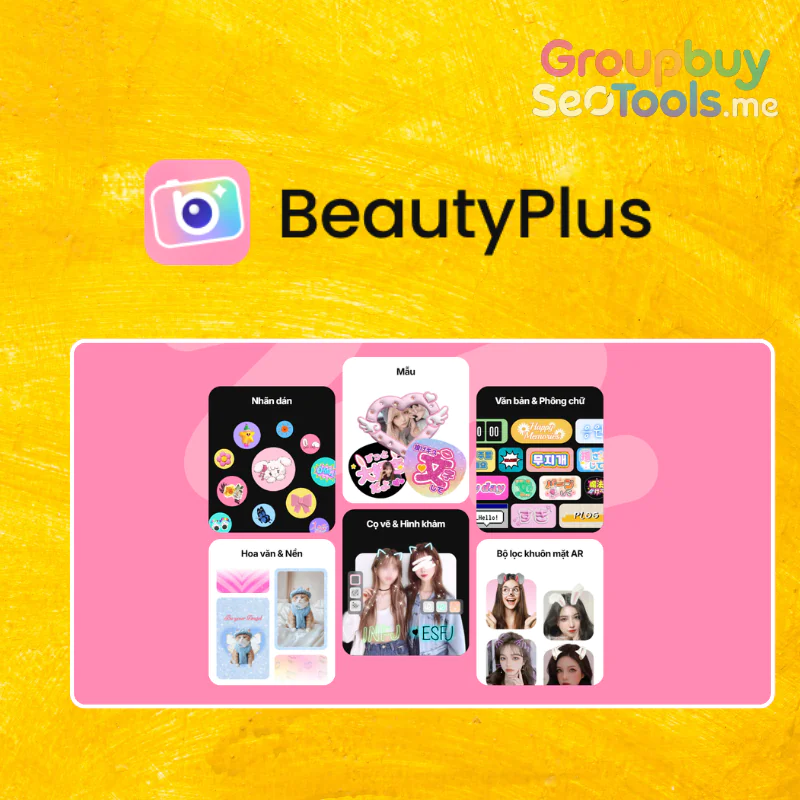
The BeautyPlus home interface – modern, intuitive, and designed for effortless editing
Ever wondered why some people always post flawless pictures? Chances are, they’re using BeautyPlus, the versatile app for enhancing photos and videos.
Created by Meitu, Inc., BeautyPlus launched in 2013 and quickly became a favorite among younger users. Its standout features are auto-beauty tools, a wide selection of filters, and clever effects can elevate any image to professional-looking quality, as if a skilled photographer handled the camera.
The best part? You don’t need to be an editing expert just a few simple taps and you’re ready with a picture-perfect result.
Who founded or runs BeautyPlus?
Behind this popular app is a passionate team. BeautyPlus is developed by Meitu Inc., a tech company from China founded in 2008. The visionary CEO Wu Xinhong leads the mission to center “beauty” in every product.
With over 15 years of experience in AI and visual tech, Meitu processes more than 1.5 billion AI-enhanced photos and videos monthly, gaining trust from users in over 230 countries. Their strong reputation comes from serious tech investments and solid privacy policies, so you can edit with peace of mind.
Main features of BeautyPlus
After exploring its full suite, I can confidently say BeautyPlus is packed with features no photo lover should miss:
AI Filters turning photos into art
BeautyPlus transforms ordinary photos with creative styles like anime, clay models, pixel art, or sketches, all while keeping the original charm. Apply these when you want your images to stand out with personality and vibrancy. Highlights include:
AI Filter: A variety of tones from retro to cinematic vibes
Studio Ghibli AI Filter: Turns photos into enchanting Japanese cartoon scenes
Convert photos to anime/painting/cartoon: Transform reality into playful or elegant illustrations
Sharpening restores details and transforms blurry photos into clearer, sharper images
The AI intelligently improves clarity, fine-tunes edges, and adjusts tones. Great for old or rushed shots without endless manual editing:
Automatic beautification: One tap to soften skin, brighten features, and erase imperfections naturally
AI image sharpening: Brighten dark shots and add details without pixelation
AI restoration of old photos: Revive faded memories instantly
AI quality upscaling: Enhance low-res photos for prints or close-ups
Background removal and unwanted object removal
Quick gestures let you eliminate cluttered backdrops or stray items for professional-quality images:
Remove objects/people/text: AI cleans seamlessly
Remove photo & video watermarks: Say goodbye to distracting logos
Remove embedded video watermarks: Perfect for clean vlogs or reels
Portrait editing and online makeup
BeautyPlus excels at facial recognition for smooth skin, wrinkle reduction, blemish removal, and virtual makeup like lip tints, cheek shades, eyelid colors, or lens tones—natural and subtle.
Face and feature adjustments
Face editing tools help smooth skin, remove blemishes, and maintain a natural appearance
Easily refine eyes, nose, lips, smile, jaw, or chin to achieve perfect proportions:
Face shape tester: Find your ideal contour and hairstyle
Pretty Scale: Check facial symmetry
AI hair styling & coloring: Try new hair colors virtually
Face & body editing: Enhance form while keeping authenticity
Body shaping
Want a slimmer waist, longer legs, or taller appearance? Sculpt your body confidently for every photo.
Basic editing tools
Essential tools like crop, rotate, brightness, and contrast adjustments for quick edits
Trim, rotate, scale, and adjust brightness or color. Simple but effective for quick fixes.
Creative design resources
Access a wide range of stickers, backgrounds, fonts, patterns, and AR overlays for playful edits:
Photo collages & multiple face merges: Capture lively group moments
AI face swap: Swap faces for fun edits
Video editing
Though not its main focus, BeautyPlus manages video sharpening, watermark removal, and scene swaps efficiently:
Sharpen videos: Clear low-light footage
Remove video backgrounds: Isolate subjects professionally
Remove video watermarks: Achieve polished clips
Comparison Table of BeautyPlus Plans and Pricing
Wondering about the investment for all this brilliance? The no-cost version holds its own, but to tap into elite functions, stepping up to premium is key.
Full AI filter set, unlimited object removal, advanced makeup, full video editing, no ads
$8.99/month
Premium Annual
All Premium features, priority updates, expanded resource library, priority support
$49.99/year
How much does it cost to buy a BeautyPlus account at Groupbuyseotool.me?
Want the full BeautyPlus Premium experience without paying the full $49.99/year? Groupbuyseotool.me offers it for just $12.5/year.
With a Groupbuyseotool.me account, you get:
Access to all filters, decals, and editing suites for images/videos, ad-free
AI-powered skin glow-ups, avatar creation, background removals, and virtual makeup
One-time payment for a full year, far cheaper than buying directly
Who Should Use BeautyPlus?
BeautyPlus isn’t just for selfie lovers creative professionals and beauty entrepreneurs will benefit too:
Social media enthusiasts: Insta or TikTok users will love AI enhancements and makeup simulators for standout posts
Freelancers and content creators: Bloggers or video makers can speed up edits like scene clearing and quality boosts
Small beauty ventures: Salons or stores can enhance product shots and professional profiles
Editing experts: Save hours with AI automation on large projects
Why Buy BeautyPlus from Groupbuyseotool.me?
The source matters. Groupbuyseotool.me excels by cutting costs almost in half while providing fast support:
Affordable pricing: Only $12.5 for Premium annually
Fast, responsive support: Replies in under 24 hours, 95% satisfaction among 10,000+ clients
Reliable, legitimate accounts: Stable Premium accounts with swaps or refunds if issues arise
Easy payments: Transfer, digital wallets, or QR codes for convenience and security
Ongoing deals: Regular promotions for both new and returning users
How to Buy BeautyPlus on Groupbuyseotool.me
Simple steps:
Visit groupbuyseotool.me and search for “BeautyPlus”
Check Premium features for your device (iOS, Android, web)
Add to cart and confirm
Sign in or create a Groupbuyseotool.me account
Choose a payment method: transfer, wallet, or QR
Verify payment and share proof if required
Receive Premium BeautyPlus login in 1–2 minutes
Contact support via chat or fanpage for help
Pros and Cons of BeautyPlus
Based on my usage, BeautyPlus nails nearly every requirement, with only a few small hitches. The positives overwhelmingly dominate.
Pros:
Rapid AI operations: Backdrop scrubs and detail boosts occur instantly, surpassing manual labors on intricate programs.
Assorted artistic enhancements: Reshape images into animations, dots, molds while safeguarding core elements.
Accessible design: Beginners dive right in, no advanced know-how necessary.
Decent free essentials: Covers skin refinements and sticker applications for routine uses.
Ongoing evolutions: Novel additions to enhancements, stickers, and AI maintain freshness.
Cons:
Ad disruptions in free mode: They surface during sessions, occasionally halting momentum.
Refinements for elite AI: Like avatar crafting, which may call for retries to perfect.
Challenges with subpar originals: Extremely hazy starts hinder total fixes.
Connectivity dependence: Features like scene removals rely on solid online links.
How to Use BeautyPlus: Step-by-Step Guide
BeautyPlus is all about simplicity. Spend a few minutes exploring, and you’ll get the hang of it quickly. Here’s how to start:
1. Download and Install
Get it from the App Store (iOS), Google Play (Android), or visit beautyplus.com.
Log in with Groupbuyseotool.me Premium details, or try the free version first.
2. Choose Photos to Edit
Open the app, then either take a new picture with the camera icon or pick one from your gallery.
Allow camera and album access when prompted.
3. Edit Portraits
Go to “Beauty” to smooth skin, remove blemishes, whiten teeth, or add makeup (lipstick, blush, eyeshadow).
The AI auto-detects faces, but you can fine-tune for natural results.
4. Apply AI Artistic Filters
Select “AI Filters” to try effects like Anime, Pixel, Clay, or Painting styles.
Adjust intensity to balance between realistic and creative looks.
5. Remove Background or Objects
Use “Remove Background” to cut out unwanted backdrops. Just swipe, and AI does the rest.
For smaller objects, tap “Remove Object”, circle the item, and confirm.
6. Body Tuning
Head to “Body Tune” to slim the waist, lengthen legs, or enhance curves.
You can even add height adjustments for better posture effects.
7. Add Stickers, Text, or Patterns
Browse “Stickers” or “Text” to decorate your photo with fun elements or personal captions.
Mix in patterns and backgrounds to make your edits more dynamic.
8. Edit Videos (Premium Only)
Import a clip and use “Enhance Video” to improve quality or “Remove Watermark” for a cleaner look.
Apply filters and background edits just like you would with photos.
9. Save and Share
Once done, save to your device or share straight to Instagram or TikTok.
Double-check resolution for the best clarity.
FAQs
What is BeautyPlus? BeautyPlus is an AI-powered photo and video editing app. It offers quick touch-ups, selfie enhancers, color corrections, blemish removal, and skin smoothing—all while keeping a natural look.
What makes BeautyPlus Camera different? It comes with exclusive features like the “Magical Camera” for instant edits and built-in digital makeup tools, so you get polished selfies without spending too much time.
Where can I download BeautyPlus? From the App Store or Google Play. PC users can also run it via emulators like BlueStacks or NoxPlayer.
Is there an old version of BeautyPlus? Yes, older versions are still popular for their simpler layout and familiar tools. They’re available on sites like Uptodown just make sure you download from trusted sources.
What is BeautyPlus Makeup? It’s a virtual makeup studio inside the app. You can test eyeliners, lip tints, blush, and skin tones without using real products, then combine them with editing tools for flawless selfies.
Quick Comparison: BeautyPlus vs Other Apps
Vs. Meitu: Meitu focuses on detailed retouching and creative tools, while BeautyPlus is faster and easier to use.
Vs. Snow: Snow is known for playful AR stickers, but BeautyPlus is stronger for facial editing.
Vs. Facetune: Facetune gives detailed control but takes more time; BeautyPlus delivers quick results.
What is Groupbuyseotool.me’ s Shared BeautyPlus Account? Groupbuyseotool.me offers shared access to BeautyPlus Premium, making it much cheaper than buying it alone. They manage account distribution so users can enjoy full premium features together.
Is it safe? Yes. Groupbuyseotool.me uses security measures, limits account sharing, and provides official Premium access. You don’t need to share personal details.
What Premium features do I get? With Groupbuyseotool.me’s Premium, you unlock:
Advanced selfie enhancers
Automatic skin smoothing and retouching
A wide range of digital makeup options
Pro-level editing tools
High-resolution exports with no watermarks
Is it different from buying directly? No, the features are identical. The only difference is that Groupbuyseotool.me offers it at a much lower cost thanks to shared access.
Do they offer refunds? Yes. If you face login issues or account problems, Groupbuyseotool.me provides refunds or replacements.
Conclusion
To be honest, BeautyPlus emerges as a vital editing ally that belongs in every toolkit. It seamlessly elevates standard selfies into glowing masterpieces, uplifting your presence with minimal input. If you’re after impressive outcomes without hefty spending, Groupbuyseotool.me emerges as the wise selection. Secure one now and witness the shift firsthand!
 Google
 Microsoft
 Adobe
Adobe Canva
Canva Kaspersky