Google
 Microsoft
 Adobe
Adobe Canva
Canva Kaspersky
Content Goblin
$100.00

$100.00
Sent via customer’s email
12-24hrs
All-in-one Subscription
Content Goblin is an advanced AI-powered content generator designed to help you produce complete listicle articles, with high-quality images, in seconds
Official website: https://contentgoblin.ai/
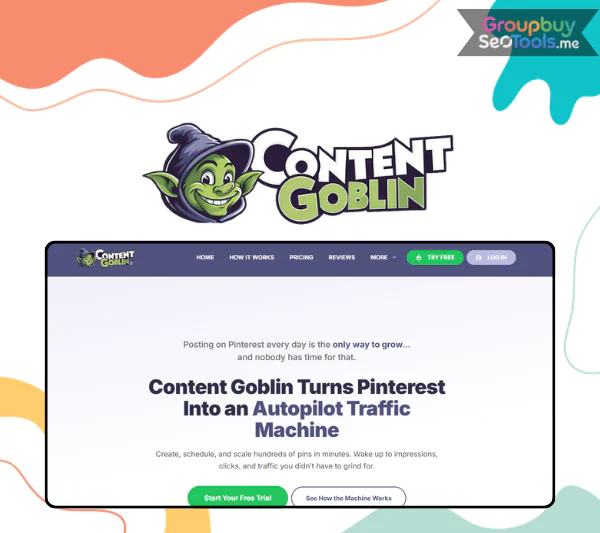 Content creation is relentless. For bloggers, Pinterest marketers, and food creators, the daily demand for fresh posts, pin designs, and recipe formatting can consume more time than the actual creative work. Content Goblin is an AI-powered content creation and visual automation platform built specifically to solve that problem for creators who publish on Pinterest, write listicles, and produce recipe content.
Unlike general-purpose AI writing tools that handle everything from legal briefs to email newsletters, Content Goblin is a specialist. It is tuned for the formats that drive traffic on Pinterest and in food and lifestyle search: structured listicles, recipe cards, pin designs, and SEO-optimized visual content.
This guide is built on more than ten years of experience in software, tools, and technology, and it covers everything you need to decide whether Content Goblin belongs in your workflow:

Content Goblin is an AI-powered content creation and publishing platform built specifically for visual, shareable, search-optimized content like Pinterest pins, listicles, and recipe posts. It is not a general AI writer, not a customer relationship management system, and not an enterprise marketing suite. It is an AI assistant for bloggers and Pinterest creators who need to produce high volumes of structured content without hiring a full team.
The core problem it addresses is repetitive production work. Writing a listicle about small bedroom ideas, generating ten matching pin designs, scheduling those pins over four weeks, and formatting a recipe card with schema markup are all tasks that follow predictable patterns. Content Goblin automates those patterns so the creator can focus on strategy, niche expertise, and voice rather than execution.
Typical use cases include titles like “10 Easy Weeknight Dinners,” “50 Small Bedroom Ideas,” and “Best Camping Gear Under $100,” where the value is in thorough, well-structured coverage rather than unique journalistic perspective.
Content Goblin is structured around four main modules that work together across the content production lifecycle: the AI listicle and blog post generator, the recipe and food content generator, the Pinterest pin designer and scheduler, and built-in AI image generation. An SEO optimization engine and publishing integrations connect these modules into a single closed-loop workflow.
Core modules at a glance:
End-to-end workflow:
This closed-loop approach covers the journey from a keyword idea through to published article and distributed Pinterest pins without switching between separate tools for writing, design, and scheduling. A simple example: starting with the keyword “healthy dinner recipes” and ending with a published article and ten pins scheduled across four weeks, all from within a single platform.
The listicle generator takes a topic and keyword as inputs and produces a structured, search-optimized article that is ready for light editing and publication.
The user inputs:
What the AI produces:
| Input | Output |
| Topic and keyword | SEO-optimized title and meta description |
| Number of items | Structured H2 and H3 headings for each list item |
| Tone preference | Short descriptive paragraph per item |
| Target audience | Internal call-to-action suggestions |
The generator naturally incorporates long-tail keyword variants across the article structure, which helps with search visibility for terms like “cheap meals,” “under $10,” and “quick weeknight dinner.” Content outputs are checked for uniqueness before delivery. A sample three-item preview from a “10 Keto Lunch Ideas” article might include a lettuce wrap chicken salad, a hard-boiled egg and avocado bowl, and a cauliflower rice stir-fry, each with a brief description and a prep-time note.
Each listicle article serves as the destination content that Pinterest pins link back to, making the listicle generator the foundation of the wider Pinterest content strategy.
Pinterest functions as a visual search engine rather than a traditional social media platform. Content that performs there is optimized for keywords, presented in vertical image format, and designed to generate saves and outbound clicks over time.
The pin design and scheduling workflow:
For tracking, the scheduler surfaces impressions, saves, and outbound click metrics so you can identify which pin designs drive the most traffic back to your content.
The meaningful difference from a Canva-based workflow is integration. Rather than designing pins in a separate tool, exporting them, and manually uploading and scheduling them through a third tool, Content Goblin keeps design, content, and scheduling in one connected system. A single listicle can generate ten pin designs that are scheduled over four weeks without leaving the platform.
Pinterest is the primary discovery channel for recipes, home decor, and DIY content, with many food and lifestyle blogs drawing more than half their traffic from the platform. The pin designer is built specifically for those categories.

Content Goblin generates contextual images directly within the platform, removing the need to source, license, or import stock photography for standard content production.
Image generation capabilities:
Customization options:
The practical benefit for content creators is time savings and licensing simplicity. Stock photo subscriptions, attribution requirements, and the manual process of searching for images that match a specific article angle are replaced by a prompt-driven generation step within the same tool.
An example prompt: “Minimalist boho bedroom with plants and beige tones, vertical image for Pinterest.” The output is a ready-to-use pin background image without a licensing overhead.
The honest limits: some generated images need manual touch-ups for quality, and the tool is not a replacement for professional product photography in commercial ecommerce contexts where image quality directly affects purchase decisions.
The recipe generator produces structured recipe cards that align with how Google surfaces food content in search results and how Pinterest presents recipe saves.
Standard recipe card output components:
| Component | What It Includes |
| Ingredients | Quantities, units, and preparation notes |
| Instructions | Numbered steps with clarity-focused formatting |
| Time information | Prep time, cook time, and total time |
| Yield | Serving size and portion notes |
| Nutritional summary | Calorie and macro overview where applicable |
| Notes section | Substitutions, variations, and storage guidance |
The generator also produces content structured for recipe schema markup, which enables Google rich results including star ratings, preparation time, and a recipe image in the search results page. Rich results for food content improve click-through rates significantly compared to standard text results.
AI-generated food photography-aligned images are paired with each recipe to complete the content package. Food is consistently among the top-performing categories on both Pinterest and Google, and the recipe module is designed to serve that category specifically. An example output might be an “Easy Vegan Pasta Bake” recipe card, complete with a 12-ingredient list, seven preparation steps, a 45-minute total time, and a matching vertical image for Pinterest.
| Features | Ghoul ($39/month) | Ghost ($59/month) | Goblin ($109/month) |
| Goal | Start a Business | Grow Website and Traffic | Expand Content and Revenue |
| Create Image Lists | Yes | Yes | Yes |
| Create Single Recipes | Yes | Yes | Yes |
| Number of Credits/Month | 2900 Credits credit | 6000 credits | 14000 credits |
| “Good” quality images | 2900 images | 6000 images | 14000 images |
| “Best” quality images | 223 images | 462 images | 1077 images |
| Edit articles directly in WordPress | Yes | Yes | Yes |
| Access the WordPress block editor | Yes | Yes | Yes |
| Access all future features | Yes | Yes | Yes |
| Price | $39/month | $59/month | $109/month |
Content Goblin is not a universal tool for every type of content creator. Its value is concentrated in a specific set of use cases where the combination of structured content, Pinterest distribution, and visual asset generation creates a meaningful productivity advantage.
Food bloggers face a specific and demanding content production cycle: each recipe requires a structured write-up, a formatted recipe card, multiple photographs or food-style images, and a set of Pinterest pins distributed over time to maintain visibility. The production overhead per recipe is high relative to the creative work involved.
How Content Goblin addresses food blogger pain points:
A realistic scaling example: a food blogger spending four hours producing one recipe post, including writing, formatting, image selection, and pin design, can use Content Goblin to reduce that to approximately one to two hours per recipe and apply the recovered time to producing additional posts.
Lifestyle and home decor content is particularly well-suited to Content Goblin because the listicle format dominates the category. Articles like “50 Small Bedroom Ideas,” “30 Cozy Living Room Arrangements,” or “DIY Kitchen Organization Projects” follow predictable structures that the listicle generator handles efficiently.
Each item in a listicle can become a standalone pin with a matching AI-generated image, turning a single article into a month’s worth of Pinterest content. A content creator who produces one 50-item listicle has the raw material for 50 individual pins, which can be scheduled over six to eight weeks to maintain a consistent posting cadence without daily manual work.
Agencies and freelancers managing Pinterest accounts for multiple clients face a volume challenge that general AI tools do not fully address. Each client may require 30 to 50 pins per month, content in their specific brand voice, and scheduling aligned with their posting calendar.
Agency workflow benefits:
A realistic estimate: a Pinterest manager handling five clients manually spending eight hours per client per month on content and scheduling can reduce that to two to three hours per client using Content Goblin, recovering 25 to 30 hours per month for higher-value work or additional capacity.
Affiliate content depends on volume, keyword targeting, and the ability to test multiple angles quickly. Buying guide listicles like “Best Budget Air Fryers Under $100” or “Top Lightweight Hiking Boots for Women” match the listicle generator’s strengths directly.
Pinterest is a significant source of commercial-intent traffic for product research categories, and creators who can build and distribute content at scale have a structural advantage in capturing that traffic. Content Goblin’s combination of fast listicle generation and automated pin distribution is directly relevant to this workflow, allowing affiliate marketers to test more keywords and angles without proportionally increasing production time.
| Advantage | What It Means | Why It Matters |
| Speed of structured content creation | Listicles and recipes produced in minutes | Scales content volume without scaling hours |
| Specialist focus on Pinterest and recipes | Purpose-built for these formats and workflows | Outperforms general AI tools for these use cases |
| Integrated AI image generation | No separate stock photo tool needed | Saves time and eliminates licensing overhead |
| No design skills required | Pin templates and layouts are pre-built | Accessible for creators without a design background |
| Replaces multiple separate tools | Writer, designer, and scheduler in one platform | Reduces tool subscription costs and workflow friction |
| SEO and schema baked in | Titles, meta descriptions, and recipe markup included | Improves search visibility without manual technical work |
The most significant advantage for most users is not any individual feature but the combination of features in a single workflow. The time saved is not just from faster writing. It is from eliminating the context-switching between writing tools, design tools, and scheduling tools that fragments a creator’s working time across a standard content production session.
| Limitation | Impact | Workaround or Alternative |
| Best for structured content, not deep editorial work | Less suitable for opinion essays, investigative features, or complex analysis | Use as a draft foundation, then significantly expand with personal expertise |
| Human editing remains necessary | Output requires review and personalization before publishing | Build editing time into the workflow rather than expecting hands-off publication |
| Pinterest-centric value proposition | Reduced utility if your audience is not on Pinterest | Consider general AI writers if your primary channel is search-only or social |
| Learning curve in early projects | First few content pieces take longer as you learn the system | Expect a one to two week onboarding period before reaching full efficiency |
| Not suitable for regulated niches without expert review | Medical, legal, and financial content requires human expertise regardless of the tool used | Always have a qualified editor review content in high-stakes categories |
The clearest situations where Content Goblin is not the right tool: long-form thought leadership articles for LinkedIn, email newsletter content requiring deep personalization, video scripts for YouTube, and any content category where regulatory compliance or professional expertise is a legal requirement.

General AI writing tools like Jasper or Copy.ai are designed to handle any content type across any industry. That breadth is valuable for teams with diverse content needs, but it comes at the cost of Pinterest-specific integration, recipe schema output, and built-in visual asset generation.
| Criteria | Content Goblin | General AI Writer |
| Specialization | Pinterest, recipes, listicles | General purpose, all content types |
| AI image generation | Built in | Not typically included |
| Pinterest scheduling | Integrated | Not available natively |
| Recipe schema output | Included | Not included |
| Pricing positioning | Specialist tool | Often cheaper for text-only needs |
| Ideal user | Food and lifestyle bloggers, Pinterest marketers | Broad content teams with varied needs |
Replicating Content Goblin’s full workflow with general tools requires combining a general AI writer for content, a design tool for pins, and a dedicated Pinterest scheduler. The combined cost may exceed Content Goblin’s pricing, and the workflow involves significantly more manual handoffs between tools.
Content Goblin is the wrong choice in several situations, and being clear about these helps set realistic expectations:
The honest recommendation: Content Goblin is the right choice when Pinterest is a significant or planned traffic channel and when listicle or recipe content makes up a substantial portion of your content calendar.
Yes, when used correctly. Google’s current guidance accepts AI-generated content provided it is helpful, original in its value to readers, and reviewed before publication. Content Goblin produces a structured starting point that the creator personalizes with their own experience, perspective, and expertise.
Best practices for SEO safety with AI content:
No, not inherently. Search engine penalties apply to unhelpful, duplicative, or manipulative content regardless of how it was produced. AI content that has been reviewed, personalized, and enriched with genuine expertise is treated the same as manually written content of equivalent quality.
To maintain strong search performance with AI-assisted content:
Many users run Content Goblin content on affiliate sites, food blogs, and small ecommerce content hubs without issue. As with any AI tool, the practical guidance is to review the current terms of service for specific intellectual property rights and intended use cases, since these can change.
For regulated or high-risk niches including medical, legal, financial, or pharmaceutical content, expert human review is required regardless of how the content was initially drafted. Using AI-generated content in those categories without qualified oversight creates liability risk that the tool itself cannot mitigate.
No. Content Goblin is a productivity multiplier, not a replacement. The tool handles execution: generating structured drafts, producing pin layouts, formatting recipe cards. The creator remains responsible for strategy, niche expertise, brand voice, editorial accuracy, and the final judgment call on what gets published.
What humans still do best in an AI-assisted content workflow:
The time savings depend on your current volume and workflow, but realistic ranges based on typical use patterns are:
The largest savings tend to come not from faster writing alone but from eliminating the manual steps that currently sit between writing and publishing: finding images, designing pins, exporting files, and manually scheduling to Pinterest.
No. Basic computer literacy and familiarity with standard web applications are sufficient. The platform is designed for creators, not developers. Pin templates, layout tools, and scheduling interfaces are built to be accessible without prior design software experience.
Most new users reach productive output within their first few sessions. Content Goblin provides onboarding materials and a help center for users who encounter specific questions during setup. No coding, graphic design software, or technical configuration is required to begin creating and publishing content.
| Time | 1 Year |
|---|
There are no reviews yet.