Google
 Microsoft
 Adobe
Adobe Canva
Canva Kaspersky
Pin Generator
$51.00

$51.00
Sent via customer’s email
12-24hrs
All-in-one Subscription
Pin Generator is a powerful automation tool designed to help users create and manage content on Pinterest quickly and efficiently
Official website: https://pingenerator.com/
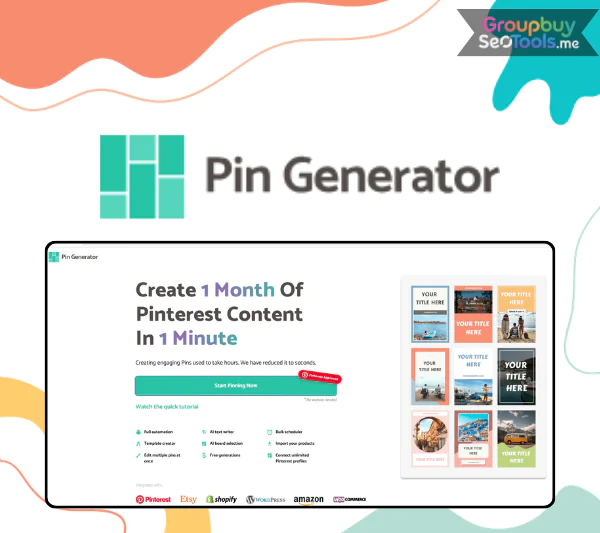 Pin Generator is an AI powered web application that turns any URL into bulk, SEO optimized Pinterest pins and schedules them automatically across your boards. To be clear from the start: this guide covers Pin Generator at pingenerator.com, the Pinterest automation tool, not random password or PIN code generators. The platform is built for bloggers, ecommerce store owners, affiliate marketers, course creators, and Pinterest managers who want consistent traffic from Pinterest without spending hours in Canva for every post.
The core promise is straightforward. You paste a URL, the system pulls the content, and within minutes you have dozens or hundreds of unique pin variations ready to schedule. The benefits compound quickly:
A quick snapshot of the platform:
| Metric | Value |
| Max pin output | Up to roughly 350 pins per day |
| Plan model | Credit based (1 credit equals 1 pin) |
| Starting price | From approximately $16.99 per month (confirm current 2026 pricing) |
| Free trial | Available for new users to test before committing |
This guide is based on hands on testing with over 1,000 pins generated across multiple Pinterest accounts and aggregated public reviews from real users. A simple illustration of the leverage: a single blog post can produce 100 plus unique pins inside Pin Generator in under five minutes, compared with hours of manual work to design even 10 variations by hand. The next sections walk through how Pin Generator works, the features that matter most, honest pros and cons, real world results, and a 10 minute setup tutorial.
Pin Generator is a SaaS web tool that connects directly to your Pinterest account through approved authentication. Once connected, it pulls content from any URL you submit, automatically generates multiple pin designs with custom titles and descriptions, and schedules those pins to publish on your selected boards at the times you specify.
The workflow eliminates the manual loop most Pinterest marketers know all too well: open Canva, design a pin, write a title, write a description, save the image, upload to Pinterest, select a board, schedule, and repeat. Pin Generator collapses that loop into a single batch operation that produces dozens of pins in the time it used to take to produce one.
It is worth distinguishing Pin Generator from two unrelated tools that often appear in the same search results. It is not a security PIN code generator used for password creation. It is not a generic image generator like Midjourney or DALL E. Pin Generator is purpose built for Pinterest marketing, with the underlying assumption that every output will end up on the Pinterest platform connected to a real URL.
Pinterest occupies a unique place in social media in 2026. Where Instagram, TikTok, and X reward immediate engagement that fades within hours, Pinterest pins can drive traffic for months or years after publishing. This evergreen nature means the value of every pin compounds over time, which makes pin volume one of the highest leverage growth levers for content driven businesses.
The pain points Pin Generator addresses are real:
Macro trends reinforce the value of automation. Visual search is growing as a primary discovery channel. Platform specific creative matters more than ever, since pins that look like Instagram posts underperform purpose built Pinterest designs. The combination of evergreen traffic potential and the need for high volume Pinterest output is exactly what Pin Generator solves.
Pin Generator fits a clear set of user personas, and the value proposition shifts slightly for each.
Each persona shares one underlying goal: more Pinterest impressions, more clicks, more downstream revenue, without proportional growth in design time.

The Pin Generator feature set is intentionally focused on the Pinterest workflow rather than general design. The features that matter most include bulk URL to pin generation, a template and branding system, an AI title and description generator, keyword suggestion and Pinterest SEO hints, scheduling and daily limit controls, board management, analytics and performance overviews, and integrations with platforms like Shopify, RSS, and Tailwind where supported.
What makes the platform genuinely useful is not any single feature but the way these elements combine into an end to end pipeline. You arrive with a URL or a list of URLs, and you leave with a fully scheduled pin campaign across multiple boards, complete with on brand visuals and optimized text.
The clearest way to understand Pin Generator’s value is to compare it head to head with the manual workflow most Pinterest marketers still use today.
| Task | Manual with Canva | Pin Generator | Time Spent |
| Design one pin | 5 to 10 minutes per pin | Seconds per pin in batch | Pin Generator wins by 90 percent or more |
| Generate 50 pin variations | 4 to 8 hours of design work | Under 10 minutes | Massive time savings |
| Write titles and descriptions | 2 to 3 minutes per pin manually | Auto generated, edited in seconds | Significant lift |
| Schedule across boards | Open Pinterest, queue each | Built in scheduler | Closer to parity |
| Maintain brand consistency | Requires discipline | Template based, automatic | Pin Generator wins |
The trade off is real and worth being clear about. Canva and similar tools give you full creative control over every pixel of every pin. Pin Generator gives you “good enough and scaled,” with templates that can be customized but not as deeply as a fully bespoke design. For most marketers, that trade off is dramatically in favor of automation; for a brand whose Pinterest strategy depends on unique cinematic visuals, manual design may still win.
The scheduling layer inside Pin Generator handles queue management, pin interval settings, board targeting (including group boards and niche boards), and time zone support. You can spread pins across the day, target specific high engagement windows, and balance posting across multiple boards to avoid spamming any single board with similar content.
A short best practice checklist for safe, effective scheduling:
These practices keep your account aligned with Pinterest’s spam policies and improve long term performance.
Pinterest SEO is the often misunderstood lever that separates pins that perform from pins that disappear. Pin Generator helps by analyzing the URL content and suggesting keywords and descriptions tuned for Pinterest search behavior. Users can override any suggestion and manually tweak keywords for tight control.
A short list of Pinterest SEO best practices that pair well with the tool:
Pin Generator handles the heavy lifting on suggestions and structure; the marketer’s job is to refine for brand voice and competitive positioning.
Pin Generator surfaces basic performance metrics inside its own dashboard, while deeper Pinterest specific analytics live in Pinterest’s native interface. The combination is what most serious users actually need. Common metrics worth watching include impressions per pin, saves, outbound clicks, and click through rate. Inside Pin Generator, you can identify which templates and layouts are producing your strongest pins, which lets you double down on what works.
The optimization loop is simple in concept and powerful in practice. Generate a batch, schedule it, wait two to four weeks, identify the top 10 percent of pins by clicks, then create more variations of those winning templates and titles. Over six months, this loop typically produces a portfolio of proven pin styles that you can reuse confidently in every new batch.

A blogger with 50 published posts can generate 40 unique pins per post inside Pin Generator, producing a library of 2,000 pins scheduled over several months. Where the same blogger previously published one or two pins per post manually, the new cadence dramatically increases impressions and traffic. Realistic results in a 90 day window often include doubling or tripling monthly Pinterest sessions, with bigger lifts for newer blogs that had little Pinterest presence before. The mechanic is simple: more pins per URL means more opportunities to reach the right audience, more long tail keyword coverage, and more compound traffic from Pinterest’s evergreen nature.
For a fashion or home decor store with 100 SKUs, Pin Generator can auto generate multiple pins per product, with variations in layout, hero imagery, and copy angle. Product URLs, images, and titles flow into pin templates that maintain brand consistency across the entire catalog. Board strategy matters enormously for ecommerce. Group products into collection boards like “Spring Dresses,” “Gift Ideas,” and “Home Office Essentials,” then route pins to the right boards based on product attributes. The result is a Pinterest funnel that mirrors how customers actually shop.
Affiliate marketers and niche site operators use Pin Generator to attack long tail keyword opportunities with multiple pin angles per article. The funnel is simple: pin view to blog click to affiliate click to commission. Multiplied across hundreds or thousands of pins, this passive funnel often delivers steady commissions with relatively little ongoing work. The strongest affiliate Pinterest funnels share three characteristics: highly searchable long tail topics, multiple pin variations per article, and strong blog content that converts the click into engagement before pushing toward the affiliate link.
Public reviews of Pin Generator on platforms like G2 and AppSumo cluster around consistent themes. The praises focus on time savings, the volume capability for scaling Pinterest output, and the relative ease of use for non designers. The common complaints focus on credit limits feeling tight for the heaviest users, template similarity when users do not customize them, and a short learning curve to get the most out of scheduling and SEO features. Treat these patterns as directional signals: the tool consistently solves a specific problem well, and most negative reviews come from users who expected fully bespoke design output rather than templated scaling.
Pin Generator delivers several genuinely compelling benefits:
Each advantage stacks. The combination of speed, brand consistency, and SEO support is what makes Pin Generator more than just a faster Canva.
A balanced review needs to name the real trade offs.
The severity of each limitation depends on your use case. For most bloggers and small ecommerce operators, none of these are deal breakers. For high volume agencies or brands needing fully bespoke visuals, the tool is part of a stack rather than a complete solution.
| Great Fit If | Maybe Not Worth It If |
| You publish new content or products regularly | You rarely use Pinterest or post one to two pins per month |
| You want to scale to hundreds of pins per month | You want only hyper custom, hand designed graphics |
| You can invest one hour to set up templates and branding | You have an existing high quality Pinterest workflow already producing strong results |
| You value time efficiency over absolute design control | You have unlimited design resources and time |
| You operate ecommerce, affiliate, or blog channels at scale | You run a single brand awareness account with no traffic goals |
The decision usually comes down to whether the time savings outweigh the design trade offs for your specific situation. For most growth focused operators, the answer is a clear yes.

The OAuth flow is standard, secure, and uses Pinterest approved authentication rather than password sharing or scraping. The whole connection step takes less than two minutes.
Before generating your first pin, configure brand defaults for consistency across every output. Upload your logo, set default brand colors that match your website, and choose typography presets that match your existing brand voice. Configure URL display preferences so your domain shows correctly on every pin. This one time setup ensures all subsequent generated pins automatically match your brand without manual touch ups.
The first batch is the best place to learn the controls. By the time you finish your second or third batch, the workflow becomes fast and intuitive.
Once a batch is generated, schedule it across your selected boards with appropriate posting times and days. Choose intervals that spread pins across the day rather than clustering them all at once. Over the following week, monitor basic results inside Pinterest analytics: impressions per pin, saves, and outbound clicks. The data from this first batch becomes the baseline you optimize against.
A few mistakes consistently cost new users early performance.
Avoid these and your first month on Pin Generator will produce dramatically better results than typical new user experiences.
Pin Generator offers a free trial with limited credits so new users can test the platform before subscribing. The free tier is designed for evaluation, with feature limits that encourage upgrading once you confirm the tool fits your workflow. Paid plans unlock the full credit pool, advanced scheduling, and integrations needed for serious Pinterest growth.
Yes. Pin Generator uses Pinterest’s approved API and OAuth authentication rather than password scraping or unofficial access. Safety on Pinterest depends on user behavior too. Stick to reasonable daily pin volumes, target relevant boards, avoid duplicate or spammy content, and respect Pinterest’s policies. Used this way, Pin Generator is safe for long term account growth.
Pin Generator integrates with Shopify and several other ecommerce platforms either through native integrations or workaround methods using CSV imports or RSS feeds. Import your product catalog, generate pins for each product or collection, and schedule the batch to publish across your relevant boards. For stores with hundreds of SKUs, this is dramatically faster than designing product pins one by one.
Multi account support depends on your subscription plan. Higher tier plans typically allow management of multiple accounts, which fits agency use cases and operators running several niche sites. Always confirm current plan limits on the official Pin Generator pricing page before committing if multi account use is core to your workflow.
Yes, Pin Generator uses AI for title generation, description writing, and content analysis from URLs. Pins can look generic if you skip customization and use unmodified default templates. The fix is straightforward: invest time once in customizing 5 to 10 template variants to your brand, then rotate among them.
Pinterest does not publish strict limits, but general marketing wisdom suggests 10 to 25 pins per day is safe for most accounts. Larger established accounts can push higher, sometimes reaching the platform maximum of around 350 pins per day. Start moderate, watch account health, and scale gradually over weeks.
Pins already published to Pinterest remain on your account permanently, since they live on Pinterest’s servers. What you lose access to is the Pin Generator dashboard, saved templates, scheduled but unpublished batches, and ongoing analytics. Your published pins continue working for you long after canceling.
Used well, Pin Generator turns Pinterest from a time consuming side project into a real, scalable traffic channel. If you publish content or products regularly and want to grow Pinterest into a meaningful traffic source for your business in 2026, the cleanest next step is to sign up for the free trial, connect your Pinterest account this week, and generate your first 50 pins from a single URL. The data from that first batch will tell you faster than any review whether Pin Generator earns a permanent place in your marketing stack.
| Time | 1 Year |
|---|
There are no reviews yet.