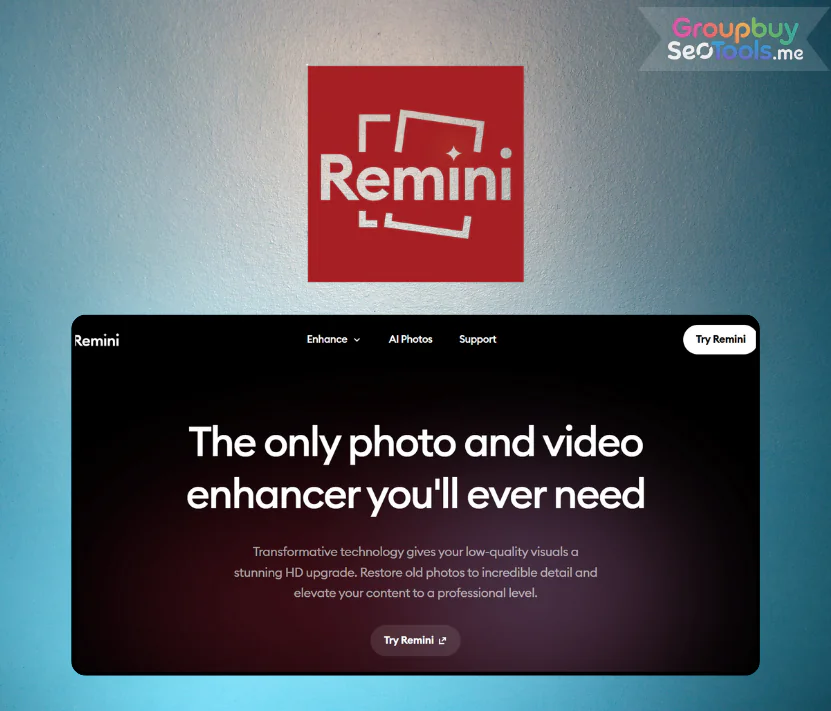
Have you ever felt frustrated when a perfectly good photo turned out blurry, or when your selfie looked decent but lacked the sharpness to confidently post on social media? If yes, then Reminiis the “lifesaver” you didn’t know you needed.
I still remember my first try with Remini – I was genuinely blown away. Within seconds, every tiny detail from the sparkle in the eyes, facial contours, down to the folds in clothing became crystal clear. That’s when I realized why the online community is obsessed with this tool. In this article, Groupbuyseotool.me will walk you through everything about Remini: its unique features, pros and cons, pricing, and a step-by-step usage guide.
What is Remini?
Before diving deep, let’s break down what Remini really is and why it can turn a blurry photo into HD in just seconds.
Remini is an AI-powered photo and video enhancer that specializes in upgrading quality. It transforms blurry, low-resolution shots into HD images that look like they were captured on a professional camera.
Powered by advanced artificial intelligence, Remini restores details, removes noise, and balances colors naturally. What’s impressive is its speed: lightning fast, yet realistic without the “fake” over-edited look common in many other apps.
The Creator Behind Remini
Remini isn’t just popular among casual users – it’s also trusted by photographers and brands. It was developed by AI Creativity S.r.l., a tech company from Italy that specializes in AI solutions for photos and videos.
Currently, this tool has over 100 million active users monthly, processing more than 5 billion photos and videos worldwide. From professional photographers and magazines to e-commerce businesses, Remini has become a go-to editing solution thanks to its reliability, speed, and powerful capabilities.
Feature of Remini
What impressed me was that Remini does more than just “sharpen” photos. Each function solves a real problem that users often encounter. Here is a detailed analysis of each feature:
Face Enhance: Enhances the quality and sharpness of the face, clarifying every line such as eyes, nose, mouth while still maintaining a natural look. This feature is perfect for portraits, ID photos or event photos, where facial details need to be clear and subtle.
Face Glow: Creates a gentle lighting effect for the face, making the character look fresh and radiant without being fake. This is a subtle “beautification”, suitable for personal photos, wedding photos or art photos.
Auto Color: Auto Color – smartly adjusts brightness and color balance, delivering photos with realistic tones in just seconds
Automatically adjusts the overall color and tone, improves contrast, white balance and color saturation. Users can directly compare the original and edited photos, ensuring the right color tones and maintaining their own style.
Background Enhance: Increases the detail and sharpness of the photo background, highlighting trees, architecture, sky or small objects. Suitable for landscape photos, product photos or photos where the background plays an important role.
AI Photos: Create high-quality personal or portrait photos with AI, with details and realism close to studio photos. Very useful for personal portfolios, professional profile photos or branding.
Video Enhancer: Video Enhancer – upgrade outdated or pixelated videos into sharp, HD-quality visuals effortlessly
Upgrade video quality, zoom in without losing details. Eliminate blur, noise, increase clarity for small details. Very effective for old videos, videos shot by phone or shaky, out-of-focus clips.
Unblur & Sharpener: Handle blur caused by camera shake or movement, increase overall sharpness and restore details. Help save photos or clips that seem unusable.
Denoiser: Remove unwanted noise and pixels, making photos smoother and clearer. Useful when shooting in low light conditions or noisy environments.
Color Fixer: Restores color range, balances natural tones, creates harmony for the entire image, avoids dullness or oversaturation.
Image Enlarger: Enlarges photos or videos while preserving details, suitable for large-format printing or high-resolution display.
Old Photos Restorer: Restore old photos – recover lost details and improve clarity of vintage or damaged images with AI technology
Restore old faded, blurred or damaged photos, giving them a new look while still retaining the nostalgia. Suitable for digitizing family memories or historical documents.
Remini Plans and Pricing Comparison Table
The free plan has quite limited editing features, so upgrading to a paid plan will help you experience the full experience and maximize the power of the application.
Package
Price
Key Features
Free
Free
Access to only basic features, images contain watermark
Personal
$17.99/month
Up to 20 image enhancements per month, no watermark
Business
$24.99/month
Up to 20 image enhancements per month, no watermark, ideal for professional use
How Much Does Remini Cost at Groupbuyseotool.me?
Wondering about the real Remini cost before upgrading? Normally, the Personal plan is $17.99/month ($259/year) and Business is $24.99/month ($360/year).
With Groupbuyseotool.me, you get Remini Pro for just $37.6/year – saving up to 70% compared to the official price. Enjoy all premium features: HD photo enhancement, old photo restoration, video sharpening, watermark removal, and unlimited use for 12 months.
Who Should Use Remini?
It is suitable for many different types of users:
Professional photographers: Need to restore old photos, clarify details quickly, and save time compared to manual editing.
Social media users: Frequently post photos/videos on TikTok, Instagram, and need sharp content to increase engagement.
E-commerce businesses: Improve product images, highlight colors and details to boost conversion rates.
Memory keepers: Restore family photos, old memories for digitization and long-term storage.
Versatile: Works well with old photos, product shots, and videos.
Easy to use: Simple interface, anyone can get started instantly.
Cons:
Limited free version: Few editing credits, must watch ads or upgrade.
Internet dependency: Processing is slower if your connection is weak.
Severely damaged photos are hard to fully restore: AI cannot bring back 100% details if the photo is too degraded.
High original pricing: Without group buy, international subscription cost is quite expensive.
How to use Remini: Step by step
If it’s your first time, you’ll see that Remini is incredibly simple. But to get the most out of it, follow these basic steps:
Download the app from App Store/Google Play or visit remini.ai, then sign in using email/Google.
Upload your photo or video, choose the file you want to enhance.
Select the right feature, such as Face Enhance (for portraits) or Video Enhancer (for videos).
Tap Enhance and wait for AI processing. You can instantly compare before/after on the screen.
Use extra options (Auto Color, Enlarger, etc.) if needed, then download or share directly.
With the Pro version, you can edit without limits and easily revisit your edit history.
FAQs
What is Remini? It is an AI-powered application that upgrades image quality, restores old photos, sharpens details, and increases resolution within seconds.
How does Remini work? It uses AI to analyze blurry, noisy, or pixelated areas and then reconstructs details, resulting in clearer images.
How to download Remini? You can download directly from Google Play (Android) or App Store (iOS). Just search for “Remini AI Photo Enhancer.”
Does Remini edit videos? Yes. It supports video enhancement, smoothing frames, and improving sharpness.
What are the best settings for Remini? For personal photos, enable High Definition mode along with Enhance Face to achieve optimal results.
Is Remini safe? Yes. It is a trusted global application. As long as you download it from official sources, your data will remain secure.
Conclusion
You no longer need to worry about out-of-focus or blurry photos. In just a few seconds, Remini can “transform” your photos and videos into clear HD versions, vivid as if shot with a professional camera.
If you love beautiful visuals, want to preserve every detail in your memories, or simply need more impressive social media content, then Remini is an essential tool.
Purchase now at Groupbuyseotool.me with a special deal of only $38.5/year, giving you full access to premium features while saving up to 70%!
 Google
 Microsoft
 Adobe
Adobe Canva
Canva Kaspersky