Google
 Microsoft
 Adobe
Adobe Canva
Canva Kaspersky
Quso AI
$62.00

$62.00
Sent via customer’s email
12-24hrs
All-in-one Subscription
Quso AI – Create viral Shorts, captions, and social media content with AI.
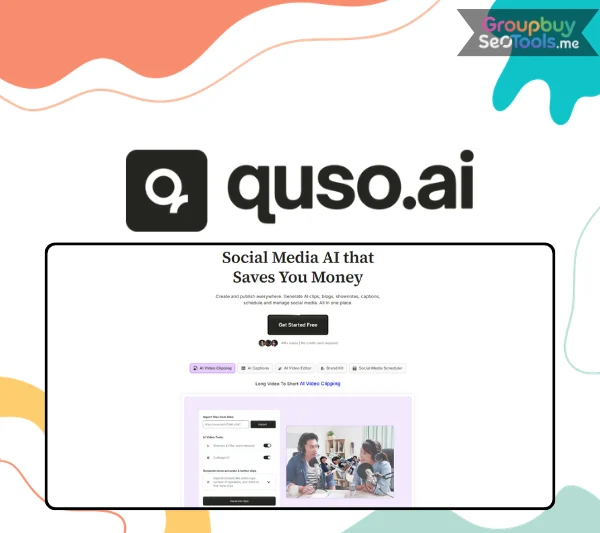
In late 2022, a small 12-person team launched a tool to solve one specific annoyance: video editing takes forever, and most of that time goes into work a human shouldn’t have to do by hand — finding the good parts, cutting them out, captioning them, repeating the process for every platform. Within seven months, that tool was processing millions of hours of video for 200,000 monthly users across more than 200 countries, a growth curve the founders themselves admit they hadn’t planned for.
That tool is now Quso AI and the most convincing argument for what it actually does isn’t a feature list — it’s what happened to the real people who started using it. This piece looks at three specific, documented case studies, breaks down exactly which features drove those results, and lays out who’s likely to see similar outcomes, along with the platform’s pros, cons, and the questions people ask most before signing up.
Quso AI, formerly known as vidyo.ai, is an all-in-one social media AI platform that takes long-form video and automatically transforms it into short, platform-ready clips, captions, and scheduled posts. According to CEO and co-founder Vedant Maheshwari, the core idea was straightforward from the start: there’s a lot of work involved in video editing, and using AI, the entire process of taking a long-form video, captioning it, identifying the most interesting parts, and turning that into short-form content could be automated — saving content creators countless hours in the process.
The growth story is unusual even by startup standards. The platform saw a real spike in users specifically following the launch of ChatGPT, pulling in people from outside its original target market and geographies it hadn’t even been targeting — organic growth that eventually caught the attention of influencers who began telling their own audiences about the product. What started as a tool for a niche of video creators scaled into a platform now used by content creators, podcasters, business owners, marketers, and coaches across the globe, with a user base now exceeding 4 million.
The feature most users encounter first, and the one most directly responsible for the time savings reported across every documented case study, is Intelliclips — an AI engine that scans a long-form video and automatically surfaces the moments most likely to perform well as short-form content. Rather than spending an hour manually scrubbing through footage to find the five minutes worth clipping, the algorithm does that work automatically, then outputs clips already sized for TikTok, Reels, and YouTube Shorts.
For users who want more precise control, Custom Clips lets you define the exact moment to clip by entering a timestamp or highlighting a specific line in the video’s transcript — giving manual precision without the manual labor of timeline-based editing.
Cutmagic tackles a different editing problem: jump cuts and scene transitions that would normally require careful manual handling. The feature uses smart scene detection to identify where visual or speaker changes occur and handles those cuts automatically, compressing what would typically be a multi-hour editing session into something measured in minutes.
One of the more genuinely distinctive features inside Quso AI is the text-based video editor, which lets non-editors work with footage the same way they’d edit a document. Delete a word from the video’s transcript, and the corresponding video segment disappears with it — no timeline, no manual cutting, no frame-by-frame scrubbing. AI Filler Word Removal layers on top of this, automatically detecting and removing “umms,” “uhhs,” and stretches of silence that would otherwise need to be identified and cut by hand.
Auto-generated subtitles in Quso AI go beyond plain text placement. The platform offers a library of trending subtitle styles modeled on formats already performing well for top creators, and the subtitles can be rendered directly onto the video in the export — eliminating the need to add captions manually in a separate step after the clip has been generated. Multi-language support currently covers English, Spanish, German, and French.
Once content is ready, Quso AI‘s scheduling layer handles the distribution side. One-click publishing sends a post to all seven connected platforms simultaneously — TikTok, Instagram, YouTube, LinkedIn, Facebook, X (formerly Twitter), and Pinterest — while Bulk Publishing allows scheduling multiple posts at once rather than queuing them individually. The AI Content Planner replaces the manually maintained spreadsheet most teams default to for planning a content calendar, and built-in Social Media Analytics tracks growth metrics without requiring platform-by-platform data pulls.
Beyond video, the platform generates written content from the same source material: captions written in a specified brand voice, trending hashtag suggestions, full blog posts from video transcripts, and shownotes for podcast episodes. The one-click generator means this written layer of a content release doesn’t require a separate writing session — it comes out as a byproduct of the clipping workflow that already happened.
Two newer additions to the platform extend its capabilities beyond repurposing existing footage. The AI Influencer feature turns a written script into a life-like AI avatar video, and the AI Video Generator creates original video content from text input — both features aimed at users who want to produce original video without filming new footage.
Rather than manually re-uploading a logo, font, and color palette every time a new video is exported, the Brand Kit stores these elements once and applies them automatically across every piece of content the platform generates. For agencies or coaches managing a consistent visual identity across large volumes of content, this removes one of the most tedious repetitive steps in the export process.
Quso AI includes access to a royalty-free stock media library for b-roll footage and background audio, reducing the need to source these elements from a separate licensed platform. Combined with the platform’s auto-emoji and progress bar overlays, this gives editors a full set of visual enhancement tools without leaving the dashboard.
One of the more unusual features in the platform’s toolkit is virality scoring, which assigns a predicted performance rating to a clip before it’s published based on signals the AI identifies as indicators of likely engagement. For users managing large volumes of clips with limited time to promote each one, this prioritization layer helps focus effort on the content most likely to perform rather than treating every clip equally.
Wendy Susan Richmond, founder and CEO of Results Matter Dental Marketing, ran into a problem common to agency owners managing multiple clients: she knew short-form content mattered, but turning her long Facebook livestreams into usable clips required either hours of her own time or the cost of hiring a dedicated video editor — and even paying for an editor hadn’t produced results she was happy with.
Her approach with Quso AI was direct: import the long-form livestreams, let the platform generate short clips automatically, and schedule them straight to LinkedIn, YouTube Shorts, Facebook Reels, and TikTok. The result was a 2,000-times increase in YouTube views, achieved while she now spends under ten minutes on the platform per session. In her own words, she’s posting more consistently, reaching a wider audience, and generating more leads — all with meaningfully less time invested than her previous editor-dependent workflow.
L.Y. Marlow built a consultancy, Grow My Business Fast, around a podcast series and a disciplined content strategy of batching, repurposing, and redistributing material across channels. For years, she managed this with traditional scheduling tools — until her growing consultancy outgrew what those tools could handle, since her business needed a platform covering the full spectrum of content creation: video editing, blog management, and multi-channel distribution together.
Switching to Quso AI let her maintain a podcast schedule of three episodes a week while seeing a steady 15% increase in listener engagement quarter-over-quarter. Rather than spreading effort evenly across every platform, she deliberately concentrated her engagement on LinkedIn and Instagram while still publishing everywhere through one-click scheduling — a strategy that produced a 19% higher engagement rate on those two focus platforms compared to the rest. She’s also specifically credited the platform’s virality scoring feature with helping her predict which content was worth prioritizing before it even went live.
John Mendez, an AI coach and trainer for real estate agents through his company Stop and Stare Media, built his content engine around a simple structure: long-form trainings and speaking engagements as the source material, cascading down into short clips, LinkedIn posts, email snippets, and course teasers. As he describes it, he likes long-form content specifically for the convenience of being able to repurpose it into so many different formats afterward.
Before adopting Quso AI, his bottlenecks were familiar ones: manual captioning and editing eating into the time he could spend actually coaching clients, and the sheer difficulty of managing high content volume across multiple platforms and formats simultaneously. Using the platform to handle clipping, captioning, and scheduling let him teach once and publish everywhere — turning recorded trainings and live talks into a daily short-form presence without adding the editing stress that used to come with it.
Looking at what these three very different users actually relied on reveals a consistent pattern. Each one leaned on Intelliclips to automatically surface the most engaging moments from long-form footage, removing the manual work of scrubbing through hours of video to find what’s worth clipping. Each one used one-click, multi-platform scheduling to publish across several channels simultaneously rather than handling each platform separately. And each one specifically cited time saved — not just content produced — as the most meaningful outcome, whether that meant cutting a session down to under ten minutes, freeing up hours previously spent on manual editing, or simply removing an entire dependency on a hired editor.
Beyond clipping and scheduling, features like brand kits (letting users skip re-uploading logos and brand assets every time) and virality scoring (helping predict which clips are worth prioritizing) show up specifically in cases where users were managing content at real volume, rather than as occasional, nice-to-have extras.
| Feature | Free | Lite | Essential | Growth ⭐ |
| Monthly Price | $0 | $15/mo $29/mo | $20/mo $39/mo | $25/mo $49/mo |
| Annual Savings | — | Save $58/year | Save $78/year | Save $196/year |
| Credits | 75 Credits/month | — | — | — |
| AI Clips & Captions | ✓ | ✓ | ✓ | ✓ |
| AI Video Generator | — | ✓ | ✓ | ✓ |
| AI Video Resizing (16:9, 9:16, 1:1) | — | ✓ | ✓ | ✓ |
| Render Quality | 720p | Full HD 1080p | Full HD 1080p | Full HD 1080p |
| Unlimited 1080p Exports | — | ✓ | ✓ | ✓ |
| YouTube Chapters | ✓ | ✓ | ✓ | ✓ |
| Direct TikTok Publishing | ✓ | ✓ | ✓ | ✓ |
| Premium AI Tools (10+) | — | — | ✓ | ✓ |
| AI Filler & Silence Removal | — | — | ✓ | ✓ |
| AI Influencer, AI Writer & More | — | — | ✓ | ✓ |
| Social Media Scheduling | — | — | 1-Click Scheduling to 7 Platforms | Unlimited Scheduling |
| Bring Your Own Content & Schedule | — | — | ✓ | ✓ |
| AI Content Planner | — | — | ✓ | ✓ |
| Bulk Publishing | — | — | — | ✓ |
| Advanced AI Analytics | — | — | — | ✓ |
| Custom Templates & Brand Kit | — | — | — | ✓ |
| Priority Support | — | — | — | ✓ |
| Watermark | ✓ | No Watermark | No Watermark | No Watermark |
What makes these case studies more convincing than a typical feature page is the consistency of the pattern across genuinely different businesses — a dental marketing agency, a business consultancy, and a real estate coaching company all converged on the same core workflow: import long-form content, let AI find and clip the best moments, schedule everywhere at once, and measure the result in hours saved as much as views gained.
If you’re sitting on hours of recorded livestreams, podcast episodes, or training sessions that have never been repurposed into shorter content, the fastest way to find out if Quso AI can produce a similar outcome for your business is to run your own footage through the free plan and see how closely your results track with the cases above.
| Time | 1 Month |
|---|
There are no reviews yet.