Google
 Microsoft
 Adobe
Adobe Canva
Canva Kaspersky
Flowith AI
$17.00

$17.00
Sent via customer’s email
12-24hrs
All-in-one Subscription
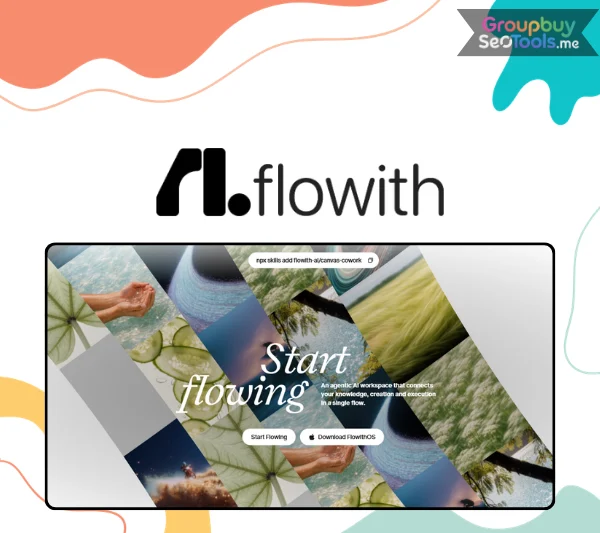
Flowith AI: Powerful multi-model workspace designed to streamline your daily tasks.
Open any AI tool today, type a complex request, and watch what happens. You get an answer. A good one, probably. Detailed, well-structured, maybe even impressive.
And then it stops. The slide deck you asked for? You’re now manually formatting it in PowerPoint. The website concept? You’re pasting code into a text editor and figuring out hosting. The market analysis? You’re copying bullet points into a doc and building the chart yourself. The AI did the thinking. You’re still doing the finishing.
This is the quiet, unresolved problem sitting underneath the entire AI productivity narrative of the last three years: generation got solved before execution did. Every major model — GPT, Claude, Gemini — got dramatically better at producing the content of an answer. Almost none of them got better at producing the artifact you actually needed: a working file, a live page, a finished deliverable.
The gap between “the AI gave me a great answer” and “the AI gave me a finished thing” is where most people’s AI workflow quietly breaks down — and where most of the manual labor still lives.
Flowith AI was built specifically to close that gap. Before getting into how, it’s worth understanding why the gap exists in the first place — because that’s what makes the fix meaningful rather than cosmetic.
Three structural limitations explain why most AI products generate but don’t finish.
These aren’t minor inconveniences. They’re the reason “AI productivity” so often means “AI did 70% of the work, and I did the last, most tedious 30% myself.” Flowith AI’s entire architecture is a direct response to these three gaps — not as add-on features, but as the foundation the product is built on.
Flowith AI‘s core premise is simple to state and hard to build: the AI shouldn’t stop at the answer. It should deliver the finished thing.
This is the definition of “agentic AI” in practice — not a marketing label, but a specific architectural commitment. An agentic system plans a sequence of steps, executes each one using real tools, checks its own progress, and continues autonomously until the actual goal — not just a draft toward the goal — is met.
Flowith AI builds this commitment into three connected systems:
Together, these three systems are why Flowith AI’s outputs look different from a typical AI tool’s outputs: a live website instead of a code snippet, a finished slide deck instead of a bullet-point outline, a working dashboard instead of a description of what a dashboard could show.
The next three sections look at each system individually — because the claim “AI that finishes the job” is only credible if the mechanism behind it holds up to scrutiny.
Agent Neo is the component actually doing the work inside Flowith AI, and Flowith positions it directly: “The World’s First Infinite AI Agent.” That’s a bold claim. Here’s what it’s actually built on.
Most AI agents on the market today are bounded by a fixed number of execution steps — after a certain point, they stop and either hand control back to the user or simply fail to complete the task. Agent Neo’s design removes this ceiling. It continues executing — researching, drafting, refining, building — until the actual objective is met, not until an arbitrary counter runs out.
This matters most on complex, multi-stage tasks: building a full website with multiple pages, running a research project across a dozen sources, or producing a long-form deliverable that requires many sequential refinements. Tasks like these are exactly where step-limited agents tend to fail.
Agent Neo processes context at the scale of a million tokens — enough to hold an entire long report, a full codebase, or hours of transcript in working memory simultaneously. The practical effect: Agent Neo doesn’t lose track of instructions given early in a long task, and it can cross-reference information from the beginning and end of a large document without re-reading it.
Many AI products separate capabilities into distinct modes — a “research mode,” an “image mode,” a “coding mode” — that don’t talk to each other. Agent Neo has standing access to Flowith AI’s entire tool ecosystem within a single run: web search, image generation, website construction, slide creation, code execution, and data analysis. A single Agent Neo task can research a topic, generate supporting visuals, and assemble a finished webpage — without you manually shuttling output between separate tools.
A representative example: ask Agent Neo to analyze a market report and turn the findings into an interactive presentation. It will read the source document in full, identify the key data points, generate appropriate charts and visuals, structure the narrative across slides, and deliver a finished, downloadable deck — all from a single instruction, with no manual handoff between stages.
This is the mechanism behind Flowith AI’s core claim. The next question is whether it holds up under independent testing — covered in the benchmark section below.
If Agent Neo is the engine, Canvas is the workspace it operates in — and the design choice here is just as deliberate.
A linear chat thread works fine for a single question and a single answer. It breaks down the moment a project has more than one moving part: multiple research angles to compare, a draft that needs to reference an earlier decision, several creative directions you want to evaluate side by side. In a standard chat interface, all of that gets flattened into a single scrolling list — which means constantly scrolling back to find context, losing track of which message led to which output, and never being able to see the whole project at once.
Canvas is an open, infinite grid. Each task — a research query, a writing assignment, an image generation, a website build — becomes a node you can place, connect, and rearrange freely. Outputs from one node can feed directly into another as input. Multiple approaches to the same problem can sit side by side for direct comparison, rather than being buried at different points in a scroll history.
The practical shift: instead of having a conversation about your project, you’re building a visual map of your project, with AI executing each piece of it in place.
This isn’t just a UI preference — it’s structurally necessary for the kind of multi-stage work Flowith AI is built for. A website build needs a content node, a design node, and a deployment step to all reference each other. A research-to-slides pipeline needs the research output to flow directly into the slide-generation step without manual copying. Canvas’s node-based structure is what makes that chaining possible without constant manual reassembly — which is exactly the labor that makes traditional AI workflows feel unfinished.
The third piece of the architecture addresses the structural memory gap described earlier — and it’s easy to underrate how much friction this single feature removes.
Standard AI sessions are stateless by design. Every new conversation starts at zero. If you’re three weeks into a project — research gathered, drafts written, decisions made — and you open a fresh session, the AI has no idea any of that happened. You either re-explain everything or work in a single unbroken session indefinitely, which isn’t realistic for real projects that span days or weeks.
Knowledge Garden functions as an accumulating knowledge base inside Flowith AI — documents, research notes, and prior outputs are stored and automatically referenced when new tasks begin. The system doesn’t require you to manually re-upload or re-explain context that already exists; it draws on what’s already been built.
The practical value compounds over time. Early in a project, Knowledge Garden has little to draw on. Weeks in, it has accumulated enough project-specific context that new tasks start with genuine understanding of what’s already been decided, researched, and built — rather than starting cold every time. For any work that spans more than a single session, this is the difference between an AI tool that helps you intermittently and one that functions like a continuous collaborator.
Execution capability means nothing if the output quality isn’t there. Flowith AI’s embedded creative suite is what turns Agent Neo’s plans into actual finished media — and each component is built on currently leading models, not generic in-house alternatives.
Generation runs on GPT Image 2, Nano Banana Pro, and Seedream V5.0, producing resolution up to 4K. A Batch Mode allows multiple variations to generate in parallel — relevant for any project requiring a high volume of visual assets. Critically, images generated here aren’t a dead end; they flow directly into other nodes on the Canvas — a website, a slide, a video — without export and re-import friction.
Seedance 2.0, Seedance 2.0 Fast, and Kling V2.6 Pro power video generation, spanning quick-turnaround social content to more cinematic, motion-heavy output. As with images, video generated here exists inside the same workflow as everything else in a given project, not as an isolated output requiring a separate tool to incorporate elsewhere.
This is where the “execution, not generation” thesis is most visible. Agent Neo writes complete HTML, CSS, and JavaScript — including responsive layout and animation — and deploys the result automatically to a live flo.host link. There is no intermediate step where you take generated code and figure out hosting yourself. The deliverable is a working website, not a website’s source code.
Built on Nano Banana Pro, this tool can generate a complete, professionally formatted deck directly from a URL, an uploaded document, or even a YouTube video — research and design happening in a single pass rather than requiring you to gather information in one tool and build slides in another.
Claims about agent capability are common in AI marketing. Independently verifiable benchmark results are not. This is where Flowith AI’s position is worth taking seriously.
The GAIA Benchmark is widely used as a standard for evaluating whether AI agents can complete real-world, multi-step tasks — not simplified test questions, but the kind of layered, ambiguous work that mirrors actual use cases. According to current GAIA Benchmark results, Agent Neo ranks #1 across every difficulty level, ahead of competing general-purpose agent frameworks.
This matters for two reasons. First, it’s an external, third-party measurement rather than a self-reported metric — the kind of evidence that should carry more weight than a vendor’s own performance claims. Second, the benchmark specifically tests multi-step task completion, which is precisely the capability Flowith AI’s entire architecture is built around. The benchmark and the product’s core claim are measuring the same thing, which makes the result directly relevant rather than tangential.
Architecture and benchmarks establish capability. Real outputs establish whether that capability translates into something useful. Here are five documented examples of what Agent Neo has actually produced.
The pattern across all five: in every case, the final output was the actual deliverable — not a description of one, not a code file requiring further work, but the finished artifact, live and usable.
With the case for what Flowith AI does established, the pricing question becomes straightforward: what does each tier actually unlock, and which one matches your real usage pattern?
| Features | Starter | Pro | Ultimate | Infinite |
| Best For | Hobbyists exploring AI | Creators building momentum | Power users & professionals | Maximum power, no compromises |
| Monthly Price | $0 | $17.91/mo | $44.91/mo | $399.92/mo |
| Regular Price | Free | $19.90/mo | $49.90/mo | $499.90/mo |
| Discount | — | 10% Off | 10% Off | 20% Off |
| Annual Billing | — | $214.92/year | $538.92/year | $4,799.04/year |
| Monthly Credits | 300 | 20,000 | 55,000 | 550,000 |
| Bonus Value | — | +$4 (~40 free gens) | +$38 (~250 free gens) | +$188 (~1250 free gens) |
| AI Models Access | Standard Models | 40+ Models | 40+ Premium Models | 40+ Models |
| Concurrent Tasks | 5 | 50 | 100 | Unlimited |
| Processing Speed | Standard | Standard | High Speed (20× Boost) | Max Speed |
| Image Batch Mode | ✓ | 2× | 2× | 2× |
| Video Batch Mode | ✓ | 4× | 4× | 4× |
| Commercial License | ✓ | ✓ | ✓ | ✓ |
| Top-up Pack Access | — | ✓ | ✓ | ✓ |
| Priority Processing | — | ✓ | ✓ | ✓ |
| Priority 1-on-1 Support | — | ✓ | ✓ | ✓ |
| Dedicated Discord Manager | — | ✓ | ✓ | ✓ |
| Direct Founder/Dev Access | — | — | — | ✓ |
| Custom Integrations & API Access | — | — | — | Coming Soon |
| Unlimited Pack | — | Available to Unlock | Included | Included |
| Model | Starter | Pro | Ultimate | Infinite |
| GPT Image 2 | — | Up to 40 | Included | Included |
| Nano Banana Pro | 5 Daily | Up to 25 | Up to 250 | Up to 1250 |
| Seedance 2.0 Fast | — | — | Up to 50 | Up to 250 |
| Seedance 2.0 | — | Up to 5 | Up to 50 | Up to 250 |
| Model | Pro | Ultimate | Infinite |
| GPT Image 2 (up to 4K) | Medium Quality | Medium Quality | High Quality |
| Nano Banana 2 | 365 Days | 365 Days | 365 Days |
| Seedream V5.0 Lite | 365 Days | 365 Days | 365 Days |
| Kling V2.6 Pro | 30 Days | 30 Days | 365 Days |
| GPT Image 1.5 | 365 Days | 365 Days | 365 Days |
A credible review names the gaps as clearly as the strengths. Flowith AI has real limitations, and they’re worth understanding before you commit.
None of these are disqualifying for the core use case. But an objective assessment names them rather than glossing over them — particularly the API gap, which is a real constraint for a specific and important user segment.
The case for Flowith AI doesn’t rest on having more features than competing tools. It rests on a specific, verifiable claim: most AI tools generate; this one finishes.
That claim holds up under inspection. Agent Neo’s architecture — no step ceiling, million-token context, full tool access in a single run — is a coherent technical answer to the execution gap described at the outset. The GAIA Benchmark’s #1 ranking is independent confirmation, not a marketing assertion. And the five documented workflows show that the gap between “AI produced an answer” and “AI produced the finished thing” closes in practice, not just on paper.
The limitations are real and worth weighing: no live API yet, a credit system with a learning curve, and an adjustment period if you’re used to chat-style tools. None of them undermine the core value proposition for the primary use case — turning ideas into finished, deployed work without the manual labor that usually sits between an AI’s output and something you can actually use.
The test that matters: take one real, multi-step project — not a toy example — and run it through Canvas with Agent Neo on the free Starter plan. If the output is closer to “finished” than anything you’ve gotten from a standard chat AI, the case for upgrading to Pro makes itself.
| Time | 1 Month |
|---|
There are no reviews yet.