Google
 Microsoft
 Adobe
Adobe Canva
Canva Kaspersky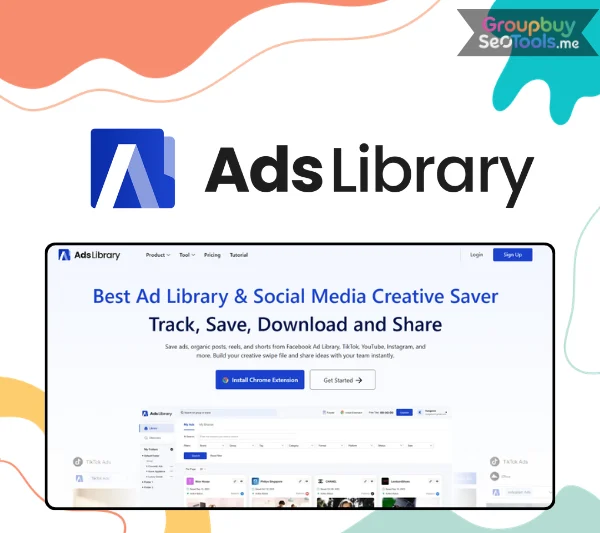
AdsLibrary
$102.00

$102.00
Sent via customer’s email
12-24hrs
All-in-one Subscription
AdsLibrary: Leverage automated niche tagging, deconstruct viral video structures, and fast-track creative production.
Ad creative research has a structural problem that no native ad library has solved: you can browse, but you cannot save.
Facebook Ad Library shows you competitor ads. TikTok Creative Center surfaces top-performing templates. LinkedIn Ad Library reveals what B2B brands are running. YouTube, Instagram, Twitter — every platform has a browsing tool. Not one of them has a save button, an organization system, a download feature, or a way to share what you find with someone who does not have platform access.
The result is a workflow that every performance marketer and creative strategist knows intimately: screenshots scattered across a downloads folder, copy pasted into a Google Doc with no context attached, landing pages bookmarked and never retrieved. Three weeks later, when you need that reference for a brief, it is gone.
AdsLibrary is the tool that was missing from this workflow. A browser extension and web platform that saves ads from all major ad libraries and social platforms in one click, organizes them into a searchable personal library with full metadata intact, and shares any collection with teams and clients through a single link — no account required on the receiving end.
More than 3,000 brands and agencies currently use it as their primary creative research tool. This review covers every feature in detail, how it compares to every major alternative in the market, who gets the most value from it, and where the honest limitations lie.
AdsLibrary is a browser extension and web platform that saves ads, posts, reels, and shorts from ad libraries and social media into a persistent personal swipe file — and combines that personal library with a separately maintained discovery database of over one million ads updated daily.
The platform operates on two distinct layers that together cover the full creative research workflow:
Personal swipe file: ads you save through the browser extension or manual upload, organized into folders and groups with full metadata attached — copy, CTA, format type, landing page URL, platform, and category. The library grows every research session and persists indefinitely.
Discovery center: a separately maintained database of 1M+ ads across 80K+ brands, updated daily by AdsLibrary. Available for research and inspiration from day one, regardless of what you have personally saved.
Platform coverage spans eight save sources: Facebook Ad Library, TikTok Ad Library, TikTok Creative Center, TikTok Organic, YouTube, Instagram Organic, Twitter, and LinkedIn Ad Library — the broadest multi-platform coverage available in the swipe file tool category.
Who uses it: creative strategists building reference libraries for creative briefs, performance marketers and media buyers monitoring competitor ad activity, agencies sharing creative research with clients, brand managers tracking category-level creative trends, and freelance marketers building client-facing research presentations.
The distinction from using native ad libraries directly: native tools provide viewing access with no organizational infrastructure. Every session resets. AdsLibrary layers save, organize, download, and share capabilities across all eight native platforms simultaneously through a single extension installation.
The workflow from installation to a functioning organized swipe file takes under five minutes to set up.
Install the AdsLibrary Chrome extension from the Chrome Web Store. The extension integrates into Facebook Ad Library, TikTok, YouTube, Instagram, LinkedIn, and Twitter natively — save controls appear within the platform interfaces without requiring tab switching or context loss.
When you encounter an ad or organic post worth capturing, click the AdsLibrary extension button. The creative saves instantly with all available metadata: ad copy text, CTA button text, format type, category, source platform, and landing page URL. The full context is captured automatically — you do not manually record what the ad said, where you found it, or where it pointed.
For content outside the extension’s native integration, two additional methods cover the gap: paste a direct ad library URL to pull a specific ad into your library, or manually upload video and photo files from any source. This handles edge cases where platform-level saving is unavailable, or where internal creative assets need to live alongside external references.
Create folders by client, campaign, creative format, or theme. Within folders, groups provide a secondary organizational level for brief-level or campaign-level collections. Apply custom tags for personal taxonomy. Move groups between folders as projects evolve. The organization system is flexible enough for individual workflows and agency-scale multi-client libraries without imposing a fixed structure.
Generate a shareable link for any individual ad or entire group. Recipients access the full, interactive view with all ad details — no AdsLibrary account required, no platform login required. Team members add comments directly on saved ads. Clients receive a professional visual presentation of selected creatives without any technical setup on their end.
Download individual ads from the ad details page or bulk-download from the list view. Both options include the complete package: media file (video or photo), ad copy as text, and full metadata (platform, CTA, format, category, landing page URL). Not just the visual asset — the full data record needed for analysis and briefing.
The swipe file is the central repository for all saved ads. Its organization and search capabilities determine how useful the library is at scale.
The discovery center is a separately maintained research layer — not your personal saves, but a curated database of 1M+ ads across 80K+ brands that AdsLibrary maintains and updates daily.
| Feature | Function | Primary Use Case |
| AI search (swipe file + discovery) | Find ads by descriptive query | Large library navigation; pattern research |
| Active status tracking | Monitor which saved ads are still running | Competitive intelligence; proven performer identification |
| Bulk save (TikTok Creative Center) | Save multiple assets at once | High-volume TikTok creative research |
| Discovery center (1M+ daily) | Browse broad ad database by industry | Category-level inspiration and trend analysis |
| Shareable links (no login) | Share ad groups with anyone via link | Client presentations; team creative briefs |
| Notion embed | Live ad groups inside Notion pages | Brief integration; documentation workflows |
| Screenshot web pages | Capture landing pages alongside ads | Full-funnel creative reference |
| Custom tags | Personal taxonomy labels | Individual research workflow management |
| Bulk download | Multiple ads with full metadata | Asset management and archiving |
| Team comments | Discussion attached to saved ads | Collaborative creative review |
Platform coverage breadth is AdsLibrary’s primary structural differentiator from every competing swipe file tool. Eight save sources through one browser extension installation:
Meta’s native ad library is the most widely referenced ad research resource in performance marketing. AdsLibrary’s extension adds a save button within the Facebook Ad Library interface — one click captures the ad with its full available metadata. Saved Facebook ads track active status: you monitor whether a specific competitor ad is still live weeks or months after saving it without returning to the source platform.
Paid TikTok advertising saves with campaign-level metadata and active status tracking alongside Facebook and other platforms.
TikTok’s own resource for top-performing creative templates and trending formats. AdsLibrary is the only major swipe file tool supporting bulk save from TikTok Creative Center in one click — multiple assets captured simultaneously rather than one at a time. For marketers conducting high-volume TikTok creative research, this is a practical workflow difference.
Organic TikTok posts save alongside paid content. This combination — paid ad library, creative center templates, and organic viral content — across a single platform is a unique capability in the category. Comparing what brands pay to promote against what performs organically in the same feed provides analytical context that platform-separated tools cannot offer.
Pre-roll, mid-roll, and display video ads save alongside organic video content through the same extension workflow.
Reels, posts, and stories from Instagram organic feeds. For Instagram-placed paid ads, the source is Facebook Ad Library, where Meta surfaces Instagram-placement ads alongside Facebook placements.
Both paid ad content and organic social posts save through the extension.
B2B-focused paid advertising from LinkedIn’s native library. Particularly relevant for B2B marketers analyzing competitor messaging, offer structures, and creative approaches in professional contexts.
| Platform | Paid Ads | Organic Content | Bulk Save | Active Status |
| Facebook Ad Library | ✔ | — | — | ✔ |
| TikTok Ad Library | ✔ | — | — | ✔ |
| TikTok Creative Center | ✔ | — | ✔ | ✔ |
| TikTok Organic | — | ✔ | — | — |
| YouTube | ✔ | ✔ | — | ✔ |
| Instagram Organic | — | ✔ | — | — |
| ✔ | ✔ | — | Limited | |
| LinkedIn Ad Library | ✔ | — | — | Limited |
AdsLibrary uses a tiered subscription model with a functional free plan. Active promotional programs — including TikTok partnership offers with discounts reaching 50–80% off standard rates — run periodically. Current pricing at adslibrary.ai/pricing.
Basic save and swipe file access with limited monthly saves. Sufficient for evaluating the core workflow before committing to a paid subscription.
Expanded monthly save limits, full browser extension access across all eight platforms, individual download capability, and core organization features. Best for solo performance marketers, freelance creative strategists, and individual media buyers conducting personal ad research.
Full discovery center access, AI search across the saved library and discovery database, bulk download, custom tags, active status tracking, and the complete organization system. Best for performance marketers and media buyers who conduct regular competitor and category-level creative research as a core workflow function.
All Professional features plus multi-seat access, team comments, group sharing and management (Share, Edit, Move Group), client-facing shared links, and Notion embed. Best for agencies managing creative research across multiple client accounts and in-house creative teams working collaboratively.
| User Type | Plan | Key Reason |
| Testing or occasional use | Free | Core save workflow available |
| Solo freelance marketer or strategist | Starter | Full platform access, individual workflow |
| Performance marketer or media buyer | Professional | AI search, active status, full discovery center |
| Agency or multi-person creative team | Team / Agency | Multi-seat, client sharing, team comments |
Verify current rates at adslibrary.ai. TikTok partnership discounts and seasonal promotions update frequently and can significantly reduce subscription cost from standard rates.
Building reference libraries is the core daily workflow for creative strategists — saving ads that demonstrate specific hooks, offer structures, visual formats, and production styles, then organizing those references for briefing new creative. AdsLibrary’s one-click multi-platform save combined with AI search for large libraries directly supports this workflow at every stage.
Adam Champion, a Creative Strategist and verified user: “AdsLibrary provides a great ad saving tool for my creative team. With this tool, we are able to save and manage ads from multiple platforms in a unified way.”
Competitive monitoring — specifically tracking which competitor ads are currently live and for how long — is a core research function for performance marketers and media buyers. Active status tracking identifies which saved competitor ads are currently running, recently stopped, or have been live for extended periods. Long-running ads signal working creative at a level that recently-launched ads do not. The discovery center’s daily updates and favourite brands tracking add category-level monitoring on top of individual competitor saves.
The agency-client creative presentation challenge — sharing research with clients who have no platform access and no context for what they are looking at — is directly addressed by AdsLibrary’s link-based sharing. A curated group link gives clients an interactive view with full ad details, no login required. The workflow shift from “export screenshots to a deck” to “share a link” saves agency production time and gives clients significantly more context.
Gary Fromson, a Marketer and verified user: “One of the hardest things is sharing clients about advertising creativity. AdsLibrary makes it easier to visually demonstrate by creating and sharing an ad group with a quick link.”
Category-level competitive monitoring — tracking what the entire category is doing creatively, not just individual competitors — requires a discovery layer beyond personal saves. The discovery center’s 80K+ indexed brands with daily updates provides that coverage. Category trend research at scale.
Sylvia Lawrence, a Chief Creative Officer and verified user: “I use it daily for saving ads from ad library. If you’re trying to save more ads, AdsLibrary is something you have to have.”
Erica Madden, a Chief Growth Officer and verified user: “AdsLibrary integrates ad library and TikTok creative center. And the discovery center have been a game changer in giving me lots of creative ad ideas and providing ad details.”
AdsLibrary’s own website footer lists the tools it positions against directly: Swipekit, ADscan, Adnova, MagicBrief, AdSparo, Denote, AdPlexity, Atria.AI, motionapp, Arcads.ai, creatify.ai, and foreplay. The most relevant comparisons for typical creative research workflows:
MagicBrief is a well-established swipe file tool with strong Facebook ad library saving and team collaboration features. AdsLibrary differentiates on three dimensions: platform coverage (eight platforms vs MagicBrief’s Meta-centric focus), the daily-updated 1M+ discovery library, and TikTok Creative Center bulk save capability. For research workflows that extend significantly beyond Facebook, AdsLibrary covers more ground.
Foreplay is strong on Facebook and Meta ad saving with solid collaboration features. AdsLibrary adds six additional platform integrations, the daily-updated 1M+ discovery layer, and TikTok Creative Center integration. For multi-platform researchers, the coverage difference is structural.
Swipekit supports multi-platform saving through a browser extension. AdsLibrary adds the 1M+ discovery center as a separately maintained research database, active status monitoring for saved ads, AI search across the full library, and Notion embed integration. The discovery center is the most significant differentiator — Swipekit has no equivalent research database layer.
ADscan focuses on Facebook ad analysis with performance metrics depth. AdsLibrary covers eight platforms and adds the discovery layer but does not offer the performance analytics that ADscan provides for Facebook-specific analysis. The tools serve different primary functions: ADscan for ad performance intelligence, AdsLibrary for creative asset organization and multi-platform research.
The fundamental gap: native tools provide browsing access with no organizational infrastructure. Every session resets. Facebook Ad Library, TikTok Creative Center, LinkedIn Ad Library — none let you save, organize, download, or share findings in a way that persists and scales. AdsLibrary layers a complete workflow system on top of all eight native platforms through a single extension.
| Tool | Platforms | Discovery Library | Active Status | TikTok Creative Center | Client Sharing | Best For |
| AdsLibrary | 8 | ✔ 1M+ daily | ✔ | ✔ Bulk save | ✔ No login | Multi-platform, TikTok-heavy research |
| MagicBrief | Meta-primary | Limited | Partial | Partial | ✔ | Facebook-primary teams |
| Foreplay | Meta-primary | ✔ | Limited | Limited | ✔ | Facebook-primary, strong collaboration |
| Swipekit | Multi | ✗ | ✗ | ✗ | ✔ | Multi-platform, no discovery layer |
| ADscan | ✗ | Limited | ✗ | Limited | Facebook performance analytics | |
| Native libraries | Per-platform | N/A | ✗ | View only | ✗ | Free browsing, no organization |
AdsLibrary’s strongest competitive position: the only tool in the category covering TikTok Ad Library + TikTok Creative Center (with bulk save) + TikTok Organic in a single subscription, alongside Facebook, YouTube, Instagram, Twitter, and LinkedIn.
A swipe file only creates consistent value if you can find what is in it when you need it, and if what is in it reflects what is actually working — not just what looked interesting when you saved it. These practices maximize the long-term utility of an AdsLibrary library.
Before narrowing to specific competitor brands, use the discovery center to understand what works at the category level. AI search for creative patterns across 1M+ ads — “health supplement social proof with countdown urgency” or “SaaS B2B ad with specific ROI stat” — establishes a baseline of proven creative structures before brand-specific research begins. This prevents the confirmation bias of only saving what familiar brands are already doing.
The natural instinct is to create platform-based folders: a Facebook folder, a TikTok folder. A more analytically useful structure organizes by what ads are doing: UGC testimonial, product demonstration, comparison format, problem-agitate-solve, urgency-led offer, social proof lead. Cross-platform organization enables direct comparison of how the same creative archetype performs across different platform contexts and audiences.
Filter saved ads by active status and sort by total running time. Ads that have been continuously live for 45, 60, or 90+ days represent a category of creative that is working at scale. Build a dedicated group — “Long-Running Proven Performers” — as a primary reference tier for any brief. These are the creatives most worth dissecting for hook structure, offer framing, visual approach, and copy architecture.
Once the saved library exceeds 50–100 ads, switch from browsing to search for pattern-based queries: “ads that open with a customer complaint” or “ads featuring founders talking directly to camera” or “ads with a visual product demonstration in the first three seconds.” The library becomes an active pattern-recognition resource rather than a static archive that requires scrolling to navigate.
Before building a client creative brief or direction presentation, curate a relevant group in AdsLibrary and share the link. Clients receive an interactive, visual reference with full ad details — copy, CTA, landing page — without any technical setup on their end. Update the group as new relevant ads are saved, and the client always has a current reference rather than a static exported file.
Use the screenshot web page feature to capture the landing pages that ads point to alongside the ads themselves. A swipe file that includes both the creative and its destination provides a more complete picture of why a campaign is structured the way it is — the promise the ad makes and how the landing page is built to fulfill it.
There are no reviews yet.