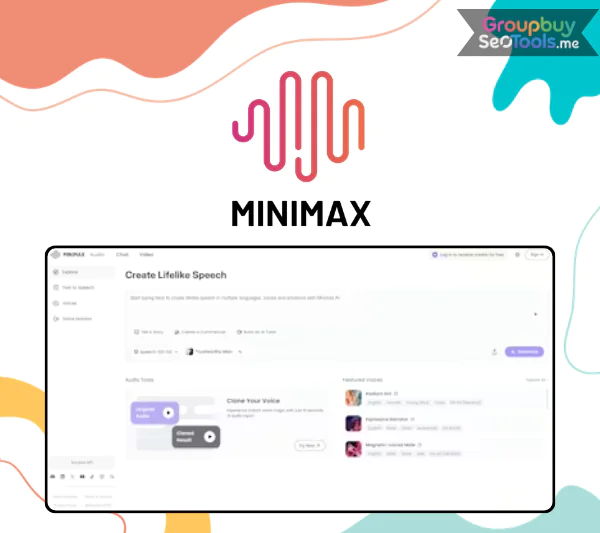
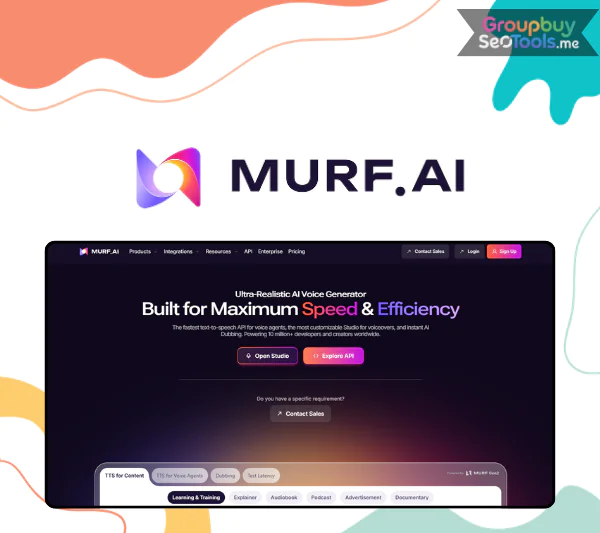
Minimax Audio interface showcasing AI voice generation features
Minimax Audio is an advanced AI-driven solution that is part of the Minimax ecosystem. Digital producers are liking this technology platform more and more. It’s much more than simple text-to-speech software because it was made for making sounds. Imagine it as a full-fledged studio for making music that is powered by AI.
One thing that really sets Minimax Audio apart from other TTS systems is that it can copy a voice with just 30 seconds of sample audio. It also works with many languages and gives very realistic speech. There are small pauses, changes in tone, and emotional expressions that make the output sound real and human instead of artificial.
Key Features of Minimax Audio
Personal Voice Cloning Within Seconds: You can send in your clip with just a 10- to 30-second recording, and the system will look it over. The AI makes a digital copy of your voice that sounds a lot like the real thing in less than 30 seconds. The level of similarity is around 95% to 96%, which means it can be used for training videos, branded ads, podcasts, or personalized content campaigns. This feature gives writers new options for voice output consistency without having to record each script by hand.
A large voice library with many styles: Minimax Audio comes with a lot of pre-built sounds. You can choose a voice that fits your project, whether you need a calm storyteller, an animated presenter, or a harsh teacher voice. Controlling your emotions makes things seem even more real. You can use different types of expressions, like a happy, sad, or dominant tone of voice. This gives you the freedom to make sure that your audio material connects with the right people and doesn’t sound dull or robotic.
Processing of long forms of text: A lot of text-to-speech tools limit how much you can turn at once. Minimax Audio gets rid of that problem by letting you enter up to 200000 characters at once. That much is about the size of a short book. This feature is very helpful for people who make audiobooks, educational channels, and long-form content because it gets rid of the need to split scripts into multiple parts.
Better Voice Customization: Users can fine-tune different audio parameters to get the sound they want. It is possible to speed up or slow down reading. Changing the volume and pitch can help shape the tone as a whole. Adding more style choices, like robotic or lo-fi effects, lets you try out different sound identities. With this much control, creators can make sure that the result fits the needs of their project perfectly.
Getting rid of background noise: An added bonus is the noise isolator that is built in. It cuts down on background noise that you don’t want in records, making the sound clearer and more professional. This function makes the final sound quality a lot better for people who are recording in less-than-ideal situations.
It’s easy to sign up and get free daily credits: Minimax Audio makes it easier for people to join by giving away 4000 credits every day for free. This amount is enough to try and make several voice recordings. A Gmail account is all you need to sign up. You don’t need to go through complicated steps or give payment information to start looking around the site.
How to Use Minimax Audio Step by Step
A big reason why many artists like Minimax Audio is that it’s easy to use. Setting up an account only takes a minute or two, and you don’t have to give your card information when you sign up.
Once logged in, follow these steps:
Insert Your Script
Paste your text into the editing field. The platform supports various languages, so you can create multilingual content without switching tools.
Select a Suitable Voice
Voices are organized by style and purpose. Whether your goal is advertising, storytelling, training material, or product review narration, you can quickly locate an appropriate voice profile.
Adjust Audio Settings
Emotion: Choose expressive tones such as happy, serious, or reflective.
Speed: Modify how fast or slow the speech is delivered.
Pitch and Volume: Refine tonal depth and loudness.
Style Effects: Apply variations like lo fi or robotic textures if desired.
Create a Voice Clone
Upload a 30 second recording to generate a digital replica of your own voice. This is particularly helpful for YouTube creators, TikTok producers, podcasters, and educators who want consistent narration without repeated recording sessions.
Generate and Download
After reviewing your settings, click generate. The finished audio file can then be downloaded and integrated into your project.
Minimax Audio Account at GroupbuySeoTools
Minimax Audio premium account overview with high character limit plan
You can get to Minimax Audio through GroupbuySeoTools for just $28 a month instead of paying high monthly fees elsewhere. This choice gives you a private account that can do everything and doesn’t have any problems with shared speed.
With this plan, you receive:
1 million characters each month, equivalent to around 20 hours of high definition audio output
No restrictions on core features
Stable performance without system slowdowns caused by shared usage
Support for English, Vietnamese, and various other languages
This package is great for people who make videos, posts on social media, create AI content, work with advertisers, or teach online and need reliable voice generation at a good price. If you choose GroupbuySeoTools, you can use all of Minimax Audio’s features while staying within your budget and getting professional-quality results.
Why Buy from GroupbuySeoTools?
If you are looking at your choices and trying to decide where to buy your Minimax Audio account, this is a clear explanation of why so many people choose GroupbuySeoTools to get access to premium AI tools.
Competitive Pricing Without Compromising Value
Professional AI speaking platforms often charge fees every month that are more than $20 or $30. That cost adds up fast for freelancers, students, and small groups. GroupbuySeoTools tries to make expensive software easier to get by giving prices that are much lower than going straight to the original provider and subscribing. Less expensive doesn’t mean less useful. You still have access to all features and the speed is stable.
Responsive and Knowledgeable Support
When you buy internet accounts, customer service is very important. The people who work in customer service at GroupbuySeoTools know how to use the tools they offer. If you need help with AI voice generation, it doesn’t matter if you are new to it or have done it before. Any questions you have about setup, login, or usage are answered quickly and clearly, even when it’s not business hours.
Trusted by the Digital Community
In groups that focus on SEO, MMOs, and AI, GroupbuySeoTools has become well-known for its reliable service and clear business practices. The site has built trust among users looking for licensed software at reasonable prices by completing many transactions and keeping customers for a long time.
Private Accounts With Stable Access
GroupbuySeoTools gives private Minimax Audio accounts instead of random shared logins that might stop working at any time. This means that you have full power over how it is used. The technical system is watched to make sure that the speed stays the same, that entry is always possible, and that there aren’t many chances of interruptions.
Clear Refund and Replacement Policy
If there is ever a technology problem, it is easy to get help. If a problem can’t be fixed, the team will either replace the account or give you a return, as required by policy. The process is clear and handled properly, which gives buyers peace of mind.
How to Purchase a Minimax Audio Account at GroupbuySeoTools
Getting started is simple and does not require complicated procedures. Follow these steps:
Visit the official GroupbuySeoTools website or contact their verified communication channels.
Search for the product labeled Minimax Audio private account, or request direct consultation if needed.
Complete payment following the provided instructions and submit the required information for account delivery.
Within approximately 10 to 15 minutes, you will receive your login details along with usage guidance.
Sign in and begin creating professional AI voice content immediately.
Frequently Asked Questions
Is the Minimax Audio account restricted in any way?
You get a private account that you can use however you want. Other people haven’t put any limits on it.
What should I do if the account encounters an issue?
Get in touch with GroupbuySeoTools’s customer service team right away. If the problem is with the system, the account will be changed to fix it.
Do I need technical expertise to use Minimax Audio?
You don’t need any special skills. The design is easy to use. You can make the audio file by pasting your text, choosing a voice, and changing the settings if you want to.
Why avoid unofficial free accounts found online?
Accounts that are public or not officially owned by a company often have fewer features, less secure access, and possible security risks. When you choose a real private account from GroupbuySeoTools, you can be sure of better security, dependability, and consistent performance.
Final Thoughts
The way material is made has changed because of artificial intelligence. Voice is no longer a small part. It changes how people feel, brings them together, and makes interactions with them better. Minimax Audio produces expressive and natural speech, which makes it a useful tool for modern artists, teachers, marketers, and video makers.
For just $28 a month through GroupbuySeoTools, you can get access to AI language technology that is used by professionals while still saving money. Now is the time to start if you want to improve your content with realistic and adaptable voice generation.
 Google
 Microsoft
 Adobe
Adobe Canva
Canva Kaspersky