Google
 Microsoft
 Adobe
Adobe Canva
Canva Kaspersky
TubeSpanner
$101.00

$101.00
Sent via customer’s email
12-24hrs
All-in-one Subscription
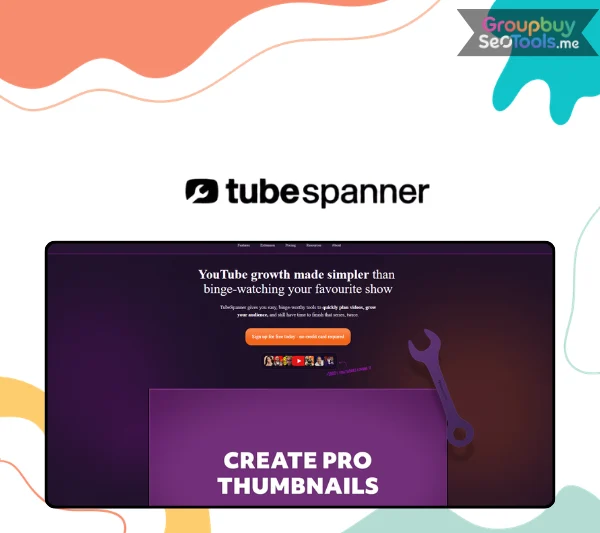
TubeSpanner: Draw and zoom on screen with markup tools, monitor YouTube milestones, and accelerate organic reach easily.
Nobody burns out on filming. Nobody quits YouTube because recording is too hard, or because editing takes too long, or because they can’t figure out how to export an MP4. Those aren’t the problems that stop creators.
What stops creators is the invisible infrastructure around every video. The ninety minutes of title research that precedes a ten-minute upload. The thumbnail that took two hours to design and still underperformed because it looked great in isolation but disappeared inside YouTube’s search results. The social posts that never went out because copying content between five platforms felt like a second job. The Saturday morning when you sat down to work on your channel and couldn’t decide which of the twelve pending tasks was actually worth your time — and ended up doing none of them.
That’s the YouTube admin problem. And it’s the specific problem TubeSpanner was built to solve.
TubeSpanner is not a YouTube SEO tool. It is not a thumbnail designer. It is not a social media scheduler. It is all of those things and more — connected into a single workflow system where the output of one stage feeds directly into the next, so your channel’s entire production cycle runs from one platform instead of six.
The system covers four connected stages:
More than fifty tools span these four stages. What makes them more than a feature list is the integration: every tool shares the same audience profile and channel data, so recommendations in the Ideation stage inform the script structure, which informs the title optimization, which informs what gets scheduled on social. The workflow is one connected system, not a collection of separate utilities that happen to be sold together.
The browser extension is the piece that makes this practical rather than theoretical. The Upload Assistant, Preview Injector, A/B testing controls, and social scheduling tools all live inside YouTube Studio as a panel — no tab switching, no copy-pasting between platforms. You stay where you work.
Creators including Nick Nimmin (932K subscribers), Glam Girl Gabby (633K subscribers), and Creaky Blinder (105K subscribers) use and publicly recommend TubeSpanner — working creators who describe specific workflow improvements, not brand ambassadors offering generic endorsements.
The hardest part of starting a YouTube channel has nothing to do with cameras or editing software. It’s the cognitive overload of not knowing which of the hundred possible first steps actually matters. TubeSpanner’s guided Avatar-to-upload workflow gives beginners a specific sequence to follow — and Daily Tasks tell them exactly what to do each session without requiring them to figure that out independently.
The free plan is genuinely functional for this. Not a limited-time teaser leading to a paywall. A real, usable starting point with core workflow tools, script creation, title generation, and thumbnail basics available without a credit card.
The creator who publishes three videos in a burst of motivation and then disappears for six weeks is not lazy. They’re drowning in the overhead that surrounds every upload. TubeSpanner’s Upload Assistant presets, Script Generator, and Social Media Planner specifically target the admin overhead that makes each video feel like starting from scratch. Andrew Kan — 14,700 subscribers, former TubeBuddy employee — credits TubeSpanner with giving him more time to create and helping him publish more consistently, specifically because eliminating the tool-switching overhead freed up the energy that consistency requires.
TubeBuddy for SEO. Canva for thumbnails. Buffer for social scheduling. A separate script document. A comment management tool. At $15–$25 per subscription, that combination costs $75–$125/month — with no integration between them, no shared audience data, and significant context-switching overhead. TubeSpanner consolidates all of it at $14.99–$39.99/month, with tighter integration between tools because every feature shares the same Avatar and channel data.
For organizations using YouTube as a distribution channel rather than a primary career — coaches, SaaS companies, online educators — TubeSpanner’s Upload Assistant presets and social scheduling enable consistent publishing without requiring a dedicated social media team. The Promo Pages feature converts YouTube viewers directly into leads or sales page visitors without external landing page tools.
The Agency plan unlocks multi-channel management for agencies and MCNs producing YouTube content across multiple client accounts. The consistent Avatar-to-publish workflow creates a repeatable production process that scales across team members without each person reinventing the methodology independently.
Before any other tool, TubeSpanner asks you to define an Audience Avatar: a detailed profile of the specific viewer you’re making content for. Age range, interests, goals, problems, viewing habits, and the reason they’d choose your channel over someone else’s.
This isn’t a form to complete before the “real” features unlock. It is the data input that personalizes every subsequent output. A vague Avatar — “people interested in fitness” — produces generic ideas that could belong to any channel. A specific Avatar — “men in their late 20s returning to exercise after years away, who want structured routines they can follow without a gym membership or expensive equipment” — produces ideas, script angles, and title recommendations that feel made for one person. That specificity is what drives subscriptions.
Free plan users access a default current-viewer profile. Paid plans unlock fully custom Avatars: three on Core, six on Pro for creators serving distinct audience segments.
HomeRun identifies breakout videos in your niche — videos that have significantly outperformed a channel’s typical view average, the outliers that reached audiences far beyond normal. It surfaces these videos, explains what made them work (topic angle, title pattern, format, timing), and generates an adapted title, script outline, and thumbnail concept you can build from.
The shift in mindset HomeRun enables is more valuable than any individual output it produces: moving from “I hope this topic resonates” to “I can see that this topic already has.” Idea validation through evidence rather than intuition is a fundamentally different way to choose what to make.
Alongside HomeRun, the Competitors tool tracks channels succeeding in your niche so you can see what’s consistently working before committing to any content direction.
The Script Generator builds a structured video script from your topic, Avatar, and chosen format. Scripts are divided into sections — hook, main content, CTA — with talking points per section and estimated speaking time per section. A production guide, not a teleprompter.
The Hold & Modify feature is what makes it practically useful rather than theoretically useful: lock the sections you like, regenerate only the ones you don’t. When the body of the script is solid but the hook isn’t landing, you iterate on the hook — you don’t start over. This single feature addresses the most common reason AI scripts get abandoned.
Shot list generation extends the script into a basic production brief: which shots to capture, where visual cuts should happen, which moments need supporting visuals. By the time you pick up your camera, the recording session has a structure.
Creators who previously spent two to four hours getting from topic to recording-ready script consistently report completing usable drafts in under thirty minutes. Not because the AI replaces their voice — it shouldn’t and doesn’t — but because eliminating the blank-page problem eliminates most of the time.
The Discovery Optimiser answers a question most creators never ask at the right time: will this title stand out in YouTube search and recommendations, or will it disappear?
It evaluates your proposed title before you film — when changing direction is free — against search behavior, competitor titles, and your Avatar’s click patterns. The output is a confidence score and alternative suggestions. Pre-production SEO means you’re building discoverability into the video from the start, not trying to retrofit it after upload when the damage is already done.
The SEO Optimiser adds keyword research: which search terms are realistically worth targeting at your channel’s current size, what competition looks like for each term, and whether pursuing a specific keyword is worth the effort. Together, they answer the two questions that determine whether a video gets found: “Is this topic being searched?” and “Will anyone click the title?”
The Thumbnail Editor is built for YouTube thumbnails specifically — not a general design app adapted for the format. Templates, text and image layers, background tools, YouTube-dimension exports. The standard tools for the job.
The Preview Injector is what makes it genuinely different from any alternative. Before finalizing a thumbnail, it shows how that thumbnail will appear on YouTube’s homepage and in search results — surrounded by real, current competing videos in your niche. Most creators design thumbnails in isolation and discover they blend into the background only after publishing, when click-through rate tells the story retroactively. The Preview Injector makes that discovery at design time, when fixing it is a five-minute edit rather than a missed opportunity on a live video.
Easy A/B Testing runs YouTube’s native thumbnail and title experiments directly from TubeSpanner, without navigating YouTube Studio’s hidden experiment settings.
When you’re ready to upload, the Upload Assistant pre-fills your title, description, and tags based on your Avatar, Discovery Optimiser analysis, and script content. Customizable presets apply your standard description structure — links, CTAs, chapters — across every video in one click.
The value compounds with consistency. Every upload has your links in the right place. Your chapter structure is always formatted correctly. Your CTA language stays consistent. The things that should be identical across every video actually are, without manually checking each time.
After publishing, the Social Media Planner schedules posts using your video title, thumbnail, and description as source material. No copying between platforms. No reformatting for each channel.
Automated Comment Replies handle community engagement through context-sensitive reply templates — keeping the comment section active without requiring you to live inside YouTube notifications. The Spam & Bot Blocker filters low-quality comments automatically, keeping the community clean without manual moderation.
Bio Pages create a single-link landing page pointing to your latest content. Promo Pages build focused pages for specific conversions — product sales, newsletter signups, course enrollments — turning YouTube viewer attention into business outcomes.
Daily Tasks is TubeSpanner’s answer to the question that actually determines whether creators grow consistently or plateau: “I have an hour right now. What’s the most valuable thing I could do for my channel?”
Each morning, the system generates a short list of personalized action items based on your Channel Objectives, recent performance data, Avatar analysis, competitor behavior, and incomplete items from previous days. These are not generic growth tips. They are specific, executable tasks calibrated to your actual channel’s current situation — the three most recent videos, your current subscriber count, your Avatar’s engagement patterns, your recent publishing history.
Tasks can be completed, dismissed, or deferred, and the system adapts based on your responses over time. For creators who struggle with prioritization or get overwhelmed by the breadth of what YouTube requires, Daily Tasks is consistently cited as the highest practical value in the entire platform.
| Feature | Forever Free | Core | Pro |
| Price | Free | $14.99/mo | $39.99/mo |
| Video Ideas & Titles | 30/mo | Included | Included |
| Video Scripts | 2/mo | 10/mo | 50/mo |
| Optimized Descriptions | 1/mo | 5/mo | Unlimited |
| Thumbnail Templates/Editor | 1/mo | 25 Premium/mo | Unlimited Premium |
| Social Media Planner | 2/mo | Included | 15/mo |
| Keyword & Competitor Research | ✗ | 250 prompts/mo | Unlimited |
| AI Creator Assistance | ✗ | ✗ | Unlimited |
| Analytics & Performance Tracking | ✗ | ✗ | Unlimited |
| Target Viewer Avatars | ✗ | 3 | 6 |
| Automated Comment Replies | 1 template | 10 custom + canned | Advanced |
| Branded Bio Pages | ✗ | 1 (no watermark) | 3 (no watermark) |
| Promo Pages | ✗ | ✗ | 10 |
| Browser Extension | ✔ | ✔ | ✔ |
Forever Free — a permanent plan, not a trial countdown. Core workflow tools, script and title generation, basic thumbnails, and the browser extension are all accessible. Enough to understand how the platform works and publish better-structured videos before spending anything.
Core at $14.99/month — the right plan for growing creators publishing on a consistent schedule who need the full workflow without unlimited AI access. The jump from Free to Core unlocks the Upload Assistant, full social scheduling, competitor research, and custom Avatars.
Pro at $39.99/month — for professional creators and YouTube-based businesses that need unlimited AI assistance, full analytics, and maximum content output capacity. At this tier, TubeSpanner replaces a tool stack that would realistically cost $80–$120/month in separate subscriptions.
Agency plan — multi-channel management for agencies, MCNs, and creators running more than one channel from a single account.
The cost comparison that matters: A creator currently paying for TubeBuddy Legend ($49.50/mo), Canva Pro ($13/mo), Buffer Essentials ($18/mo), and a separate commenting tool is spending ~$80+/month across four platforms with no integration between them. TubeSpanner Pro at $39.99/month consolidates all four functions at half the cost, with tighter integration because every tool shares the same channel data.
TubeBuddy is the market’s most established YouTube SEO platform — deep keyword research, bulk processing for large video libraries, granular competitive analysis, A/B testing, and catalog-wide optimization tools. Its depth at the keyword and SEO layer exceeds TubeSpanner’s.
The honest framing is that these tools serve different primary needs. TubeBuddy optimizes what you’ve already decided to make. TubeSpanner helps you decide what to make, scripts it, designs the thumbnail, publishes it with a consistent workflow, and manages the distribution afterward. Most experienced creators who use TubeSpanner are replacing a tool stack, not a TubeBuddy subscription specifically.
For creators choosing one: if your primary need is keyword database depth and SEO management of an existing catalog, TubeBuddy at $49.50+/month is the stronger choice on that specific function. If you want the full workflow in one platform at a lower combined cost, TubeSpanner delivers significantly more for the price. Many established creators run both — TubeBuddy for keyword depth, TubeSpanner for everything surrounding production.
VidIQ leads on analytics depth and competitor monitoring — it’s the choice for data-driven creators who want to understand the algorithm through numbers and track competitive positioning systematically. Its AI idea generation is strong. Its starting price for meaningful features runs $49+/month.
TubeSpanner is a workflow tool; VidIQ is primarily an analytics and intelligence tool. Creators who want deep data on why their videos perform as they do will find VidIQ more analytically satisfying. Creators who want to produce better content more efficiently day to day will find TubeSpanner more useful as a production companion.
Morningfame is designed for small channels that want simplified, focused growth guidance without feature overwhelm. Priced at $8/month with historically invite-only access, it offers digestible analytics and basic strategy direction.
Morningfame’s simplicity is both its appeal and its ceiling. It does not offer scripting tools, thumbnail design, social scheduling, or community management. For creators at the very earliest stage who find other tools overwhelming, it provides a gentler entry point. For creators who want workflow tools that scale with their channel, TubeSpanner offers significantly more capability at a comparable price.
For YouTube thumbnail work specifically, TubeSpanner’s Thumbnail Editor with the Preview Injector outperforms Canva because it shows thumbnails in actual YouTube context — something Canva structurally cannot provide. Creators who use Canva exclusively for thumbnails and YouTube-related social posts can consolidate into TubeSpanner without losing design capability.
Creators with extensive design needs across marketing materials beyond YouTube — brand identities, presentation decks, print assets — may keep Canva for those purposes while using TubeSpanner for YouTube-specific production.
Buffer is a dedicated social media scheduling platform. TubeSpanner includes social media scheduling as one feature within its broader YouTube workflow system. For creators whose primary need is cross-platform social management across many channels (Instagram, LinkedIn, Twitter/X, Facebook), with YouTube as secondary, Buffer’s depth in those platforms is stronger. For YouTube-first creators, TubeSpanner’s scheduling feature handles what Buffer would do — plus everything else in the YouTube workflow — making Buffer redundant at the TubeSpanner subscription price.
| Tool | Primary Strength | Best Creator Type | Starting Price | Key Trade-off vs TubeSpanner |
| TubeSpanner | Full YouTube workflow | Creators wanting one platform | Free / $14.99/mo | Lighter on deep SEO analytics |
| TubeBuddy | YouTube SEO depth | SEO-focused, large catalogs | Free / $49.50+/mo | Stronger keyword depth; weaker on workflow |
| VidIQ | Analytics + competitor intel | Data-driven, analytics-first | Free / $49+/mo | Better analytics; higher price; less workflow |
| Morningfame | Simplified guidance | Very small channels | Free / $8/mo | Simpler; fewer tools; less scalable |
| Canva | Design versatility | Any creator needing design | Free / $13+/mo | Better for non-YouTube design; no workflow |
| Buffer | Social scheduling | Cross-platform social mgmt | Free / $6+/mo | Scheduling only; no YouTube production tools |
“People who want to get fit” is not an Avatar. It is a demographic so broad it describes half the internet. “Women in their early 40s who have tried and quit multiple workout programs and are looking for something sustainable they can maintain alongside a full-time job and family” is an Avatar. The difference in the quality of ideas, script angles, and title suggestions that each profile generates is not marginal — it is the difference between generic outputs that could belong to any channel and specific outputs that sound like they were made for your channel.
Spend twenty minutes here before touching anything else in the platform. Every subsequent tool works better as a direct result.
Daily Tasks calibrate to where your channel actually is. A 250-subscriber channel configured with 500K subscriber objectives gets advice built for the competitive challenges of large channels — challenges that don’t apply yet and distract from the leverage points that matter at the early stage. Set realistic intermediate milestones: 1,000 subscribers if you’re at 250. The system guides you sequentially toward each threshold, and the advice at each stage is more relevant because it’s calibrated to your actual position.
HomeRun and the Ideas tools use competitor data to surface niche-specific insights rather than generic suggestions. Without competitors added, outputs are necessarily more general. Add three channels — not just the biggest names in your niche, but channels at different size tiers including some closer to your own — before running any idea generation. The specificity of the suggestions changes immediately.
Most creators discover HomeRun after they’ve already chosen a topic and treat it as a validation afterthought. The higher-value use is to run HomeRun at the beginning of your topic selection process — before you’ve committed to anything — so it filters out low-potential ideas before you’ve emotionally invested in them. Let evidence inform the selection, then refine it with your creative judgment.
The Script Generator’s highest value is structural: sections, logical flow, key talking points per section, estimated speaking time. The specific language it produces is a first draft that requires your voice and perspective before it becomes genuinely useful. Read every script output aloud before recording. Any sentence that sounds like AI rather than you — rewrite it before your first take. The Hook section specifically is worth multiple iterations using Hold & Modify; the first fifteen to thirty seconds of a video determine whether a viewer stays or leaves, and that decision point warrants the extra time.
Presets that encode your standard description structure, chapter template, affiliate link placement, and CTA language save the most time when they’re built before you need them. The optimal moment to build these is a quiet session between videos, not during an actual upload when you’re already under production pressure. Create presets for your three most common video types and let the system apply them automatically from that point forward.
The question the Preview Injector should answer: does my thumbnail stand out among the specific competing thumbnails a viewer sees immediately before deciding whether to click mine? Preview your thumbnail against a search results page for your target keyword — not against a generic YouTube homepage. The competitive context that determines your click-through rate is the specific results page, not the general feed. Design to win that specific context.
Is it suitable for complete beginners with no YouTube experience?
Yes, and the workflow is specifically designed with beginners in mind. The Avatar setup, Daily Tasks, and guided idea-to-upload sequence eliminate the “I don’t know where to start” problem that prevents many new creators from publishing consistently. You don’t need to understand YouTube SEO theory, algorithm mechanics, or keyword research principles to get immediate value — the tools translate all of that into plain-language, actionable direction.
Can I use TubeSpanner for more than one YouTube channel?
Multiple channels are supported on the Agency plan, designed for digital agencies, MCNs, and creators managing more than one channel simultaneously. Core and Pro plans connect to a single YouTube channel. If you manage a personal channel and a separate business channel, the Agency plan is the appropriate tier.
Does TubeSpanner replace TubeBuddy?
For most creators, it reduces or eliminates the need for TubeBuddy by covering keyword research, title optimization, and A/B testing within the TubeSpanner workflow. For creators who need the deepest possible keyword database, bulk catalog processing, or advanced rank tracking that TubeBuddy’s higher tiers provide, some creators run both tools — TubeBuddy for specialist SEO work, TubeSpanner for the production workflow surrounding it. At TubeSpanner’s price point, the combined cost of both tools can still be lower than TubeBuddy Legend alone.
Does TubeSpanner replace Canva for thumbnail design?
For YouTube thumbnail work specifically, yes. The Thumbnail Editor covers the design capabilities needed for thumbnails — templates, layers, text tools, correct export dimensions — and the Preview Injector adds the in-context preview that Canva cannot provide. Creators who use Canva exclusively for thumbnails and YouTube social posts can consolidate that work into TubeSpanner. Creators with extensive design needs across other marketing materials may keep Canva for non-YouTube design tasks.
What devices and platforms does it work on?
The main platform is web-based and accessible from any desktop or laptop browser. The Chrome extension — which unlocks Upload Assistant, Preview Injector, and Easy A/B Testing inside YouTube Studio — requires a compatible desktop browser. A dedicated mobile app is not currently available. Some features are accessible through the web dashboard without the extension.
What are TubeSpanner’s main limitations?
Three limitations appear consistently across user feedback. First, analytics depth is lighter than YouTube Studio for serious performance analysis — retention curves, revenue data, and detailed click-through breakdowns require YouTube’s native tools. Second, YouTube-specific SEO keyword database depth at the specialist level is less granular than TubeBuddy or VidIQ at their premium tiers, relevant for creators with aggressive search-optimization strategies. Third, the browser extension is required for the in-YouTube workflow features — creators on mobile or non-compatible browsers cannot access the Preview Injector, Upload Assistant panel, or Easy A/B Testing.
Strong fit if you:
Look elsewhere if:
| Time | 1 Year |
|---|
There are no reviews yet.